Convert Air Waybill PDF to Excel: Extract AWB Numbers, Routing Details, and Charge Data Faster
To convert air waybill PDF to Excel, upload the AWB to LifetimePDF's PDF to Excel tool, export the XLSX, and review the AWB number, shipper, consignee, airport routing, pieces, gross weight, chargeable weight, and freight charges before using the sheet.
If the air waybill is scanned, stamped, photographed, or bundled with other freight paperwork, isolate only the AWB pages and run OCR first so routing fields and shipment rows stay much cleaner.
Most people searching this phrase are not trying to perform a novelty conversion. They are trying to stop retyping shipment data, reconcile air cargo documents faster, and get a spreadsheet they can sort, filter, share, or import into another workflow without turning one AWB PDF into a long cleanup project.
Fastest path: use LifetimePDF's PDF to Excel tool, and OCR the air waybill first if it came from a scan, fax, mobile photo, or image-only export.
In a hurry? Jump to Quick start: convert air waybill PDF to Excel in about 5 minutes.
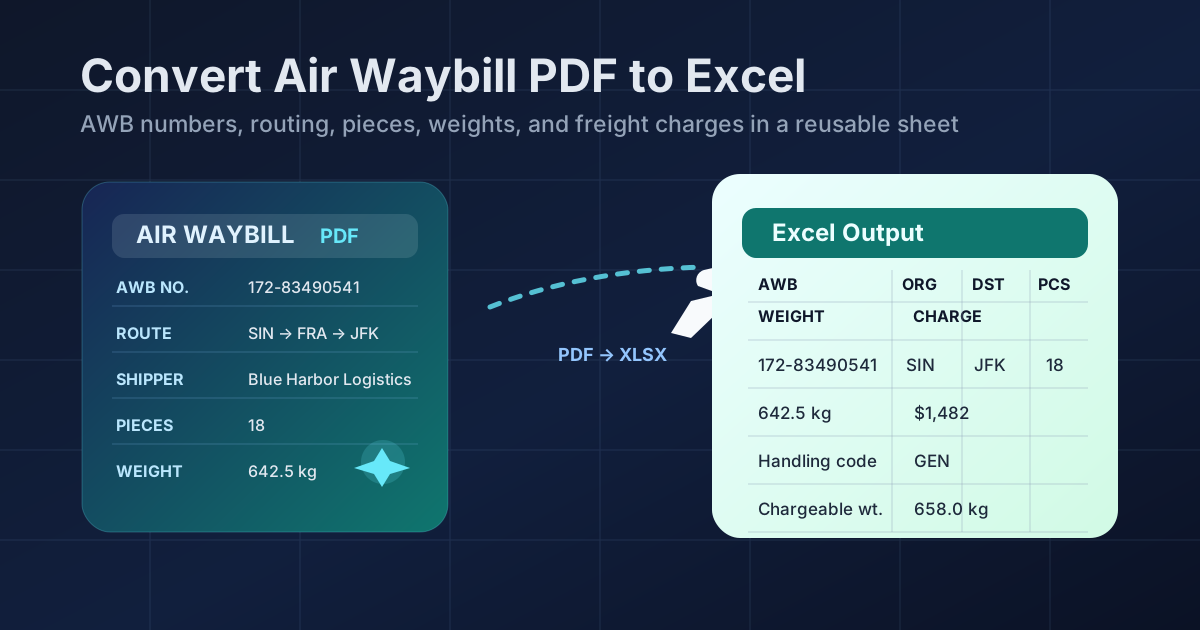
Table of contents
- Quick start: convert air waybill PDF to Excel in about 5 minutes
- Why teams need air waybill PDFs in Excel
- Which AWB fields matter most
- What converts cleanly and what usually breaks
- Step-by-step: extract AWB data with LifetimePDF
- Review checklist before you trust the spreadsheet
- Excel vs CSV for air cargo workflows
- Privacy and document-handling tips
- Related LifetimePDF tools and companion guides
- FAQ (People Also Ask)
Quick start: convert air waybill PDF to Excel in about 5 minutes
If the air waybill already contains selectable text and the layout is reasonably clean, this workflow is usually enough:
- Open PDF to Excel.
- Upload the air waybill PDF you want to extract.
- If the file also contains invoices, packing lists, manifests, delivery receipts, or email printouts, first isolate only the AWB pages with Extract Pages.
- If the AWB is scanned, faxed, photographed, or image-only, run OCR PDF before converting.
- Export the spreadsheet and review the AWB number, origin and destination airports, pieces, gross weight, chargeable weight, and freight charges.
Why teams need air waybill PDFs in Excel
An air waybill PDF is fine when you only need to read it once. It becomes frustrating when you need to compare shipments, check routing, review weights, reconcile freight charges, or reuse the data in a spreadsheet, ERP, TMS, customs log, or internal tracker. That is where Excel becomes much more useful than the original PDF.
- Freight audit and charge review
- Airport routing and handoff tracking
- Ops reconciliation across multiple shipments
- ERP, WMS, or TMS data-entry reduction
- Customer reporting and exception handling
- AWB number stays intact
- Shipper and consignee details land sensibly
- Origin and destination airports stay readable
- Pieces and weights stay aligned
- Charge lines are easy to verify
The point is not to get a perfect spreadsheet from every cargo document without any review. The point is to get close enough that cleanup takes a minute or two instead of forcing someone to retype the shipment by hand. For freight forwarders, air cargo teams, import and export coordinators, finance staff, and operations managers, that time savings adds up quickly.
Why air waybills feel harder than ordinary tables
Air waybills often mix shipper and consignee blocks, routing information, service notes, package counts, gross and chargeable weight, dimensions, charges, remarks, stamps, and signature areas on the same page. Humans separate that visually without much effort. Converters have to infer structure from spacing and alignment, which is why page isolation and OCR matter so much here.
Which AWB fields matter most
Not every field matters equally. If you know which data you actually need, you can review the spreadsheet much faster and catch the errors that create real downstream problems.
- AWB number
- Shipper name
- Consignee name
- Origin and destination airports
- Piece count
- Gross weight and chargeable weight
- Freight charges
- Flight or routing details
- Handling codes and service level
- Reference numbers
- Currency and charge terms
- Issue date and departure timing
- Special remarks or restrictions
If the spreadsheet gets those fields right, it is usually useful. If it loses the AWB number, shifts chargeable weight into the wrong row, or merges airport routing into a notes block, you may still save time compared with manual typing, but only if you catch the bad rows early.
Rows and sections that deserve extra attention
- Routing blocks: origin, transit, and destination fields can collapse together when the layout is tight.
- Weights: gross and chargeable weight are easy to mix if the source PDF is noisy.
- Charges: prepaid, collect, and summary amounts can drift into adjacent columns.
- Reference numbers: short codes are easy to misread and surprisingly important later.
- Stamp and signature areas: these often become junk rows if the page is scanned poorly.
What converts cleanly and what usually breaks
AWB extraction gets easier when the PDF is already digital, text-based, and consistent across pages. It gets harder when the document is scanned, photographed, faxed, or bundled with other freight paperwork.
- Digital exports from airline, ERP, or forwarding systems
- Files with selectable text
- Clean routing blocks and readable charge sections
- Standalone AWB PDFs without unrelated pages
- Scanned paper copies or mobile photos
- Documents with stamps over important fields
- Packets mixed with invoices, manifests, or emails
- Dense layouts with tiny fonts and repeated headers
The phrase convert air waybill PDF to Excel sounds simple, but the quality of the input still decides how clean the output can be. A good converter saves time. A good workflow saves even more time because it gives the converter a cleaner file to work with in the first place.
Why page isolation helps more than people expect
If your file includes commercial invoices, packing lists, customs declarations, delivery receipts, or broker emails, separate those before converting. A converter cannot know that an insurance note or signature page is irrelevant to your spreadsheet. Removing the clutter first often improves field detection much more than people expect.
Step-by-step: extract AWB data with LifetimePDF
Here is the practical workflow that works best when you want a spreadsheet that is useful fast instead of technically converted but annoying to trust.
1) Start with the right pages
If the file includes invoices, manifests, delivery receipts, internal emails, or other shipment paperwork, remove those first. Use Extract Pages to keep only the air waybill pages you actually need.
2) OCR first if the AWB is scanned
Image-only PDFs make everything harder. Before converting, run the file through OCR PDF so AWB numbers, airport codes, piece counts, weights, and charges are easier to recognize as text. This matters most for emailed scans, stamped printouts, and quick photos captured in a warehouse or on the move.
3) Fix sideways or noisy pages before extraction
If a page is rotated, tilted, or padded with large borders, clean it up first. Rotate PDF helps with orientation problems, and Crop PDF helps when margins, stamps, or footer clutter are overwhelming the useful data area.
4) Convert the air waybill to Excel
Open PDF to Excel, upload the cleaned AWB PDF, and export the XLSX file. At this point, the goal is not perfection. The goal is a structured sheet that already has most fields in the right place.
5) Review the high-risk fields first
Check the AWB number, shipper, consignee, origin, destination, pieces, gross weight, chargeable weight, and freight charges. If those look good, the rest of the spreadsheet is usually much easier to clean.
Review checklist before you trust the spreadsheet
A short review catches most of the errors that matter. You do not need to audit every row equally. You need to focus on the fields most likely to break when air cargo PDFs become spreadsheets.
- Confirm the AWB number and issue date: those are often the first fields someone else will search for later.
- Check the routing block: verify origin, destination, and any transit points still read correctly.
- Review pieces and both weight fields: gross and chargeable weight should not be swapped.
- Check the charge lines: confirm the amounts and labels still make sense.
- Verify shipper and consignee fields: these sometimes land outside the expected structure.
- Look for junk rows: stamps, signatures, printed labels, and footer notes should not live inside the useful data area.
- Compare one top section and one lower section: repeated headers and late-page shifts often show up farther down.
Common cleanup moves after conversion
- Delete repeated headers that appear once per page
- Keep AWB numbers and airport codes as text when leading zeros or exact formatting matter
- Separate routing notes from charge rows if they landed together
- Standardize numeric formats for pieces, gross weight, chargeable weight, and charges
- Remove signature-block or stamp text that drifted into the useful data area
Excel vs CSV for air cargo workflows
Both formats can be useful. The better choice depends on what happens after extraction.
- You still need to review and clean the output
- You want filters, formulas, notes, or highlighting
- You are handing the file to operations, forwarding, customs, or finance staff
- You want a working spreadsheet, not just raw rows
- You only need plain rows and columns for import
- The downstream system already expects CSV
- You do not need formulas, tabs, or workbook formatting
- You want the simplest possible export after cleanup
For most air waybill workflows, Excel is the better first stop because it gives you room to review and fix the extraction. Once the structure looks right, you can always save a CSV afterward if another system requires it.
Privacy and document-handling tips
Air waybills are not harmless filler documents. Even when they look routine, they still reveal suppliers, consignees, airport routing, shipment references, weights, account details, and other operational information. That means the workflow should stay deliberate.
- Upload only the pages you need instead of the full shipment packet.
- Redact when appropriate if the document contains extra identifiers or information that should not travel further.
- Use OCR and cleanup tools first so you do not share more pages than necessary just to get a better extraction.
- Protect final documents when needed if cleaned files are going out by email or to outside parties.
- Keep the source and the reviewed spreadsheet traceable so corrections are easy to audit later.
If the original PDF needs cleanup before or after extraction, pair this workflow with Redact PDF, Delete Pages, or PDF Protect depending on what the file needs next.
Related LifetimePDF tools and companion guides
Converting the AWB is often only one step in the overall workflow. These related tools and guides help when the raw PDF needs cleanup before or after extraction.
Companion guides
Useful adjacent reading for nearby trade and logistics extraction workflows.
Bill of Lading GuideWithout Monthly Fees
More related guides
- Convert Packing List PDF to Excel
- Convert Commercial Invoice PDF to Excel
- Convert Shipping Manifest PDF to Excel Online Without Monthly Fees
- Extract Tables from PDF to Excel Online Without Monthly Fees
Need the shortest route? Keep only the air-waybill pages, OCR the file if needed, convert it to Excel, then review routing, weights, and charges before sharing or importing the sheet.
FAQ (People Also Ask)
How do I convert an air waybill PDF to Excel?
Upload the air waybill PDF to a PDF to Excel converter, export the XLSX file, and review the AWB number, shipper, consignee, origin, destination, pieces, gross weight, chargeable weight, and freight charges before using the spreadsheet. If the file is scanned, OCR first usually improves the result.
Can I convert a scanned air waybill PDF to Excel?
Usually yes. Scanned AWBs work better when you run OCR first and isolate only the pages that actually contain air-waybill data. Cleaner scans and straighter pages usually improve row and field recognition.
Why do air waybill PDFs often create messy spreadsheets?
Because many air waybills combine routing fields, shipper and consignee blocks, service notes, weights, charge summaries, stamps, signatures, and repeated headers on the same pages. Scanned images and mixed shipment packets also make extraction harder.
Is Excel better than CSV for air waybill extraction?
Usually yes if a person still needs to review the result. Excel makes it easier to filter, check totals, fix shifted rows, and hand the file to operations, forwarding, customs, or finance before importing the data elsewhere.
What should I verify after converting air waybill data?
Check the AWB number, shipper, consignee, origin airport, destination airport, pieces, gross weight, chargeable weight, service details, and freight charges. Those are the fields most likely to create downstream problems if one row shifts during extraction.