Summarize Research Paper PDF: Extract the Question, Methods, Findings, and Limits Faster
To summarize a research paper PDF, start by pulling out the research question, methods, findings, limitations, and why the paper matters, then use a PDF summarizer to compress the first pass without losing the structure that actually matters.
If the paper is scanned, run OCR first, and if a claim, number, or citation affects your work, verify it in the original PDF instead of trusting the summary alone.
The goal is not to pretend a ten-page paper became fully understood because you read one paragraph about it. The real goal is faster triage. A useful summary helps you decide whether the paper deserves a full read, what section you should inspect next, and what details need human verification before you cite, share, or act on the conclusions.
Fastest path: summarize the paper first, OCR only if it is image-based, then use PDF Q&A or PDF to Text only for the parts that need exact wording.
Want the short version? Jump to Quick start: summarize a research paper PDF in a few minutes.
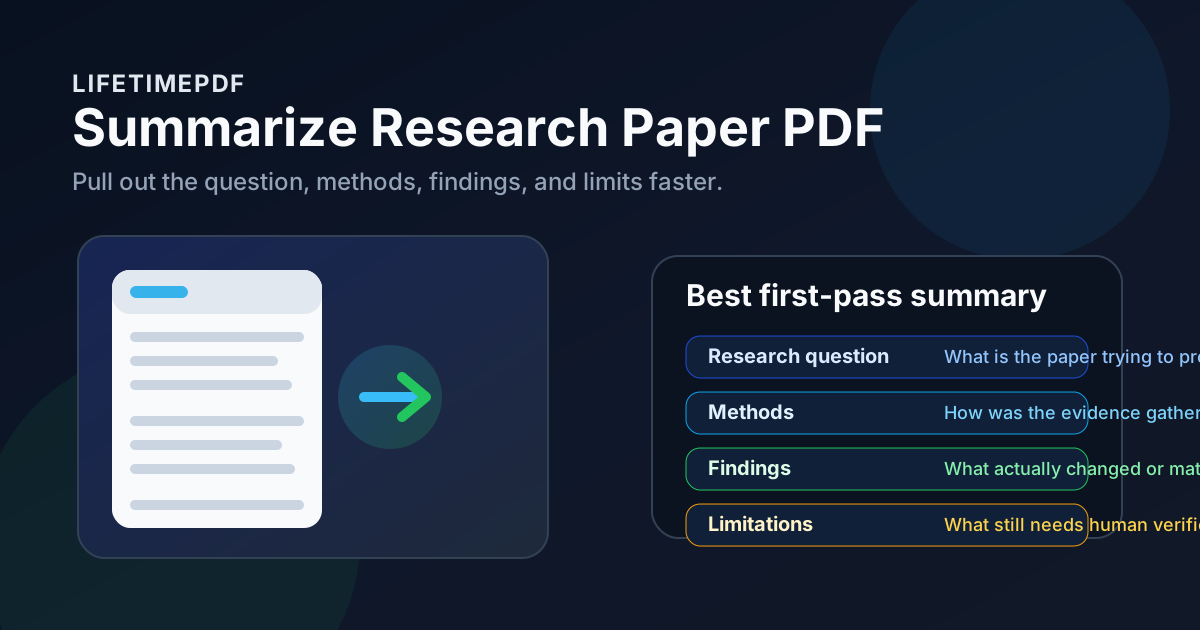
Table of contents
- Quick start: summarize a research paper PDF in a few minutes
- What a useful research paper summary should include
- Step-by-step: how to summarize a paper without losing the important parts
- How to read abstracts, methods, results, and limitations faster
- Summary vs PDF Q&A vs full reading
- Scanned papers and old PDFs: OCR first
- How to turn a summary into notes you can actually reuse
- Privacy and safe handling for academic PDFs
- Related LifetimePDF tools and guides
- FAQ (People Also Ask)
Quick start: summarize a research paper PDF in a few minutes
If you are screening a paper for class, research, product work, investment analysis, or a literature review, the fastest reliable workflow is usually this:
- Open PDF Summarizer.
- Upload the cleanest version of the research paper PDF you have.
- Generate the first-pass summary and look for the question, methods, findings, and limitations.
- If the paper is a scan, run OCR PDF and summarize the searchable version instead.
- If the summary surfaces one important claim, move into PDF Q&A or PDF to Text to inspect the exact wording.
What a useful research paper summary should include
A lot of weak summaries sound polished but say almost nothing. They restate the topic, mention a broad finding, and leave you with no sense of rigor, relevance, or risk. A good summary of an academic PDF should give you five things quickly.
1) The research question
What is the paper trying to answer, test, compare, or explain? If you cannot say that in one or two sentences, the summary is still too vague.
2) The methodology
Was it an experiment, survey, case study, benchmark, review, or theoretical argument? Even a quick summary should show the shape of the evidence, not just the conclusion.
3) The main findings
What actually changed, improved, failed, or surprised the authors? This is the part most people search for first, but it only becomes meaningful when the question and method are clear.
4) The limitations
Sample size, narrow datasets, outdated assumptions, weak controls, short timeframes, and author caveats often matter more than a dramatic headline. A summary without limitations can be actively misleading.
5) Why the paper matters
You need one practical judgment at the end: should this paper move forward into a deeper read, a citation list, a discussion memo, or the discard pile?
| What to extract | Why it matters | What to do next |
|---|---|---|
| Research question | Shows whether the paper is relevant at all | Keep reading or discard quickly |
| Methods / data | Helps you judge rigor, fit, and comparability | Check whether the evidence suits your use case |
| Main findings | Surfaces the central value of the paper | Verify the exact claim if it matters |
| Limitations | Prevents overconfidence and bad citations | Read the discussion section more carefully |
| Why it matters | Turns the summary into a decision tool | File notes, cite later, or move on |
Step-by-step: how to summarize a paper without losing the important parts
The most reliable workflow is fast, but it is not careless. You want enough structure to save time without flattening the paper into a meaningless blob.
1) Start with the cleanest PDF you have
Native exports usually summarize better than screenshots, scanned copies, or photographed printouts. If you have the publisher PDF and a second-generation scan, use the publisher file.
2) Know what job the summary needs to do
Are you screening papers for a literature review? Pulling findings for a memo? Deciding whether a cited source is worth reading in full? The summary becomes more useful when you know whether you need relevance, evidence quality, action points, or a fast comparison.
3) Summarize the whole paper first
Start broad with PDF Summarizer. The first pass should tell you where the signal lives before you spend time on finer questions.
4) Narrow the scope if the paper is too broad
If you only care about the results section, appendix, or methodology pages, isolate those pages first with Extract Pages or Split PDF. Smaller focused inputs often create better summaries than one oversized all-in-one file.
5) Use exact tools only after the summary earns them
Once the summary surfaces a specific claim or caveat, move into PDF Q&A for follow-up questions or PDF to Text when you need a clean excerpt for notes.
Best practical sequence: summarize first, isolate the useful section second, then verify details only where the paper affects a real decision.
How to read abstracts, methods, results, and limitations faster
The point of summarizing is not only to shorten the paper. It is to read the structure more intelligently. When you know what each section is supposed to do, bad summaries become easier to spot.
Abstract: use it as orientation, not proof
The abstract tells you what the authors think the paper is about. That is helpful, but abstracts often sound cleaner and stronger than the underlying evidence. Use them as a map, not as the final verdict.
Methods: this is where credibility starts
If the sample is tiny, the benchmark is weak, or the population is too narrow, the findings may still be interesting, but they should not be over-applied. A good summary should at least surface whether the evidence came from experiments, observational data, simulations, interviews, or review work.
Results: separate the claim from the evidence
Many readers jump straight to results, which is fine, as long as you do not forget how those results were produced. A strong summary identifies the main finding and gives enough context to judge whether it sounds robust or merely suggestive.
Limitations: the most under-read section in the paper
The limitations section often tells you whether a finding generalizes, whether the dataset was incomplete, whether the authors could not test an important edge case, or whether replication would still be needed. If you only remember one caution from a paper summary, make it this one.
Shortcut that actually works
Read the summary for orientation, then inspect the methods and limitations before you emotionally commit to the conclusion. That one habit prevents a lot of bad takeaways from strong-sounding PDFs.
Summary vs PDF Q&A vs full reading
These are not competing workflows. They solve different problems. Using the right one first saves time and reduces sloppy interpretation.
| What you need | Best first step | Why |
|---|---|---|
| Big-picture relevance | PDF Summarizer | Fastest way to see whether the paper deserves a full read |
| Exact wording or one narrow answer | PDF Q&A | Better for one specific claim, caveat, or passage |
| A paper with image-only pages | OCR PDF first | Searchable text improves both summaries and question answering |
| Citation-grade confidence | Read the original section | Only the source can support careful quoting and interpretation |
The summary is your orientation layer. PDF Q&A is your precision layer. Full reading is still your trust layer. Each becomes more useful when you let it do the job it is actually good at.
Scanned papers and old PDFs: OCR first
Scanned academic PDFs are where a lot of summaries go sideways. The paper may look readable to you, but if the text is trapped inside page images, the tool has far less to work with.
Signs the paper needs OCR
- You cannot search for words that are clearly visible on the page.
- You cannot highlight or copy the text normally.
- The paper behaves more like a stack of images than a text document.
Recommended workflow for scanned papers
- Open OCR PDF.
- Create a searchable version of the paper.
- Upload the improved file into PDF Summarizer.
- If one table, statistic, or quote matters, inspect it with PDF Q&A or export it with PDF to Text.
Scanned paper? OCR first and you will usually get a cleaner, more trustworthy summary right away.
How to turn a summary into notes you can actually reuse
A summary is only useful if it leaves you with something better than a vague memory that the paper "looked interesting." The fastest way to keep it usable is to store a few structured notes right away.
- One-line topic: what problem the paper addresses
- Evidence type: experiment, survey, benchmark, review, case study, or theory
- Main finding: the strongest useful conclusion
- Main caveat: the most important limitation or uncertainty
- Next action: cite, read fully, compare with another paper, or discard
If you want a reusable text block for a memo, outline, or annotated bibliography, exporting the relevant section with PDF to Text is often cleaner than manually copying from a browser preview. And if you want to turn your cleaned notes into a handout, checklist, or review pack, Text to PDF keeps the output tidy.
Privacy and safe handling for academic PDFs
Not every research paper is just a public journal article. Internal reports, proprietary white papers, draft manuscripts, reviewer copies, and documents containing participant data deserve more care.
- Redact what is not needed: use Redact PDF if names, identifiers, or confidential fields should not travel with the file.
- Share only the relevant pages: use Extract Pages to isolate only the section you need.
- Protect the final package: use Password Protect PDF before wider distribution when the file is sensitive.
Privacy steps do not make a summary better by themselves, but they make the workflow safer, especially when the document is moving between collaborators, reviewers, or clients.
Related LifetimePDF tools and guides
Research-paper summarization works best as part of a broader PDF workflow. These tools pair naturally with it:
- PDF Summarizer - create a first-pass brief from a long academic PDF
- PDF Q&A - ask targeted follow-up questions about one claim or section
- OCR PDF - fix scanned journal articles and legacy files
- PDF to Text - pull cleaner excerpts for notes and citations
- Extract Pages - isolate methods, results, appendices, or one table-heavy section
- Split PDF - break large academic files into smaller review chunks
- Text to PDF - turn cleaned notes into a shareable PDF pack
Related guides worth reading
- Summarize Research Paper PDF Online
- AI PDF Summarizer
- Summarize PDF Online: Instant Summary
- Chat with PDF
- OCR PDF Without Monthly Fees
- PDF to Text Without Monthly Fees
Want the simplest workflow? summarize the paper, OCR only if needed, then inspect exact claims with Q&A instead of rereading the entire PDF from scratch.
FAQ (People Also Ask)
How do I summarize a research paper PDF fast?
Start with the abstract, research question, methods, findings, and limitations. A PDF summarizer helps you create the first-pass brief quickly, but you should still verify claims, statistics, and citations in the original paper before relying on them.
Can I summarize a scanned research paper PDF?
Yes, but scanned papers usually need OCR first because the text is trapped inside images. Once the PDF becomes searchable, summary quality usually improves a lot.
What should a good research paper summary include?
A useful summary should include the research question, methodology, main findings, limitations, and why the paper matters. Without those five pieces, the summary is often too broad to help with a real reading decision.
Is summarizing a paper the same as reading it fully?
No. Summarizing is a triage step that helps you decide what deserves a full read. It saves time, but it does not replace careful reading when you need strong interpretation, quoting, or citation confidence.
When should I use PDF Q&A after summarizing a paper?
Use PDF Q&A after the summary surfaces something worth checking closely, such as a dataset detail, one surprising result, a caveat, or a quoted passage. Summary gives you the map; Q&A helps you inspect one part precisely.
Published by LifetimePDF — Pay once. Use forever.