Merge PDF and CSV Files Without Monthly Fees: Build One Clean Data Packet Without Another Subscription
To merge PDF and CSV files without monthly fees, the smartest workflow is to open the CSV in a spreadsheet view, export it to PDF first, then use Merge PDF to combine that new PDF with the rest of your documents.
That keeps the data readable, avoids delimiter and layout surprises, and helps you finish the job without turning a routine workflow into another recurring bill.
Most people searching this phrase are not looking for an abstract file-format trick. They are trying to finish something real: a finance packet with transaction exports, a proposal with pricing tables, an operations report with supporting data, or an audit package with CSV evidence behind a formal PDF. The job is already a little annoying. It does not need to become more annoying because the tool stack charges again every month for a workflow you may need hundreds of times over the life of a business.
Fastest dependable path: make the CSV readable, export it to PDF, merge the PDFs in the right order, then only compress or protect the finished file if the actual handoff needs it.
Need the short version? Jump to Quick start: merge CSV and PDF files without another subscription in about 5 minutes.
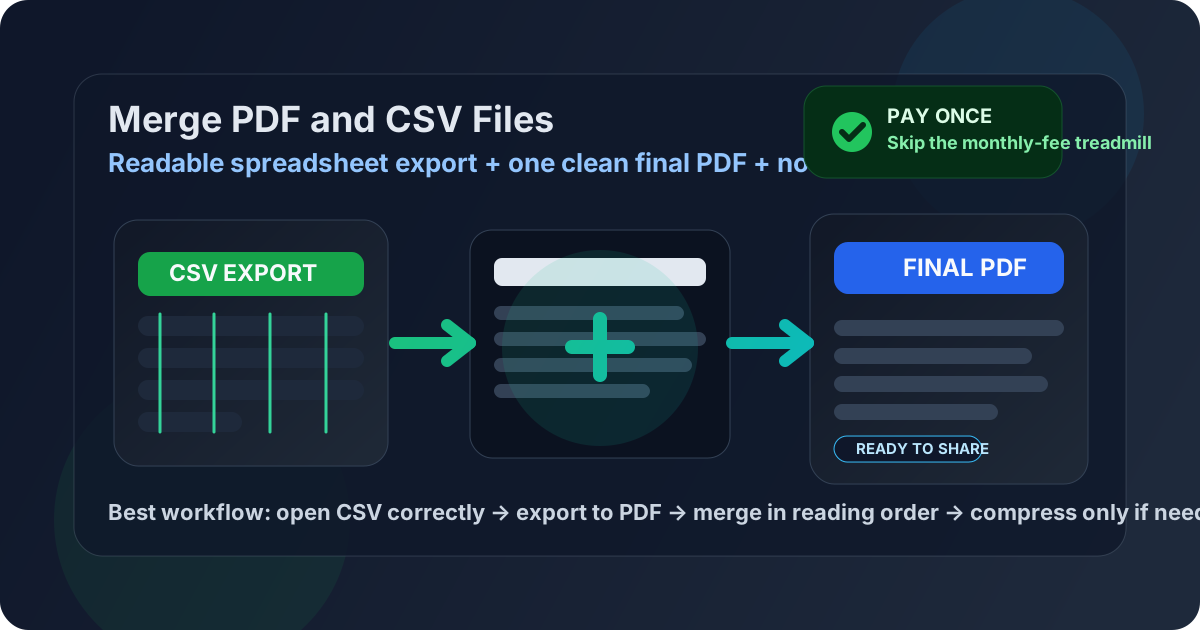
Table of contents
- Quick start: merge CSV and PDF files without another subscription in about 5 minutes
- What this workflow really means
- Why CSV to PDF first is still the cleanest method
- Step-by-step: merge the files without creating a messy packet
- How to keep CSV data readable in the final PDF
- Why monthly fees become annoying fast for this job
- Common real-world use cases
- Troubleshooting broken columns, big files, and awkward page flow
- Related LifetimePDF tools and companion guides
- FAQ (People Also Ask)
Quick start: merge CSV and PDF files without another subscription in about 5 minutes
If the export is already final and you just need one polished handoff, this is the workflow most people actually want:
- Open the CSV in Excel, Google Sheets, or LibreOffice Calc.
- Confirm that delimiters, dates, decimals, encoding, and column structure imported correctly.
- Resize columns, wrap long values, and remove helper fields or empty columns that should not appear in the final packet.
- Export that spreadsheet view as PDF.
- Open Merge PDF.
- Upload the new CSV-based PDF together with the other PDF reports, forms, signed pages, or appendices.
- Drag the files into the exact order the recipient should read them, merge them, and download the final packet.
- If the result is too large for email or a portal, use Compress PDF.
What this workflow really means
A lot of people search for merge PDF and CSV files without monthly fees as if the real problem is just finding a button that accepts mixed file types. Usually that is not the full problem. The real problem is finishing a document packet that another human can review without confusion and doing it in a way that does not punish you every month for a routine task.
In practice, this keyword usually means three things at once:
Readability
The CSV needs to become a calm, readable appendix instead of a raw data dump with crushed columns and awkward wrapping.
Packaging
The final deliverable needs to be one ordered PDF, not a confusing bundle of spreadsheets, PDFs, and loose attachments.
Cost control
The workflow should stay affordable when you repeat it often, instead of quietly becoming another recurring software tax.
Why CSV to PDF first is still the cleanest method
CSV sounds simple because the file itself is simple. But that simplicity is exactly why it becomes awkward inside a finished document workflow. A CSV does not know how wide the columns should be, whether the page should be landscape, where the tables should break, or which field names make sense to a reader. Those decisions have to be made before you merge anything.
That is why the best workflow is still pleasantly boring: open the CSV correctly, export it to PDF once, then merge PDF with PDF. Once the CSV becomes a stable PDF, the rest of the packet becomes much easier to control.
| Workflow | Best when | Main tradeoff |
|---|---|---|
| CSV → PDF → Merge PDF | Reports, finance packets, pricing exports, reconciliation logs, audit appendices, operations handoffs | One extra step, but far better readability and page control |
| Try to combine mixed files immediately | Low-stakes internal sharing where presentation barely matters | More layout surprises and less confidence in the final result |
Step-by-step: merge the files without creating a messy packet
The workflow is straightforward, but doing each step in the right order prevents most of the usual CSV headaches.
1) Open the CSV in a real spreadsheet view
Do not judge the file based on how it looks in a text editor or browser preview. Import it into Excel, Google Sheets, or LibreOffice Calc and check delimiters, encoding, dates, currency, and quoted values before you do anything else. A CSV that imports badly will export badly too.
2) Clean the layout before you make the PDF
Resize columns, wrap long text, remove throwaway fields, and decide whether portrait or landscape will help the reader more. If someone else will read the file, this small cleanup pass matters more than most people expect. It turns raw export noise into something another human can scan calmly.
3) Export the spreadsheet view to PDF
Use Excel to PDF once the spreadsheet view looks right. This is the step that stabilizes the layout. It freezes the page structure before the CSV-derived pages enter a bigger packet.
4) Gather the supporting PDFs
That might include a proposal, a memo, signed pages, invoices, a board report, an audit narrative, or another already polished PDF that the CSV supports. Putting those files in one place before the merge keeps the workflow calmer and helps you catch missing pieces early.
5) Merge in the final reading order
Open Merge PDF, upload the CSV-based PDF and the other PDFs, then drag them into the exact sequence the recipient should follow. Reading order matters more than people expect because the packet will be experienced top to bottom, not as a pile of source files.
6) Review once before you send or upload it
- Check the first page: does the packet open with the right summary, main report, or cover page?
- Check one dense data page: are the CSV pages readable, or do they need better spacing or landscape export?
- Check transition points: do appendices, tables, or logs begin where you intended?
- Check file size: is it still reasonable for email or portal limits?
- Check the final filename: does it make sense to the person receiving it?
Calmest sequence: import correctly, clean once, export once, merge once, review once, then only compress or protect if the actual handoff requires it.
How to keep CSV data readable in the final PDF
Most problems in this workflow are not really merge problems. They are readability problems that started in the CSV import or page setup. A merge usually preserves what it receives. If the CSV-derived PDF is cramped, ugly, or confusing before the merge, the final packet will simply preserve that confusion more officially.
Fix separators and encoding early
If commas, semicolons, decimal symbols, quote marks, or character encoding are wrong, everything after that becomes harder. Solve those issues before exporting, not after the file is already part of a larger packet.
Do not force every column onto one heroic page
Wide CSVs often become unreadable because someone tries to squeeze too much onto one portrait sheet. Landscape orientation, fit-to-width settings, column cleanup, or splitting the export into logical sections usually produces a much more useful result.
Use headers a human can follow
Raw exports often contain system field names that make perfect sense to software and miserable sense to people. If another person will read the packet, clearer column labels and repeated headers dramatically improve the experience.
Preview the CSV-based PDF by itself first
Before you merge anything, open the CSV-derived PDF on its own. If it already feels clipped, tiny, or chaotic there, the merge step will not rescue it. Fix the layout first, then combine the files.
| If the CSV problem is... | The better fix is usually... |
|---|---|
| Columns are shifted or broken | Reimport with the correct delimiter and verify encoding before export. |
| Text is too tiny | Use landscape, trim low-value columns, or break the export into cleaner sections. |
| The page looks cluttered | Remove helper fields, empty columns, and raw export noise before making the PDF. |
| Rows become hard to follow | Repeat header rows and improve spacing before the PDF export. |
Why monthly fees become annoying fast for this job
The subscription problem is not that tools cost money. Good tools can absolutely be worth paying for. The problem is that document assembly is often repetitive, unglamorous work. A CSV export behind a report does not feel like a premium event every month. It feels like normal operating rhythm.
That is why this keyword exists. People are tired of hitting the same pattern over and over: upload the files, get the packet looking right, then discover another paywall, file cap, or recurring plan for a workflow that should just be part of a stable toolkit.
When recurring pricing gets old quickly
- Monthly finance or reconciliation packs
- Proposal and pricing appendices
- Audit or compliance evidence bundles
- Operations reports with CSV exports attached
- Client handoffs that need one final PDF every time
Why a pay-once model fits this workflow
- You stop thinking about whether this month's merge count is “worth” another bill.
- You can build repeatable internal workflows without cost anxiety.
- The merge, conversion, compression, and protection steps stay in one familiar toolkit.
- The software cost feels like infrastructure, not a meter running in the background.
LifetimePDF angle: if you regularly convert, merge, compress, protect, and package PDFs, a pay-once toolkit is simply easier to live with than stacking another monthly charge onto a routine document workflow.
Common real-world use cases
Mixed CSV-plus-PDF packets are normal work, not edge cases. Here are the situations where this workflow shows up most often.
Pricing and product exports behind proposals
A polished PDF proposal may need price tables, SKU exports, or usage data that started as CSV. Turning those pages into a readable PDF appendix makes the handoff feel intentional instead of improvised.
Finance and reconciliation packets
Transaction logs, payout exports, and exception tables often support a memo, board pack, or monthly review. One merged PDF is easier to share and archive than a loose mix of PDFs and spreadsheets.
Operations and support reporting
Teams often need to attach exports, ticket summaries, or reporting extracts behind a process document or incident report. A merged PDF helps the next person follow the story without chasing files.
Audit and compliance evidence
A CSV may contain the detail layer behind a formal narrative, checklist, or approval memo. Converting it to PDF and merging it into the packet makes the review trail cleaner and easier to preserve.
Troubleshooting broken columns, big files, and awkward page flow
Most problems in this workflow are fixable without starting over.
The CSV-derived pages look broken
Go back to the import step. Check delimiters, encoding, decimal formatting, dates, and quoted values. The merge is rarely the actual culprit.
The exported pages are readable but still ugly
That usually means the file wants to be treated like a spreadsheet, not like raw delimited text. Save it as XLSX first, clean the layout more deliberately, and export again.
The merged file is too large
Finish the merge first, then run Compress PDF on the combined result. That gives you a size fix based on the real packet instead of separate guesses.
The order feels wrong after download
Reopen the merge step and resequence the files by reading flow, not export time. This is especially common when the CSV appendix was uploaded first even though it belongs later in the packet.
The packet contains sensitive data
After merging, consider using PDF Protect before sharing it. Protection does not replace judgment, but it can help when the handoff genuinely needs an extra layer of caution.
Related LifetimePDF tools and companion guides
This workflow works best as part of a small document toolkit rather than one heroic button. These are the most useful next steps and nearby guides:
- Excel to PDF - export the CSV from a spreadsheet view into stable PDF pages before the merge.
- Merge PDF - combine the CSV-based PDF with reports, forms, signed pages, or supporting documents.
- Compress PDF - reduce the final packet for email or upload limits.
- PDF Protect - add a password if the final file contains sensitive exports.
- Merge PDF and CSV Files - the broader exact-match guide if you want the core workflow without the pricing angle.
- Merge PDF and CSV Files Online - a browser-first version of the same workflow.
- Merge PDF and Excel Files - useful when the data already lives in a spreadsheet workbook.
- Best Way to Combine Multiple PDFs Into One File - broader guidance on page order and clean packet assembly.
Bottom line: the smartest way to merge PDF and CSV files without monthly fees is not to force raw data into a final packet at the last second. Make the CSV readable first, export it to PDF, merge in order, and keep the workflow on a cost structure that still feels reasonable six months from now.
FAQ (People Also Ask)
1) How do I merge PDF and CSV files without monthly fees?
Open the CSV in a spreadsheet app, export it to PDF, then merge that new PDF with your other PDFs using a tool you can keep using without recurring subscription charges. That keeps the packet readable and the cost structure calmer for repeat work.
2) Can I combine a CSV file and a PDF into one final PDF?
Yes. Convert the CSV into a readable PDF first, then merge it with the other PDF files. That gives you one finished document instead of a mixed-format handoff.
3) Why should I export the CSV before merging it?
Because CSV is source data, not final page layout. Exporting first lets you stabilize the columns, spacing, and page breaks before you combine it with the rest of the packet.
4) When does a pay-once workflow matter more than a monthly plan?
It matters when you merge data packets regularly for finance, operations, proposals, audits, or reporting. A small repeated workflow gets expensive faster than most people expect when every month restarts the meter.
5) What should I do if the merged file is too large?
Finish the merge first, then use Compress PDF on the final packet. That gives you a size reduction based on the real finished file rather than on scattered parts.
Ready to build one clean final packet?
Best workflow: Import CSV correctly - Clean the layout - Export to PDF - Merge in order - Review once - Then compress or protect only if needed.
Published by LifetimePDF - Pay once. Use forever.