Compress PDF for Oracle E-Business Suite: Keep Invoices, Receipts, and ERP Support Small Without Slowing Review
To compress a PDF for Oracle E-Business Suite, upload the final invoice, receipt packet, AP support file, or approval PDF to LifetimePDF's Compress PDF tool, start with Medium compression, and keep the smaller copy only if supplier names, invoice numbers, dates, tax amounts, totals, and approval notes still read clearly.
For most Oracle E-Business Suite workflows, under 2MB is a strong target for text-heavy invoices and finance support, while scan-heavy receipt bundles and mixed ERP attachments usually fit better around 2MB to 5MB after light cleanup.
Oracle E-Business Suite attachments usually become heavy for boring, familiar reasons. A clean invoice gets merged with receipts, backup screenshots, approval pages, receiving support, and old scans that nobody trimmed. The right goal is not the tiniest file possible. It is a smaller PDF that still feels reliable when AP, procurement, accounting, or audit teams have to open it later and trust what they see.
Fastest path: use LifetimePDF's Compress PDF tool at Medium, then clean up extra pages, split oversized packets, or run OCR only if the file is still heavier than the next Oracle E-Business Suite step really needs.
Need the short version? Jump to Quick start: compress an Oracle E-Business Suite PDF in about 2 minutes.
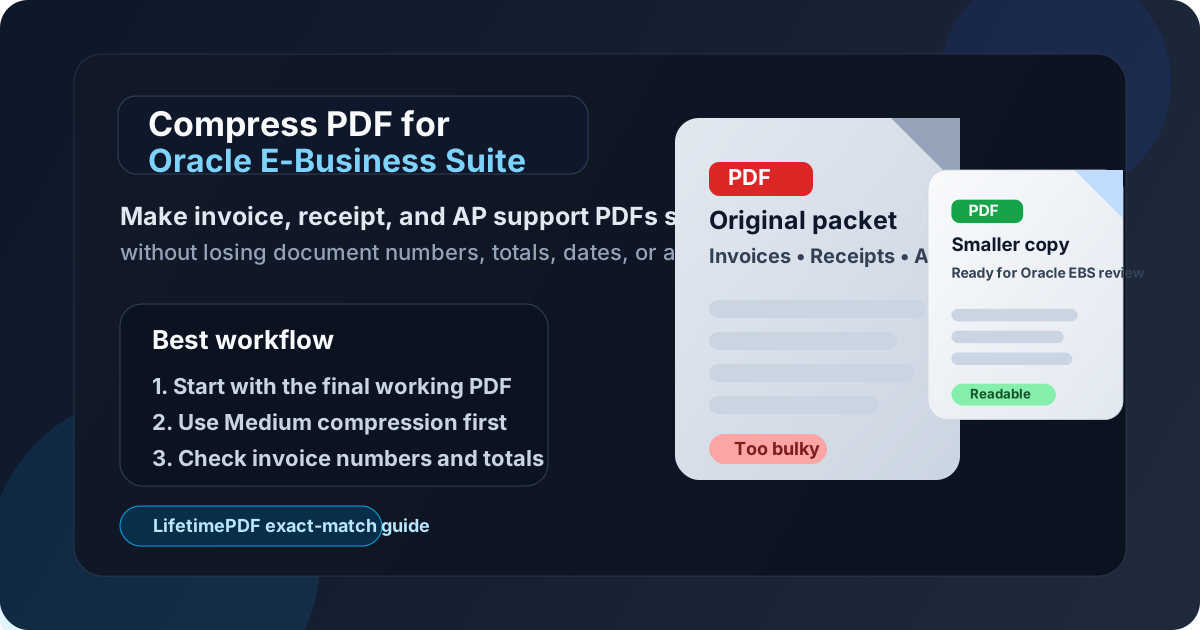
Table of contents
- Quick start: compress an Oracle E-Business Suite PDF in about 2 minutes
- Why Oracle E-Business Suite PDFs get bulky
- What file size should you aim for?
- Which compression level should you choose?
- Step-by-step: shrink an Oracle E-Business Suite PDF with LifetimePDF
- Best approach for common Oracle E-Business Suite document types
- What to clean up before compressing harder
- How to keep finance details readable
- Workflow habits that reduce PDF bloat
- Related LifetimePDF tools and useful reading
- FAQ (People Also Ask)
Quick start: compress an Oracle E-Business Suite PDF in about 2 minutes
If your real goal is simply make this Oracle E-Business Suite PDF smaller so it is easier to upload, review, or archive, this workflow is usually enough:
- Start with the invoice PDF, receipt bundle, AP backup, purchasing support file, journal packet, or approval attachment you actually plan to keep.
- Open Compress PDF.
- Choose Medium compression first.
- Download the smaller result and compare the new file size.
- Check the fragile details once: supplier names, invoice numbers, dates, tax lines, totals, account references, and approval notes.
- If the file came from a scan or the text is not selectable, run OCR PDF.
- If the packet still feels bulky, remove duplicate pages, crop dead space, or split the appendix before trying stronger compression.
Why Oracle E-Business Suite PDFs get bulky
Oracle E-Business Suite sits in the kind of workflow where a PDF often stops being a simple attachment and becomes evidence somebody has to validate. That could be a supplier invoice, receipt packet, expense report backup, receiving document, statement page, purchasing attachment, or journal support file. Each page may look reasonable by itself. The size problem usually appears after exporting, scanning, merging, printing, emailing, and saving the same material more times than the workflow really needed.
Smaller PDFs help because they reduce friction where timing already matters. They open faster during AP review, upload more smoothly when several supporting files move in the same window, and are easier to revisit when someone needs to confirm one supplier, one date, one amount, or one approval note later. The goal is not to flatten the evidence until it looks weak. The goal is to remove wasted image weight while keeping the document trustworthy.
- Faster attachment handling: lighter files move through upload and review steps with less drag.
- Smoother validation: smaller PDFs are easier to open when someone needs to check supplier names, invoice numbers, dates, tax lines, or totals.
- Less scan waste: phone captures, paper invoices, and rescans often include shadows, empty borders, and duplicate backs nobody needs.
- Cleaner archives: smaller files are easier to resend, reopen, and store without carrying pointless bloat forward.
- Better downstream prep: leaner PDFs are easier to OCR, crop, split, extract from, or compare if the workflow changes later.
What file size should you aim for?
There is no single magic number for every Oracle E-Business Suite workflow, so practical ranges are more useful than chasing one exact limit. You want a file that stays easy to upload, open, and trust when someone is checking supplier details, invoice dates, tax amounts, totals, account distributions, or approval evidence.
| Document type | Practical target | What matters most |
|---|---|---|
| Text-heavy invoice, statement, or normal support PDF | About 0.5MB to 2MB | Supplier names, invoice numbers, dates, tax lines, and totals |
| Receipt packet, expense backup, or mixed support bundle | About 1MB to 3MB | Merchant names, dates, line-item values, and small annotations |
| Scan-heavy approval backup or legacy paperwork | About 2MB to 5MB | Fine print, stamps, signatures, and faint printed detail |
| Anything above 5MB | Usually needs cleanup first | At that size, duplicate pages, empty borders, or unnecessary appendix content are often the real issue |
The right range depends on what the next reviewer truly needs. If the PDF exists to prove a supplier, a date, a tax amount, a coding decision, or an approval trail, protect those details first. The useful goal is not a dramatic percentage reduction. It is a file that feels easier to work with in a real ERP workflow.
Which compression level should you choose?
The easiest mistake is jumping straight to the strongest setting because the file feels annoyingly large. That is how you turn a clean invoice or support packet into soft line items and fuzzy totals. For most Oracle E-Business Suite PDFs, a measured order works better:
- Low compression: useful when the PDF is already fairly clean and only needs a light trim.
- Medium compression: the best default for most invoices, receipt packs, journal support, AP backup, and approval-ready finance PDFs.
- High compression: worth testing only after removing duplicate pages, cropping scan waste, or splitting an oversized packet.
Step-by-step: shrink an Oracle E-Business Suite PDF with LifetimePDF
- Save the final working copy first. Use the file you actually plan to attach or archive, not an early draft full of pages nobody needs anymore.
- Open Compress PDF.
- Upload the file. This could be an invoice PDF, receipt bundle, expense support packet, receiving document, statement page, or approval attachment.
- Start with Medium compression. It is usually the safest first pass for Oracle E-Business Suite support files.
- Download the smaller result. Check the new size and decide whether it already feels easier to handle.
- Preview the weak spots. Look at supplier names, invoice numbers, dates, tax lines, totals, account distributions, approval notes, and any faint scan detail.
- Use OCR or structure fixes only if needed. If the file is still too heavy, run OCR PDF, remove duplicate pages, extract the useful section, or split the appendix before trying a stronger setting.
Useful sequence: compress first, then clean the packet structure. In finance workflows, the oversized file is often carrying too much baggage, not too little compression.
Best approach for common Oracle E-Business Suite document types
1. Supplier invoices and AP support
These usually compress well because the most important information is text-based. Medium compression is often enough. The real risk is not losing a logo. It is softening the invoice number, due date, tax lines, remit details, or final total just enough to slow the next review.
2. Receipts and expense-report backup
Receipt-heavy PDFs carry a lot of wasted image data. If the packet still feels huge after one pass, the fix is often cleanup rather than harsher compression. Remove blank backs, crop dead space, and keep only the pages the reviewer actually needs. OCR is especially helpful here because receipts often come back later when somebody needs to search by vendor, amount, or date.
3. Purchasing, receiving, and operational support
These packets often mix forms, screenshots, statements, and supporting pages from several steps in the process. Medium compression is usually the safer starting point. If the file stays heavy, remove duplicate scans and blank backs before pushing harder, because those pages often create more bloat than the real document content.
4. Journal support and close packets
These PDFs often combine screenshots, exported reports, invoices, approvals, and narrative backup into one bundle. Medium compression is usually the best first move. If the packet is still too large, split unrelated support into smaller files instead of forcing one oversized PDF to carry everything.
5. Legacy scanned documents and approval records
These are often the heaviest files and the easiest to damage with aggressive compression. Clean margins, delete blank pages, and run OCR before pushing compression harder. If a stamped approval or handwritten note matters later, protect it early.
What to clean up before compressing harder
When an Oracle E-Business Suite PDF stays heavy after one reasonable compression pass, the issue is often packaging rather than image density. Try these in order:
- Delete repeated or blank pages. This fixes more than people expect in finance support packets.
- Extract only the pages the next reviewer needs. A focused six-page packet is usually better than a thirty-page archive dump.
- Split the appendix. Keep the main support in one PDF and the backup evidence in another.
- Crop empty borders and background. Scan waste adds size without adding proof.
- Run OCR on image-only paperwork. Searchability matters long after the first upload.
- Only then try stronger compression. By that point, the file is usually leaner already.
How to keep finance details readable
Before you keep the compressed copy, check the weakest details on the page rather than the strongest ones. Headings almost always survive. The useful details are what quietly fail.
- Supplier names and remit details: confirm they are still crisp.
- Invoice numbers and dates: especially on scans and exported statement excerpts.
- Tax lines, subtotals, and totals: numbers should still read cleanly without guesswork.
- Account references or distribution details: zoom in on the densest section once.
- Approval comments or document references: these are easy to lose when the original screenshot or scan was weak.
- Handwritten marks, stamps, or signatures: protect them if they matter later.
A 20-second review saves far more time than rebuilding a packet later because somebody could not read one number or one note that mattered.
Workflow habits that reduce PDF bloat
- Export once from the cleanest source available. Reprinting and rescanning usually adds size without adding value.
- Trim before you merge. It is easier to keep one support packet clean than to repair a giant combined PDF later.
- Separate summary from appendix. Not every reviewer needs every page.
- Use OCR on paper-origin files. Searchable PDFs age better in finance archives.
- Review one sample page before forwarding everything onward. Catching blur early is cheaper than resending a packet later.
Related LifetimePDF tools and useful reading
Oracle E-Business Suite document prep often turns into a few follow-on tasks. These tools usually pair well with compression:
- Compress PDF for the first size-reduction pass.
- OCR PDF for scanned invoices, receipts, and support documents.
- Extract Pages when only part of the packet needs to travel.
- Delete Pages to remove duplicate or blank support pages.
- Split PDF when one packet is doing two jobs at once.
- Crop PDF to trim dead scan borders.
- PDF Metadata Editor to clean hidden title and document properties before distribution.
If you want adjacent reading, these guides fit the same workflow family: upload-focused Oracle E-Business Suite guide, Compress PDF for Oracle Fusion Cloud ERP, Compress PDF for SAP S/4HANA Cloud, Compress PDF for Oracle FCCS, and Compress PDF for Oracle Procurement Cloud.
Bottom line: if the Oracle E-Business Suite PDF is too large, start with Medium compression, protect the finance details that matter, and clean the packet structure before you force the file any harder.
FAQ (People Also Ask)
How do I compress a PDF for Oracle E-Business Suite?
Upload the Oracle E-Business Suite-ready PDF to a PDF compressor, start with Medium compression, and keep the smaller copy only after checking supplier names, invoice numbers, dates, totals, tax amounts, and approval details. For most ERP support PDFs, Medium is the safest starting point because it reduces file size without weakening review clarity.
What file size should I aim for with Oracle E-Business Suite PDFs?
Text-heavy invoices, statement pages, and standard support files usually work well under 2MB. Receipt bundles, approval packets, and scan-heavy support often land better around 2MB to 5MB as long as the smallest useful details remain easy to read.
Will compression make invoice numbers or totals blurry?
It can if you compress too aggressively. That is why Medium compression is usually the best first move. Always review invoice numbers, dates, tax amounts, totals, account references, and approval notes before you keep the smaller file.
Should I run OCR on scanned Oracle E-Business Suite attachments?
Usually yes if the PDF came from a scanner or phone camera and the text is not selectable. OCR makes finance PDFs easier to search, validate, and reuse later during approvals, audit checks, reconciliations, and close work.
What if the PDF is still too large after compression?
Delete duplicate pages, crop empty scan borders, split one oversized packet into summary and appendix files, or extract only the pages the next reviewer actually needs. In many Oracle E-Business Suite workflows, better packet structure helps more than stronger compression.