Compress PDF for Fiverr: Keep Portfolios, Proposal PDFs, and Client Files Small Without Looking Cheap
To compress a PDF for Fiverr, upload the portfolio, proposal, invoice, brief, or delivery file to LifetimePDF's Compress PDF tool, start with Medium compression, and keep the smaller copy only if screenshots, pricing, text, and layout still look clean.
For most Fiverr workflows, under 2MB is a strong target for text-heavy PDFs, while visual portfolios and case studies usually feel safer around 2MB to 5MB if you still want the work to look polished.
Buyers move quickly on Fiverr. Sometimes they open your sample on a phone between meetings. Sometimes they skim a proposal in chat before replying. Sometimes they download a delivery PDF only to check whether it feels organized and trustworthy. Smaller files help because they open faster, upload with less friction, and feel easier to deal with. The trick is keeping the file lighter without making your work look cheaper than it is.
Fastest path: save the exact Fiverr-facing PDF you plan to send, run it through LifetimePDF's Compress PDF tool on Medium, then do one quick quality check before you attach it.
Need the short version? Jump to Quick start: compress a PDF for Fiverr in under 2 minutes.
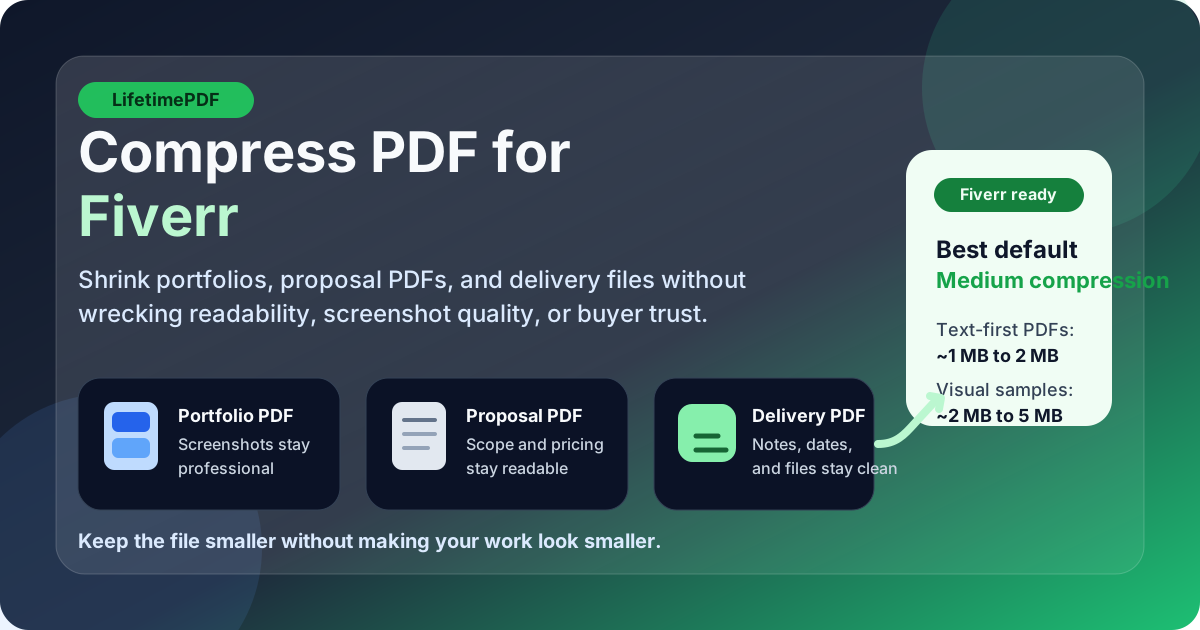
Table of contents
- Quick start: compress a PDF for Fiverr in under 2 minutes
- Why smaller PDFs help in Fiverr workflows
- What file size should you aim for?
- Which compression level should you choose?
- Step-by-step: shrink a Fiverr PDF with LifetimePDF
- Best strategy for common Fiverr PDF types
- What if the PDF is still too large?
- How to keep the file sharp and client-ready
- Privacy and professionalism checks before you send
- Related LifetimePDF tools and useful reading
- FAQ (People Also Ask)
Quick start: compress a PDF for Fiverr in under 2 minutes
If your real goal is simply make this PDF smaller so I can send it cleanly on Fiverr, this workflow is usually enough:
- Open Compress PDF.
- Upload the exact portfolio, proposal, invoice, requirements brief, case study, contract, or delivery file you plan to send.
- Choose Medium compression first.
- Download the smaller copy and compare the new size with the original.
- Open it once and check screenshot labels, headings, prices, signature lines, and any text a buyer will skim fast.
- If the file still feels bulky, remove extra pages or split the packet before pushing compression harder.
Why smaller PDFs help in Fiverr workflows
Fiverr documents usually live inside a fast-moving back-and-forth. You may be replying to a custom request, sending a sample pack in chat, attaching a brief to clarify scope, uploading a revision summary, or delivering a final PDF before the buyer goes quiet. In those moments, smaller files are easier to upload, easier to reopen, and easier for the buyer to trust.
Where compression helps most
- Portfolio sharing: lighter sample packs open faster and feel less annoying to review.
- Custom offers and proposals: compact PDFs make it easier to attach supporting documents without friction.
- Briefs and questionnaires: text-heavy files should never feel heavier than the task itself.
- Invoices and contracts: smaller documents are easier to resend, archive, and reference later.
- Delivery files: buyers can download and review a cleaner final PDF without waiting on a huge attachment.
Compression is not only about avoiding upload problems. It is about removing the tiny bits of friction that make freelance communication feel clunky. A PDF that opens quickly and still looks polished gives your work a better first impression.
What file size should you aim for?
There is no single permanent Fiverr file-size rule that covers every future workflow, so the safest approach is to keep documents comfortably small while preserving readability. Good targets help more than chasing an arbitrary minimum.
| File type | Practical target | Why it works |
|---|---|---|
| Briefs, invoices, contracts, questionnaires | Under 2MB | These are mostly text-based, so they should stay light without losing clarity. |
| Proposals, case studies, project summaries | About 2MB to 4MB | Enough space for clean formatting, light visuals, and readable tables or screenshots. |
| Portfolio PDFs and visual sample packs | About 2MB to 5MB | Usually safer when you need image quality, captions, and layout to still feel premium. |
| Large delivery packets or revisions with many pages | Split when possible | Several focused PDFs usually work better than one oversized attachment full of unrelated pages. |
If your PDF is already within a comfortable range and still looks sharp, stop there. The right file is the one that feels easy to send and still represents your work well.
Which compression level should you choose?
The best compression level depends on what is inside the PDF. Fiverr files often mix text, screenshots, design samples, signatures, and tables, so the goal is to cut obvious weight without flattening the file into mush.
Low compression
Use this when the PDF is already fairly small but you want to shave off a little extra weight. It is a good choice for premium portfolios, visual case studies, or polished proposal decks where image quality matters most.
Medium compression
This is usually the best starting point for Fiverr. It often reduces file size enough for smoother sharing while keeping screenshot labels, testimonials, pricing lines, tables, and signatures readable. If you are unsure where to start, start here.
High compression
Use this carefully. It can help with stubbornly large files, but it is more likely to soften screenshots, flatten subtle design detail, or make smaller text feel cheap. High compression works best on text-first PDFs after you have already removed obvious bloat.
Step-by-step: shrink a Fiverr PDF with LifetimePDF
- Save the final version first. Use the exact PDF you plan to send so you are not optimizing an outdated draft.
- Open Compress PDF.
- Upload the file. This might be a proposal, sample pack, contract, invoice, case study, or final delivery document.
- Choose Medium compression. For most Fiverr workflows, it is the cleanest first pass.
- Download the result. Compare the file size to the original.
- Preview the compressed PDF once. Check screenshots, headings, captions, tables, pricing, and any content the buyer must understand quickly.
- Trim extra weight if needed. Remove unnecessary pages, split the file, or crop empty margins before you try a stronger setting.
That last step matters. If the file is still too large, structural cleanup usually protects quality better than repeatedly crushing the same PDF.
Best strategy for common Fiverr PDF types
Portfolio PDFs
Portfolio files usually become heavy because of full-width screenshots, exported artboards, or too many samples in one pack. Start with Medium compression, but be ready to remove weaker pages if the file still feels bulky. Three strong samples normally sell better than ten average ones.
Proposal PDFs and custom-offer attachments
These should feel fast to open and easy to skim. Keep the document focused, avoid repeated covers or decorative filler, and make sure key items such as scope, price, timeline, and deliverables still read clearly after compression.
Briefs, contracts, invoices, and forms
Text-heavy business documents usually compress well. If the result still feels heavy, the problem is often scanned pages, embedded images, or unnecessary appendices rather than the text itself.
Delivery packs and revision summaries
Final delivery PDFs often get bloated because they combine previews, notes, versions, screenshots, and extras into one giant handoff. If the buyer only needs certain sections, use Extract Pages or Split PDF so each file stays focused.
What if the PDF is still too large?
If Medium compression does not get you where you want, do not assume the next answer is simply heavier compression. Often the smarter fix is reducing the amount of unnecessary content inside the packet.
- Delete duplicate or weak sample pages. Fewer stronger pages usually improve both size and clarity.
- Split one giant PDF into smaller focused files. This helps when the buyer only needs one section.
- Crop oversized white margins. Empty space can add surprising bulk in exported layouts.
- Merge only the pages that belong together. Do not ship your entire document universe when one small packet will do.
- Re-export screenshots or visuals more intelligently. Some source exports are unnecessarily huge before the PDF is even created.
How to keep the file sharp and client-ready
On Fiverr, the risk is not just blur. The real risk is making your work feel less careful than it actually is. A compressed PDF can still look excellent if you review the details buyers notice first.
Check these areas before sending
- Screenshot labels and UI text: especially in design, SEO, analytics, and product work.
- Pricing, scope lines, and delivery notes: the buyer should not have to zoom just to confirm basics.
- Testimonial blocks and case-study captions: tiny text loses credibility fast when it becomes fuzzy.
- Signature lines and dates: important for contracts, approvals, or invoices.
- Overall visual rhythm: if the file suddenly feels noisy or cheap, the compression may be too aggressive.
If the document is image-led, compare one of the weakest screenshot pages side by side with the original. That usually tells you more than looking at the cover page alone.
Privacy and professionalism checks before you send
File size is only part of the job. Before sending a PDF to a Fiverr buyer, make sure it does not expose information that should stay private.
- Remove internal comments, obsolete pricing, or client names that do not belong in the file.
- Clean metadata if the PDF still carries an old author name, agency label, or internal project title.
- Redact sensitive information on the page itself instead of assuming metadata cleanup will hide it.
- Double-check sample packs for leftover pages from unrelated projects.
If you need help with that cleanup, use Redact PDF for visible information and a metadata editor when the hidden document properties are the real problem.
Related LifetimePDF tools and useful reading
Compressing the PDF is usually step one. These tools and guides help when the file also needs cleanup, restructuring, or a safer final polish:
- Compress PDF for the main size reduction pass.
- Merge PDF when you want one polished proposal or sample pack.
- Extract Pages to send only the pages a buyer actually needs.
- Delete Pages to remove filler, duplicates, or weak samples.
- Redact PDF for client-safe sharing.
- Compress PDF for Upwork if you also work across freelance platforms.
- Compress PDF for Toptal for premium portfolio and case-study workflows.
- How to Reduce PDF File Size for Email if the same document also needs to travel by inbox.
Best next move: compress the exact Fiverr PDF you plan to send, then trim or redact only what still needs cleanup.
FAQ (People Also Ask)
How do I compress a PDF for Fiverr?
Upload the PDF to a compressor, start with Medium compression, and keep the smaller copy only if text, screenshots, signatures, and layout still look professional. For many Fiverr documents, balanced compression works better than pushing for the tiniest possible file.
What file size should I aim for on Fiverr?
Text-heavy briefs, invoices, contracts, and questionnaires usually feel comfortable under 2MB. Portfolio PDFs, case studies, and image-led sample packs often work well around 2MB to 5MB as long as screenshots and captions still read clearly.
Will compression make my Fiverr portfolio look blurry?
It can if you compress too aggressively. That is why Medium compression is usually the best first pass. If the file is still bulky, shorten the sample pack, reduce duplicate visuals, or split the PDF before forcing heavier compression.
Should I send one merged PDF or several smaller PDFs on Fiverr?
Use one merged PDF when a buyer needs a tidy proposal plus samples or a coherent delivery packet. Use separate files when each document has a different purpose, such as a brief, invoice, revision notes, and a final deliverable. Smaller, clearer packets usually feel more professional than one huge catch-all file.
How do I remove hidden client or author information before sending a PDF?
Check the file metadata before sending it. If the PDF still shows an old author name, company, or internal label, clean those fields with a PDF metadata editor. If sensitive information appears visibly on the page itself, use redaction instead of metadata cleanup alone.