Bates Numbering: Keep PDF Page References Clear Across Review, Filing, and Production
Bates numbering gives each page in a PDF packet its own clear sequential identifier so the file stays easy to cite, review, and share without page-reference confusion.
The clean workflow is simple: finalize the packet first, then apply a consistent prefix, start number, and placement once so the finished sequence still makes sense weeks later when someone else opens the file.
That matters more than people expect. Once a long PDF starts moving through legal review, diligence, compliance, board prep, or internal approval, vague references like “look at the third attachment near the middle” become useless fast. A good Bates sequence turns a messy packet into something people can quote, annotate, revisit, and trust.
Fastest path: clean up the packet first, then use LifetimePDF's PDF Page Numbers tool to apply a readable Bates-style sequence in one pass.
Need the short version? Jump to quick start: apply Bates numbering in a few minutes.
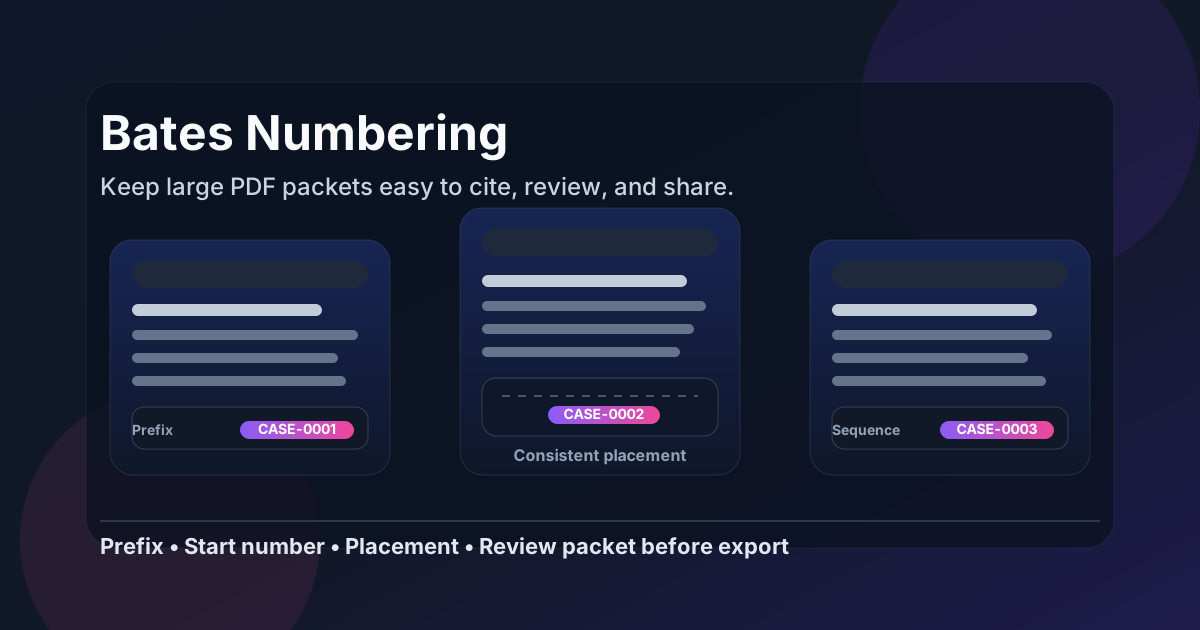
Table of contents
- Quick start: apply Bates numbering in a few minutes
- What Bates numbering actually is
- Bates numbering vs ordinary page numbers
- When Bates numbering makes sense
- Step-by-step: how to apply Bates numbering cleanly
- How to choose prefixes, start numbers, padding, and placement
- The best order of operations before numbering
- Common mistakes that create renumbering headaches
- Related LifetimePDF tools and guides
- FAQ (People Also Ask)
Quick start: apply Bates numbering in a few minutes
If your packet is already assembled and you just want a clean reference sequence, this is the practical workflow:
- Start with the final PDF you actually plan to share, file, produce, or archive.
- Open PDF Page Numbers.
- Choose the stamp position where the identifier will stay readable without covering useful content.
- Set the visible start number and add a short prefix if the workflow needs one.
- Export the numbered file once, not after several more rounds of page changes.
- Spot-check the first stamped page, a middle page, and the last page before you send it onward.
What Bates numbering actually is
Bates numbering is a page-labeling system that gives every page in a document set a visible sequential identifier.
That identifier can be plain, like 1, 2, 3, or more structured, like CASE-0001, EXH-A-014, or PROD-2057.
The point is not to make the PDF look formal. The point is to make page-level references unambiguous. Once several people are discussing one file, a stable visible identifier is much easier to trust than “page 7 of the merged copy I sent yesterday” or “the fourth page after the appendix divider.”
That is why Bates numbering shows up in legal productions, exhibit packets, diligence sets, investigations, internal audits, board materials, policy reviews, and other long packets where exact page references matter. Even outside litigation, it can be the difference between a calm review and a frustrating one.
| What it does | Why people use it | Typical example |
|---|---|---|
| Labels each page uniquely | Keeps references stable when a packet is reviewed by several people | CASE-0001 |
| Creates one visible sequence | Makes large files easier to discuss, quote, and annotate | PROD-1052 to PROD-1187 |
| Supports prefixes and continuation | Helps separate matters, exhibits, batches, or parties | EXH-C-17 |
| Improves packet hygiene | Encourages people to finalize the packet before sharing it | One clean numbered final copy |
Bates numbering vs ordinary page numbers
People often use these terms interchangeably, but they are not always the same thing. Ordinary page numbers mainly help a reader move through a document in order. Bates numbering is more about creating a stable citation system for a packet that may be shared, filed, commented on, quoted, or split across several workflows.
| Ordinary page numbers | Bates numbering |
|---|---|
| Usually meant for reading flow | Usually meant for reference and citation |
| Often restart per document or section | Often stay continuous across a packet or production set |
| Common in reports, books, proposals, and slide exports | Common in exhibits, productions, reviews, audits, and large packets |
| May be simple digits only | Often include a prefix, padding, or controlled start number |
In practice, both systems can exist in the same file. That is sometimes useful and sometimes messy. If a PDF already has visible page numbers in the footer, make sure your Bates placement does not create an overlapping tangle that confuses the reader.
When Bates numbering makes sense
Not every PDF needs Bates numbering. A three-page invoice or a simple signed agreement probably does not. But once a packet becomes large, formal, or review-heavy, page-level identifiers start paying for themselves quickly.
Use Bates numbering when the packet will be discussed by several people
This is the classic case. If legal, operations, compliance, finance, or outside reviewers all need to point to exact pages, Bates numbering removes a lot of ambiguity.
Use it for exhibit packets, productions, and due-diligence bundles
These files often move through email, cloud folders, comments, hearing prep, or redaction passes. A visible sequence helps the packet survive all that movement without losing page-reference clarity.
Use it when the sequence must continue across batches
One of the useful parts of Bates numbering is that you can continue from an earlier visible number instead of restarting from page 1 every time. That matters when the next packet is really part of the same production or review chain.
Use it when long-term retrieval matters
If someone may reopen the file months later and say “please look at page PROD-0146,” the visible label becomes a durable reference point. This is especially helpful in investigations, policy reviews, audit files, and compliance records.
Best fit: long packets, shared review, formal filing, or any workflow where “which exact page?” comes up more than once.
Step-by-step: how to apply Bates numbering cleanly
The actual numbering pass is easy. The part that saves pain later is doing it in the right order.
1) Start with the packet you really intend to keep
If the file still needs assembly, use Merge PDF first. If it contains blank separators, duplicates, or stale pages, remove those with Delete Pages. If only one section belongs in the numbered set, isolate it with Extract Pages before you stamp anything.
2) Choose a placement that respects the page content
Bottom-right is common, but it is not universally correct. Some files already have footer text, signatures, exhibit markings, or scanned content near the bottom edge. If the footer is crowded, a top corner may be cleaner. The best placement is the one that stays visible without fighting the document.
3) Set the visible start number deliberately
Do not leave this to chance.
If the packet should begin at 1, start at 1.
If it needs to continue an earlier set, start at the next correct value.
If the cover page should remain unstamped but the first numbered page should show 101, set the workflow that way intentionally.
4) Add a prefix only if it improves the reference system
Prefixes are useful when they help the reader recognize the packet immediately.
They are less useful when they become a long cramped label that eats margin space.
Short, consistent prefixes like CASE-, EXH-B-, PROD-, or AUDIT- usually work better than overly descriptive strings.
5) Export once and review sample pages
You do not need a frame-by-frame audit. Check the first stamped page, one page near the middle, and the last page. That catches the most common problems: overlap, skipped numbers, mixed-orientation issues, a wrong visible start value, or a stamp landing where a signature already sits.
How to choose prefixes, start numbers, padding, and placement
Small formatting choices affect whether the packet feels dependable or improvised. You do not need to overengineer them, but you do want a little discipline.
Prefixes
Use a prefix when the file sits inside a broader context: a matter, exhibit set, production batch, or department review. A good prefix is short, recognizable, and stable.
- Matter or case:
CASE-,ACME- - Exhibit set:
EXH-A-,EXH-D- - Production batch:
PROD-,BATCH-03- - Internal review:
AUDIT-,REV-
Start numbers
Start at 1 when the packet is truly new. Continue an earlier number when the file is part of a larger sequence. The visible starting value should reflect reality, not convenience.
Padding
Zero-padding helps sequences line up visually and sort cleanly.
For example, 0001, 0002, 0003 often looks better than 1, 2, 3 in formal workflows.
You do not always need padding, but it often makes longer sequences easier to scan.
Placement
Keep it consistent across the packet unless the content forces a change. Randomly moving the label from one corner to another weakens the whole point of having an easy reference system.
| If your packet looks like this | Usually try this | Why |
|---|---|---|
| Clean margin at bottom right | Bottom-right placement | Common, readable, and familiar |
| Footer already contains page numbers or signatures | Top-right or top-left placement | Avoids clutter and overlap |
| Mixed portrait and landscape pages | Check one sample of each before export | Prevents hidden rotation-related surprises |
| Continuing an older production set | Start from the next correct visible number | Preserves sequence integrity |
The best order of operations before numbering
Most renumbering headaches come from doing the right tasks in the wrong order. A cleaner sequence is usually:
- Merge files that belong together.
- Delete blank, duplicate, or irrelevant pages.
- Rotate sideways scans so the final packet reads naturally.
- Extract or split sections that need their own logic.
- Redact sensitive content before the final visible sequence is applied.
- Add Bates numbering once the structure is stable.
- Protect the finished copy if the sharing workflow needs it.
This order keeps the number sequence tied to the packet people will actually see. If you number first and change the structure later, the visible references may still exist, but they become harder to trust.
Good workflow: clean the packet first, number once, then share the finished copy.
Common mistakes that create renumbering headaches
Stamping a packet before it is final
This is the big one. If people still need to remove, add, or rearrange pages, the sequence you just created may no longer reflect the finished file.
Using a prefix nobody understands
A prefix should help the reader immediately, not make them decode your internal naming scheme. Short, obvious labels age better.
Ignoring existing footer content
Many PDFs already carry visible page numbers, signatures, footers, or filing text. Dropping a new label on top of that content makes the packet harder to read, not easier.
Restarting from 1 when the packet really continues an older set
If the sequence is supposed to continue, continue it. Reusing the same numbers in nearby related packets creates confusion later when someone cites a page by number only.
Skipping the review pass
The review takes maybe a minute. The embarrassment of catching an overlap after the file has already circulated lasts longer.
Related LifetimePDF tools and guides
Bates numbering usually sits inside a broader document-prep workflow. These tools and articles fit naturally around it:
- PDF Page Numbers - add visible numbering with placement and start-number control.
- Merge PDF - combine related files into one final packet before numbering.
- Delete Pages - remove blank sheets, duplicates, and stale sections.
- Extract Pages - isolate the exact section that should carry the sequence.
- Rotate PDF - fix sideways pages before the visible labels are applied.
- Redact PDF - remove sensitive content before final production.
- PDF Protect - protect the finished copy when the handoff requires tighter control.
Helpful related reading
- Add Bates Numbers to PDF
- Add Bates Numbers to PDF Online
- Add Bates Numbers to PDF Online Free
- Bates Numbering PDF: The 2026 Guide for Legal Discovery
- Add Page Numbers to PDF
- Renumber PDF Pages Online
Ready to turn a messy packet into something people can actually cite?
Best workflow for most packets: finalize the pages → number once → review three sample pages → share the finished PDF.
FAQ (People Also Ask)
What is Bates numbering?
Bates numbering is a system that gives each page in a PDF packet its own visible sequential identifier, often with a prefix such as a case label, exhibit code, or batch name. It helps people cite exact pages without confusion.
Is Bates numbering the same as normal page numbering?
No. Normal page numbers mostly help with reading flow. Bates numbering is used more as a stable reference system for production, review, exhibits, audits, and other large packets where exact page-level citations matter.
Should I merge PDFs before adding Bates numbers?
Usually yes if the files belong to one packet. Merging first makes it easier to create one clean continuous sequence instead of several small sequences that become harder to track later.
Can I start Bates numbering at a specific number?
Yes. You can start at 1, 101, 5001, or any other value that matches the sequence you need. That is one of the main reasons Bates numbering is useful in continuing productions and exhibit sets.
What prefix should I use for Bates numbering?
Use a short, recognizable prefix that matches the workflow, such as a case name, exhibit code, matter label, or batch label. The best prefix is clear enough to help but short enough to stay readable on every page.
Published by LifetimePDF - Pay once. Use forever.