Add Bates Numbers to PDF: Set Prefixes, Start Numbers, and Build a Clean Review Sequence
To add Bates numbers to a PDF, finalize the document order, choose where the stamp should appear, set a prefix and visible starting number, then export the numbered file and review a few pages before you share it.
A good Bates workflow keeps every page easy to cite across exhibits, discovery packets, due-diligence files, board materials, and internal review sets without forcing you to renumber the packet later.
Most people asking this are not trying to decorate a footer. They are trying to create a stable reference system that still makes sense after the PDF gets emailed, uploaded, printed, quoted in comments, or reopened two weeks later by someone else. That is why the details matter more than they seem. The prefix, the start number, the placement, and the order of operations all decide whether the finished packet feels calm and professional or messy and easy to dispute.
Fastest path: finish the packet first, then use LifetimePDF's PDF Page Numbers tool to set the prefix, visible start number, and placement in one pass.
Want the short version? Jump to Quick start: add Bates numbers in a few minutes.
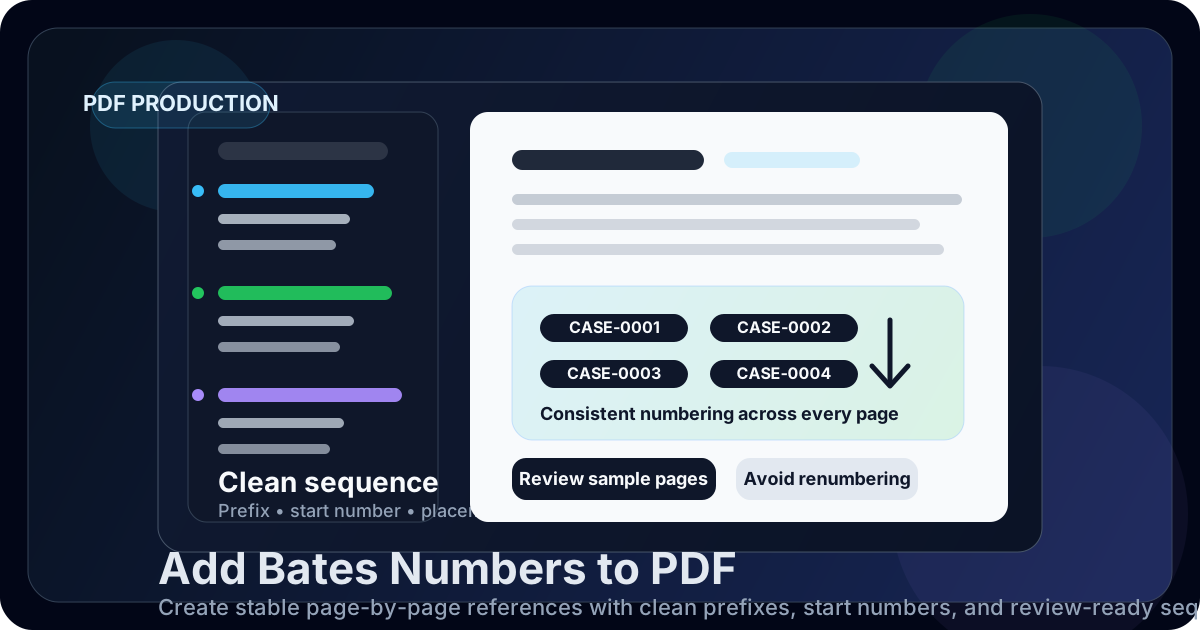
Table of contents
- Quick start: add Bates numbers in a few minutes
- What Bates numbering actually does
- Plan the sequence before you stamp anything
- Step-by-step: add Bates numbers with LifetimePDF
- How to choose prefixes, start numbers, and placement
- Common Bates numbering setups for real packets
- Mistakes that force painful renumbering
- Best workflow order for a clean final PDF
- Related LifetimePDF tools and guides
- FAQ (People Also Ask)
Quick start: add Bates numbers in a few minutes
If you already know what the packet should look like, this is the reliable workflow:
- Open PDF Page Numbers.
- Upload the final PDF you actually plan to share, produce, or archive.
- Choose the stamp position: top or bottom, left, center, or right.
- Set the visible start page and visible start number.
- Add a prefix such as
CASE-,EXH-A-,PROD-, or another label your workflow already uses. - Export the numbered file and spot-check the first stamped page, a middle page, and the last page.
What Bates numbering actually does
Bates numbering gives each page a stable identifier that stays useful after the PDF leaves your hands.
That identifier may be simple, like 1, 2, 3, or it may include a prefix like CASE-0001 or EXH-B-015.
The exact format changes by use case, but the goal stays the same: make page-level references unambiguous.
This matters whenever several people will talk about the same PDF. Legal teams use Bates numbering for productions and exhibits. Compliance teams use it for review sets. Internal operations teams use it for audit packets and policy records. Even outside formal legal work, a visible page identifier can make a long packet much easier to discuss because everyone can point to the same page without guessing.
| Situation | Why Bates numbering helps | Typical format |
|---|---|---|
| Discovery or legal production | Reviewers, counsel, and clients need exact page references that stay stable | CASE-0001, DEF-0125 |
| Exhibit packets | Pages must stay easy to cite during filing, prep, or hearing review | EXH-A-1, EXH-C-14 |
| Internal audits or investigations | Comments and findings can point to one page without confusion | AUDIT-101, REV-205 |
| Board, compliance, or diligence packets | Large PDFs become easier to quote, annotate, and revisit later | DD-001, BOARD-27 |
In other words, Bates numbering is not mainly about aesthetics. It is about reducing page-level ambiguity in a document that other people will rely on.
Plan the sequence before you stamp anything
The most common Bates mistake happens before the numbering tool is even opened: the packet is not actually finished yet. Pages still need to be merged, removed, rotated, redacted, or rearranged. When numbering happens too early, someone later changes the packet structure and the whole sequence becomes suspect.
A cleaner approach is to decide the sequence first. Ask a few simple questions:
- Is this one continuous packet or several separate sets?
- Should the numbering begin on the cover, or only after a title page or separator?
- Does the sequence need a prefix for the matter, exhibit, batch, or party?
- Are you starting from 1, or continuing an earlier production?
- Does the file already contain old page numbers or footer content that could overlap the new stamp?
Step-by-step: add Bates numbers with LifetimePDF
Once the packet is structurally ready, the actual numbering workflow is straightforward. LifetimePDF's PDF Page Numbers tool works well here because it lets you control the visible sequence rather than just dropping ordinary page numbers into a generic footer.
1) Start with the final arranged PDF
If the file still needs assembly, use Merge PDF first. If it contains blank separators or stale appendices, remove them with Delete Pages. If only part of the packet needs numbering, split or isolate that section with Extract Pages before you begin.
2) Upload the packet and choose the stamp position
Bottom-right is common because readers expect it there, but it is not always best. If the PDF already has footer text, signatures, file paths, or old pagination near the bottom, move the Bates stamp to a top corner instead. What matters is visibility without covering useful content.
3) Set the visible start page and visible start number
These two settings do different jobs.
The start page tells the tool where to begin stamping physically in the document.
The start number tells it what the first visible label should show.
That means you can leave a title page clean, begin the numbering on page 2, and still have the first stamped page display 101 if the sequence needs to continue from a previous packet.
4) Add the prefix only if it improves the reference system
A good prefix helps people understand the packet instantly. It can identify a matter, exhibit set, batch, or source. A bad prefix is vague, inconsistent, or so long that it becomes visual clutter. If plain numbers are enough for the job, keep them plain. If the packet will live beside several related packets, a short prefix usually helps.
5) Export once and review representative pages
You do not need to inspect every page one by one. Review the first stamped page, a page near the middle, and the last page. Check for overlap, skipped numbers, placement that drifts on landscape pages, or a stamp landing on top of signatures, footers, or notes. This small review catches the mistakes that create the most downstream confusion.
Ready to number the packet now? Set the prefix, start number, and placement in one clean pass.
How to choose prefixes, start numbers, and placement
Small formatting choices decide whether the final packet feels organized or improvised.
Choose a prefix that means something immediately
- Matter or project:
ACME-,CASE-,DILIGENCE- - Party or source:
PL-,DEF-,HR- - Exhibit label:
EXH-A-,EXH-C- - Batch identifier:
PROD-02-,BATCH-5-
The best prefix is usually short enough to scan quickly. If it takes real effort to read the stamp at normal zoom, the label is doing too much.
Pick a start number that matches reality
If this is the first packet in a sequence, starting at 1 is often fine.
If the file continues an older set, use the next correct number rather than restarting from 1 and hoping the context explains it later.
The main value of Bates numbering is continuity.
Keep placement consistent unless content forces a change
Randomly switching from bottom-right on one section to top-left on the next makes a packet feel unstable. Consistency helps the reader know where to look. Only change position when the original page content leaves you no clean margin space.
Watch for old pagination or baked-in footer text
Some PDFs already contain visible page numbers as part of the original artwork. Adding new Bates numbers does not remove those older labels automatically. If both systems stay on the page, the result can be confusing. In those cases, adjust the placement carefully, crop the original page if possible, or regenerate the source file before final numbering.
Common Bates numbering setups for real packets
These patterns cover most real-world workflows better than abstract theory:
| Packet type | Recommended setup | What to check before export |
|---|---|---|
| Single exhibit PDF | Short exhibit prefix, start at 1, consistent corner placement | Make sure the stamp does not collide with exhibit labels already on the page |
| Merged production set | Merge first, one continuous sequence, start at the next correct number if continuing a prior batch | Verify order before numbering, not after |
| Packet with cover pages | Start stamping after the cover or use a visible start page offset | Confirm the first stamped page shows the intended visible number |
| Landscape-heavy audit or board pack | Choose a corner that stays visible after rotation or mixed page orientation | Check a portrait page and a landscape page before final delivery |
| Internal review with sensitive content | Redact first, then number, then protect the final copy if needed | Confirm no hidden or visible data remains before export |
If you want a browser-specific walkthrough, see Add Bates Numbers to PDF Online. If your main concern is cost control, the companion pages on free online workflows and avoiding monthly fees cover those angles too.
Mistakes that force painful renumbering
Stamping before the packet is final
This is the biggest one. If pages are later merged in, deleted, rotated, or moved, the sequence may stop making sense or create reference conflicts.
Using an unclear or inconsistent prefix
If one part of the packet uses CASE-, another uses EXH-, and a third uses no prefix at all, the reader has to interpret your numbering instead of simply trusting it.
Keep the logic stable.
Ignoring overlap with existing page content
Old footer text, signatures, page numbers, or filing stamps can make a new Bates label hard to read. A small placement change before export is much better than explaining later why the page identifier is partly hidden.
Skipping the review pass
Most numbering problems are obvious if you check three pages. They become embarrassing only when nobody checks until the file is already in circulation.
Best workflow order for a clean final PDF
In most cases, this order produces the fewest surprises:
- Merge files that belong in one packet.
- Delete blanks, duplicates, or pages that should not travel with the final set.
- Rotate sideways pages so the stamp lands where you expect.
- Extract or split sections only if they need a different numbering logic.
- Redact sensitive content before final numbering if required.
- Add Bates numbers once the structure and content are stable.
- Protect the completed copy if the workflow calls for controlled sharing.
If you follow that order, the Bates sequence becomes a final layer of clarity instead of a draft artifact that has to be undone later.
Related LifetimePDF tools and guides
Bates numbering works best as part of a broader document-prep workflow. These tools and articles fit naturally around the same job:
- PDF Page Numbers - add the visible sequence with placement and start-number control.
- Merge PDF - assemble the final production set before numbering.
- Delete Pages - remove covers, blanks, duplicates, or stale appendices.
- Extract Pages - isolate the exact range that needs numbering.
- Rotate PDF - fix mixed orientations before the stamp is applied.
- Redact PDF - remove sensitive information before final production.
- PDF Protect - lock the finished copy when sharing policy requires it.
- PDF Unlock - remove restrictions before editing if you have permission.
Useful related reading
- Add Bates Numbers to PDF Online
- Add Bates Numbers to PDF Online Free
- Add Bates Numbers to PDF Without Monthly Fees
- Bates Numbering PDF: The 2026 Guide for Legal Discovery
- Add Page Numbers to PDF Online
- Renumber PDF Pages Online
Ready to build a cleaner Bates sequence?
Best workflow for most packets: merge or clean first → number once → review three sample pages → share the final PDF.
Published by LifetimePDF - Pay once. Use forever.
FAQ (People Also Ask)
How do I add Bates numbers to a PDF?
Finalize the packet first, open a page-numbering tool, choose the position, add a prefix if needed, set the visible starting number, export the file, and review a few pages before sending it out.
Can I start Bates numbering at a specific number?
Yes. That is one of the main reasons people use Bates numbering. You can begin at 1, 101, 5001, or any other value that matches the sequence you need to continue.
Should I merge PDFs before adding Bates numbers?
Usually yes. If the files belong in one sequence, merging them first makes it much easier to create one clean numbering run instead of several disconnected mini-sequences.
What prefix should I use for Bates numbering?
Use a short prefix that people in the workflow will recognize immediately, such as a matter label, exhibit label, production batch, or party identifier. The best prefix is clear, consistent, and easy to read.
Will adding Bates numbers remove old page numbers already visible in the PDF?
No. If the original PDF already contains printed page numbers or footer text, a new Bates stamp can overlap with them. Adjust placement carefully or clean the source file first if you can.