PDF Q&A: Ask Better Questions, Find Exact Answers, and Understand Long Documents Faster
PDF Q&A is the fastest way to ask direct questions about a document without manually digging through every page.
The best workflow is to upload a readable PDF, ask one overview question first, follow with specific prompts, and verify the important answers in the source before you rely on them.
That matters because most people do not search for PDF Q&A because they love novel interfaces. They search it because a long contract, policy, proposal, report, manual, or research PDF landed in front of them and they need usable answers faster than traditional skimming allows. A good question-answer workflow does not just save time. It helps you focus on the parts of the document that actually influence a decision.
Fastest practical path: upload the file to LifetimePDF's PDF Q&A tool, ask for a short overview first, then drill into deadlines, risks, obligations, definitions, or exact wording.
In a hurry? Jump to Quick start: use PDF Q&A in a few minutes.
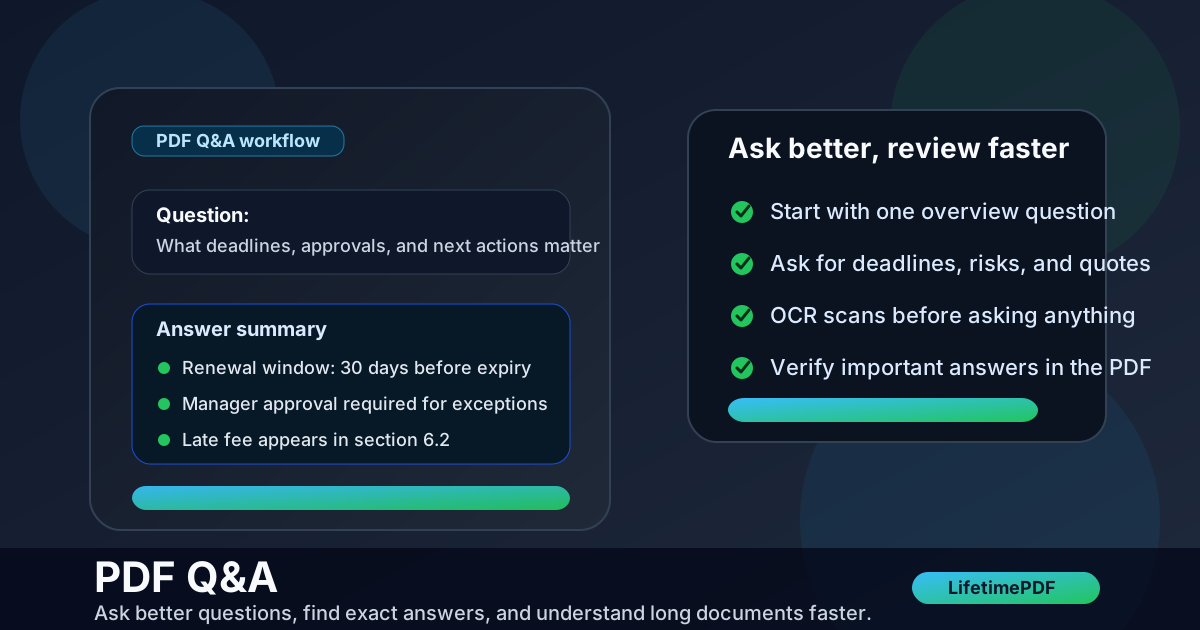
Table of contents
- Quick start: use PDF Q&A in a few minutes
- What PDF Q&A is actually good at
- PDF Q&A vs search vs summarizer vs PDF to Text
- Step-by-step: how to use LifetimePDF PDF Q&A
- How to ask better questions and get better answers
- What changes when the PDF is scanned or messy
- How to verify important answers quickly
- Privacy and safer document handling
- Related LifetimePDF tools and next steps
- FAQ
Quick start: use PDF Q&A in a few minutes
If the PDF already contains selectable text, the shortest useful workflow looks like this:
- Open PDF Q&A.
- Upload the cleanest version of the file you have.
- Ask one orientation question such as "What is this document about?" or "Summarize this PDF in 8 bullet points."
- Follow with task-specific questions like "What deadlines matter?", "List the approval steps.", or "Quote the section about cancellation."
- Verify the important answers in the original PDF before you make a decision or share the result onward.
What PDF Q&A is actually good at
PDF Q&A works best when your real problem is not editing a file or exporting a file. It works when the bottleneck is understanding the document fast enough to do useful work.
| Goal | Why PDF Q&A helps | Example question |
|---|---|---|
| Get oriented quickly | It turns a long document into a short explanation you can react to | What is this PDF about and who is it for? |
| Extract key details | It helps pull out dates, obligations, risks, or action items without full manual reading | List all deadlines and renewal dates |
| Explain dense language | It can translate formal or technical wording into plain English | Explain section 4.2 in simpler language |
| Turn content into a task list | It converts long prose into checklists, bullets, or short summaries | Turn this policy into a checklist for managers |
| Check exact support | It can point you back toward the lines or sections that matter | Quote the wording that supports that answer |
In practice, that makes PDF Q&A especially useful for contracts, proposals, reports, research papers, onboarding guides, compliance documents, product manuals, and internal policies. Anything long enough to be annoying but structured enough to contain concrete answers is a good candidate.
PDF Q&A vs search vs summarizer vs PDF to Text
A lot of frustration comes from picking the wrong tool for the job. PDF Q&A is powerful, but it is not the answer to every document task.
| If you need to... | Best tool | Why |
|---|---|---|
| Ask follow-up questions | PDF Q&A | Best when you want answers plus conversation-style refinement |
| Get one broad overview | PDF Summarizer | Faster when the main goal is a short summary rather than dialogue |
| Extract the raw words | PDF to Text | Best when you want plain text for search, reuse, or another system |
| Make a scanned PDF readable | OCR PDF | Scans need text recognition before Q&A, search, or extraction works well |
| Narrow the document first | Extract Pages | Smaller inputs often produce cleaner, safer, and more focused answers |
The best workflow is often a stack, not a single button. For example: extract only the relevant pages, OCR the scan if needed, ask questions, then summarize or protect the final output depending on where it goes next.
Step-by-step: how to use LifetimePDF PDF Q&A
The tool works better when you treat it like a guided document analyst instead of a random prompt box. The sequence below keeps the answers cleaner and more useful.
1. Start with the best source file you have
A clean exported PDF usually gives better answers than a photographed printout or a file that has been scanned, reprinted, and merged a dozen times. If only part of the document matters, use Extract Pages first so the tool spends its attention on the pages you actually care about.
2. Ask one broad orientation question
Do not start with a microscopic edge case unless you already understand the document. Opening questions like these work well:
- What is this document about?
- Summarize this PDF in 8 bullet points
- What are the main sections and what does each one cover?
- What decisions does this document support?
3. Switch to specific information requests
Once the structure is clear, narrow the job. Ask for the thing you would otherwise be manually hunting for:
- deadlines and renewal dates
- approval steps and responsibilities
- pricing, penalties, or exclusions
- definitions and exceptions
- required actions and next steps
4. Ask for output in a format you can use
If you need something practical, say so. Bullets, checklists, comparison points, and short action summaries are usually more useful than one long paragraph.
5. Verify the answers that matter
The time-saving move is not blind trust. It is letting PDF Q&A narrow the search, then checking the exact wording on the page where stakes are real. That applies especially to contracts, finance, compliance, healthcare, safety instructions, and technical procedures.
Need a fast document answer right now? Start with a summary prompt, then ask for deadlines, obligations, risks, or exact supporting quotes from the same PDF.
How to ask better questions and get better answers
Better prompts usually beat more prompts. If the question is vague, the answer often stays vague too.
Give the tool a job, not just a topic
- Weak: Tell me about this PDF.
- Better: Summarize this PDF for a manager who needs the deadlines, risks, and next actions.
Useful prompt patterns
- Summary: Summarize this document in 8 bullet points for a non-expert.
- Extraction: List all dates, deadlines, fees, and penalties mentioned.
- Explanation: Explain section 5 in simpler language.
- Checklist: Turn this PDF into a step-by-step checklist.
- Audit: What exact lines support that answer?
- Comparison: What changed between the obligations in section 3 and section 7?
Use follow-up questions, not total rewrites
If the first answer is too broad, narrow it. If it is too narrow, ask for context. If it sounds plausible but you want proof, ask for the exact wording or section reference. That back-and-forth is where PDF Q&A becomes more useful than simple search.
What changes when the PDF is scanned or messy
Scanned PDFs are the main reason people think document Q&A is unreliable. Usually the real problem is simpler: the file does not contain clean machine-readable text yet.
Signs the PDF needs cleanup first
- You cannot highlight or search the text.
- Pages are sideways, cropped badly, or full of black scanner borders.
- The file is clearly a photographed page rather than a normal export.
- Copying text produces garbage or nothing at all.
Better workflow for scans
- Fix sideways pages with Rotate PDF if needed.
- Trim ugly borders or wasted margins with Crop PDF.
- Run OCR PDF so the text becomes searchable.
- Then upload the cleaned version to PDF Q&A.
This sounds like extra work, but it usually saves time because the answers become much more stable once the underlying text is readable.
How to verify important answers quickly
Verification does not have to mean rereading the whole PDF. It means checking the parts that actually matter.
- Ask for page or section references when possible.
- Check numbers directly such as dates, totals, percentages, renewal windows, and fees.
- Review exceptions and caveats because they are easy to miss in dense wording.
- Confirm quoted language before using it in legal, compliance, or customer-facing communication.
- Preserve the original PDF so you can compare the answer against the source any time.
Privacy and safer document handling
PDF Q&A is often used on documents that are more sensitive than they first appear: contracts, HR forms, research, vendor proposals, financial statements, internal playbooks, or client records. That means speed should not outrun judgment.
- Upload only the pages you need. Use Extract Pages when only part of the document matters.
- Redact visible secrets first. Use Redact PDF when names, account numbers, addresses, or other sensitive content should not travel further.
- Keep a clean final copy. If the processed file needs to be shared onward, use PDF Protect for password protection where appropriate.
- Separate analysis from distribution. A working copy for Q&A and a final copy for sharing is often the cleaner habit.
Smaller inputs are not just easier to analyze. They are usually easier to secure too.
Related LifetimePDF tools and next steps
PDF Q&A becomes more useful when it sits inside a broader document workflow instead of trying to do every job on its own.
- PDF Q&A - ask questions and refine answers from the document itself
- PDF Summarizer - get a quick overview before deeper questioning
- OCR PDF - prepare scanned files for search and Q&A
- PDF to Text - extract raw wording for notes, AI prompts, or manual review
- Extract Pages - isolate only the relevant section before analysis
- Redact PDF - remove visible sensitive content properly
- PDF Protect - secure the final file before sharing
Useful related reading on LifetimePDF:
- PDF Q&A Online Free
- PDF Q&A Online Without Monthly Fees
- Ask Questions About a PDF Online
- PDF to Text
- Browse all LifetimePDF articles
Bottom line: use PDF Q&A when you need answers, not just access to the file. Start broad, narrow fast, verify the critical parts, and clean the document before sharing it anywhere else.
FAQ
What is PDF Q&A?
PDF Q&A is a workflow for asking direct questions about a document and getting focused answers faster than manual page-by-page reading. It is especially useful for summaries, deadlines, obligations, comparisons, and extracting exact details from long PDFs.
Can PDF Q&A work on scanned PDFs?
Yes, but scanned PDFs usually need OCR first. OCR turns page images into searchable text so the Q&A tool has something reliable to read.
What questions should I ask a PDF Q&A tool?
The strongest questions ask for a summary, deadlines, obligations, risks, definitions, exceptions, action items, or the exact wording that supports an answer. Specific prompts usually produce more useful answers than vague ones.
Is PDF Q&A accurate enough for contracts or technical documents?
It is very useful for orientation and faster review, but you should still verify exact wording, numbers, and high-stakes instructions in the original PDF before making legal, financial, medical, or technical decisions.
When should I use PDF Q&A instead of a summarizer or PDF to Text?
Use PDF Q&A when you want direct answers or follow-up questions. Use a summarizer when you mainly want a broad overview. Use PDF to Text when your real goal is extracting the raw wording for reuse, search, or another workflow.