Compress PDF for SE Ranking Without Monthly Fees: Shrink SEO Reports and Rank Tracking PDFs Without Subscription Bloat
If you need to compress a PDF for SE Ranking without monthly fees, use a pay-once PDF tool, start with Medium compression, and review the smaller file once before you send it.
For most SE Ranking workflows, that is enough to shrink rank tracking exports, website audit PDFs, competitor snapshots, and white-label client reports without adding yet another recurring software bill to your SEO stack.
This is one of those jobs that should stay boring. You run the SEO work, export the report, make the PDF lighter, and move on. The annoying part is when a tiny finishing step turns into a pricing wall, a trial gate, or another dashboard you have to justify every month. If your real goal is simply to send a smaller SE Ranking report that still looks professional, a clean no-subscription workflow makes more sense.
Fastest path: use LifetimePDF's Compress PDF tool, begin with Medium compression, and split or extract pages only if the SE Ranking report is still heavier than you want.
In a hurry? Jump to Quick start: compress an SE Ranking PDF in under 2 minutes.
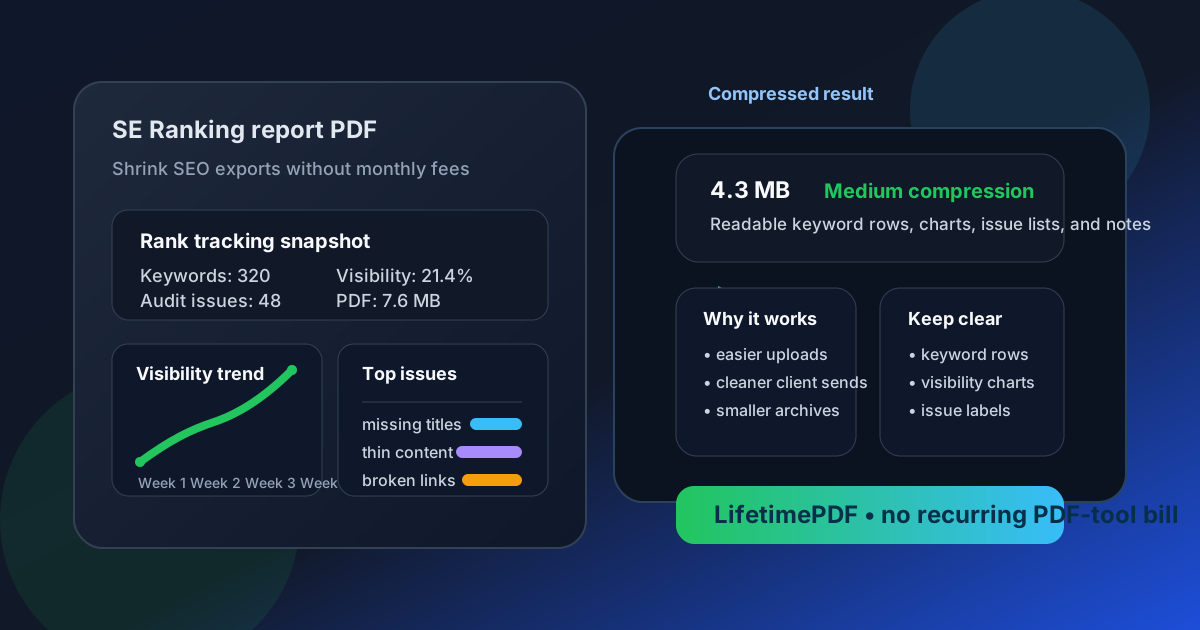
Table of contents
- Quick start: compress an SE Ranking PDF in under 2 minutes
- Why "without monthly fees" matters here
- Why smaller PDFs work better for SE Ranking workflows
- What size should an SE Ranking-friendly PDF be?
- Which compression level should you choose?
- Step-by-step: use LifetimePDF to shrink the file
- Common SE Ranking PDFs that benefit from compression
- What to do if the PDF is still too large
- How to keep keyword tables, charts, and notes readable
- Workflow habits that reduce PDF bloat
- Related LifetimePDF tools and internal links
- FAQ (People Also Ask)
Quick start: compress an SE Ranking PDF in under 2 minutes
If your real goal is simply make this SE Ranking PDF smaller so it is easier to send, use this workflow:
- Open Compress PDF.
- Upload the rank tracking export, website audit PDF, competitor snapshot, marketing plan, or white-label client report you want to shrink.
- Choose Medium compression first.
- Download the smaller file and compare the new size.
- Preview the sections that matter most: keyword rows, visibility charts, issue counts, screenshot callouts, dates, notes, and action items.
- If the file is still bulky, use Extract Pages, Split PDF, or Delete Pages instead of repeatedly crushing the whole report.
Why "without monthly fees" matters here
People do not search for this because PDF compression is exciting. They search for it because the task repeats and the recurring charge feels larger than the problem. An SEO consultant, agency team, freelancer, or in-house marketer may already be paying for SE Ranking itself, analytics tools, outreach tools, cloud storage, and project software. Adding another monthly bill just to make exported PDFs smaller starts to feel silly fast.
That is why this keyword is clean. The underlying job is practical, not flashy. Someone needs to send a lighter audit, upload a smaller attachment, keep a cleaner archive, or avoid clogging a client inbox with an oversized file. A pay-once PDF workflow fits that reality better than subscription sprawl.
There is also a trust issue with many so-called free PDF services. They look free until the moment you try to download the result. Then the watermark appears, the trial wall shows up, or the file-quality downgrade becomes obvious. When the real task should take two minutes, that kind of friction feels worse than the large PDF you started with.
Your SEO stack already has enough subscriptions. The final PDF cleanup step does not need to become another one.
Why smaller PDFs work better for SE Ranking workflows
SE Ranking PDFs usually exist because the findings need to leave the platform. A client needs a recap. A manager wants a monthly snapshot. A sales lead needs a tidy lead-audit PDF. A strategist wants a competitor comparison to review in a meeting. In all of those cases, file size becomes a usability problem, not just a technical one.
Heavy PDFs are slower to upload, more awkward to email, and easier for busy readers to postpone. The extra weight usually comes from screenshot-heavy appendices, long exported tables, repeated cover pages, or one giant report trying to satisfy every audience at once. Good compression removes waste while preserving the details people still care about, like keyword rankings, visibility charts, issue labels, dates, notes, and short recommendations.
Why compression usually helps
- Faster client review: lighter PDFs open faster when someone only needs the main SEO story.
- Smoother sharing: smaller files are easier to email, upload to portals, and attach to project updates.
- Cleaner archives: monthly reports are easier to store and revisit when they are not stuffed with unnecessary appendix pages.
- Less friction across teams: developers, managers, and clients can all open the same file without fighting file limits.
What size should an SE Ranking-friendly PDF be?
There is no perfect universal size, but there are good targets. For a short rank-tracking summary, a keyword snapshot, or a compact executive recap, getting the PDF under 2MB is a strong goal. For longer website audits, lead reports with screenshots, or multi-section white-label packs, somewhere around 2MB to 5MB is often more realistic.
Use these targets as a guide
- Under 2MB: ranking updates, simple recaps, and short lead PDFs.
- 2MB to 5MB: full audits, competitor reviews, marketing plan exports, and client-ready monthly packs.
- Above 5MB: usually a sign that the report includes too many screenshots, too many appendix pages, or too many sections for one audience.
If you are consistently over 5MB, the better answer is often not harder compression. It is cleaner packaging. Split the file by audience, trim redundant evidence, or extract the pages people will actually read.
Which compression level should you choose?
Start with Medium compression. That is usually the safest balance for SE Ranking exports because the reports often mix small text, charts, labels, and screenshots on the same pages. Stronger compression can work, but it deserves a quick review before you keep it.
How the levels behave in real use
- Low compression: best when the file is already fairly small and you only need a light trim.
- Medium compression: the best default for most rank tracking, audit, and client-delivery workflows.
- High compression: useful when upload limits are tight, but you need to check small keyword rows, chart labels, and screenshot annotations carefully.
Step-by-step: use LifetimePDF to shrink the file
- Export or print the report you actually plan to share from SE Ranking.
- Open Compress PDF.
- Upload the file and start with Medium compression.
- Download the reduced copy and compare the new size with the original.
- Open the compressed file once and review the pages that matter most.
- If it still feels too heavy, use Split PDF or Extract Pages to send only the necessary pages.
- If the report contains duplicated cover pages, appendix clutter, or repeated screenshots, remove them with Delete Pages before trying a harsher compression pass.
This matters because most bloated SEO PDFs are not bloated for one single reason. They are heavy because several little things stack up at once: exported charts, screenshots, duplicated summary pages, and one oversized deck trying to answer every question. Compression helps, but better page selection helps even more.
Common SE Ranking PDFs that benefit from compression
Not every SE Ranking export has the same weak spots. The best compression workflow depends on what kind of PDF you are dealing with.
1. Rank tracking recaps
These usually rely on keyword tables, visibility trends, and short commentary. They often compress well, but tiny keyword rows and chart labels should be checked before you send the final copy.
2. Website audit PDFs
Audit reports can get heavy quickly because they mix issue summaries with screenshots, exports, and supporting examples. Medium compression usually works well, but extremely image-heavy appendices may still need trimming.
3. Competitor snapshots
These tend to include multiple charts and comparison tables. They benefit from compression, but the most useful fix is often removing secondary pages that repeat the same story from different angles.
4. Lead reports and white-label client packs
These are often the heaviest because they are built to impress. That means more covers, more screenshots, and more summary pages. Splitting a client-facing summary away from the appendix usually produces a better reading experience than trying to force everything into one tiny PDF.
What to do if the PDF is still too large
If Medium compression does not get the file where you need it, do not immediately jump to the harshest setting. First remove the weight that does not add much value.
- Extract only the executive summary pages for a client or stakeholder.
- Split the appendix into a second PDF for anyone who wants the full evidence.
- Delete repeated cover pages, section dividers, or duplicated screenshots.
- Trim outdated pages that are no longer part of the current discussion.
- Crop wasted margins if the export includes lots of empty space.
How to keep keyword tables, charts, and notes readable
Readability matters more than the final number on the file-size label. A tiny PDF that makes the rankings hard to read is not a win. After compression, spot-check the parts most likely to suffer.
Check these areas first
- Keyword rows: especially long phrases, SERP features, and tightly packed position tables.
- Visibility charts: make sure the lines, legends, and date labels still read clearly.
- Audit issue lists: confirm issue names, severity labels, and short notes are still crisp.
- Screenshot callouts: check arrows, circles, captions, and browser text if the PDF includes evidence images.
- Summary notes: make sure the recommendation section still looks trustworthy and easy to skim.
If the smallest important text feels even slightly annoying to read, step back. Use a lighter compression level or reduce the number of pages instead. A clear 3MB report often beats a muddy 1.4MB one.
Workflow habits that reduce PDF bloat
The easiest way to keep SE Ranking PDFs manageable is to prevent unnecessary bulk before the file ever reaches the compressor.
- Build audience-specific PDFs: one summary for leadership, one appendix for practitioners.
- Avoid screenshot overload: keep only the screenshots that prove the point.
- Trim duplicate summaries: repeated recap pages add size without adding clarity.
- Export only the needed sections: not every meeting needs the full report pack.
- Compress at the end: finish edits first, then shrink the final version once.
These small habits create cleaner reports, and they also make compression more effective. A focused PDF compresses better than a bloated one because it gives the tool less dead weight to carry.
Related LifetimePDF tools and internal links
If you are working with SEO exports regularly, these tools and guides are the most useful companions to this workflow:
- Compress PDF for reducing file size before you send the report.
- Split PDF for breaking a heavy client pack into a short summary and a separate appendix.
- Extract Pages for keeping only the pages a manager, client, or developer actually needs.
- Delete Pages for removing duplicated covers, old snapshots, or oversized evidence sections.
- Compress PDF for SE Ranking for the broader workflow without the subscription-angle focus.
- Compress PDF for Semrush Without Monthly Fees, Compress PDF for Ahrefs Without Monthly Fees, and Compress PDF for Screaming Frog Without Monthly Fees if you are standardizing a broader SEO reporting workflow.
Want the easiest long-term setup? Use LifetimePDF for the PDF finishing step and keep the recurring-tool budget focused on the SEO platforms that actually generate the data.
FAQ (People Also Ask)
How do I compress a PDF for SE Ranking without monthly fees?
Use a pay-once PDF tool like LifetimePDF, upload the SE Ranking export, start with Medium compression, and preview the smaller result before sharing it. If the file is still bulky, extract only the pages people need instead of over-compressing the entire pack.
What file size is best for SE Ranking reports?
Under 2MB is a strong target for short ranking snapshots, lead reports, and executive summaries. Larger website audit exports, competitor comparisons, and appendix-heavy client packs often work better around 2MB to 5MB as long as the smallest useful text still looks clear.
Will compressing an SE Ranking PDF make charts or tables blurry?
Usually not if you start with Medium compression and review the result once. The biggest risk is with dense keyword rows, tiny chart labels, issue lists, screenshot callouts, and narrow notes, so those are the parts worth checking first.
Why look for an SE Ranking PDF workflow without monthly fees?
Because shrinking exported reports is routine work, not something most SEO teams want to rent forever. A pay-once workflow makes more sense when you need dependable compression without adding another recurring subscription to your stack.
What if my SE Ranking PDF is still too large after compression?
Extract only the summary pages, split the appendix into a second file, delete repeated evidence pages, and crop wasted screenshot margins before trying stronger compression. In many SE Ranking workflows, sharing less PDF works better than crushing the whole file harder.