Compress PDF for Pyramid Analytics: Keep Dashboard Exports, Storyboards, and KPI PDFs Small Without Losing Reporting Detail
To compress a PDF for Pyramid Analytics, export the final dashboard, storyboard, or KPI review PDF, upload it to LifetimePDF's Compress PDF tool, start with Medium compression, and keep the smaller copy only if labels, filter values, KPI cards, legends, and notes still read clearly.
For most Pyramid Analytics workflows, under 2MB is a strong target for short dashboard exports and storyboard snapshots, while multi-page executive packs and analysis reviews usually work best around 2MB to 5MB after light cleanup.
Pyramid Analytics already helps teams explain the numbers upstream. The PDF problem usually shows up at the handoff moment. Someone needs a lighter storyboard for leadership, a smaller dashboard export for email, or a KPI review pack that opens quickly without losing the labels and context that make the report trustworthy. In those cases, balanced compression plus light structural cleanup usually works better than forcing the strongest compression setting you can find.
Fastest path: run the Pyramid Analytics export through LifetimePDF's Compress PDF tool on Medium, then do one quick readability check before you send, archive, or circulate the smaller copy.
Need the short version? Jump to Quick start: compress a Pyramid Analytics PDF in under 2 minutes.
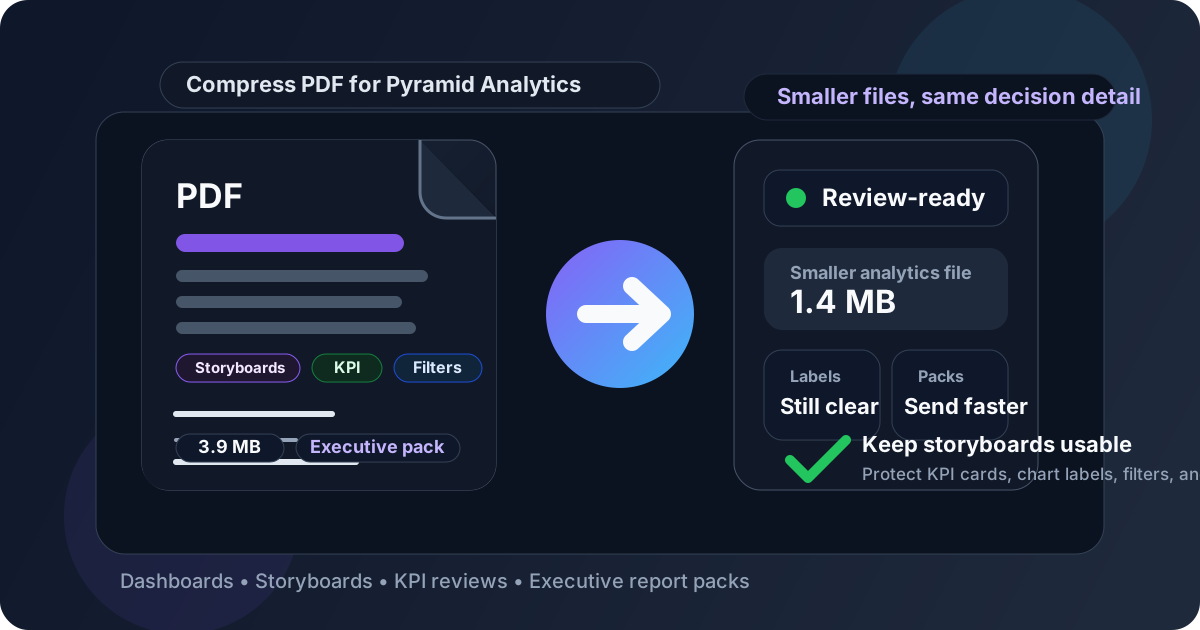
Table of contents
- Quick start: compress a Pyramid Analytics PDF in under 2 minutes
- Why smaller PDFs help in Pyramid Analytics workflows
- What file size should you aim for?
- Which compression level should you choose?
- Step-by-step: shrink a Pyramid Analytics PDF with LifetimePDF
- Best strategy for common Pyramid Analytics PDF types
- What if the PDF is still too large?
- How to keep decision detail readable
- Workflow habits that reduce PDF bloat
- Related LifetimePDF tools and internal links
- FAQ (People Also Ask)
Quick start: compress a Pyramid Analytics PDF in under 2 minutes
If your real goal is simply make this Pyramid Analytics PDF smaller so it is easier to send and review, this workflow is usually enough:
- Open Compress PDF.
- Upload the dashboard export, storyboard PDF, KPI review pack, leadership recap, or browser print-to-PDF copy you want to shrink.
- Choose Medium compression first.
- Download the smaller file and compare the new size with the original.
- Open it once and check date ranges, chart labels, filter values, KPI cards, row headers, legends, and summary notes.
- If the file is still heavier than you want, use Split PDF or Extract Pages instead of forcing stronger compression across everything.
- If the packet includes repeated appendix pages, duplicate screenshots, or wasted browser margins, remove that weight before you compress again.
Why smaller PDFs help in Pyramid Analytics workflows
Pyramid Analytics exports often become the frozen version people actually pass around. The live dashboard or model may drive the conversation, but the PDF is what gets attached to a board memo, dropped into a leadership email, stored in a reporting folder, or forwarded to someone who does not spend their day inside the analytics platform. That means the PDF has to travel well.
Compression helps because it removes friction without removing the signal that matters. A smaller file opens faster, shares more comfortably, and causes fewer problems in email, chat attachments, and long-term archives. The goal is not to make every export tiny. The goal is to keep labels, KPI values, filters, notes, row headers, chart context, and storyboard flow clear while getting rid of the file-size drag that slows down simple handoffs.
Why compression usually helps
- Faster sharing: helpful when dashboard exports, storyboard reviews, and KPI recaps need to move quickly between teams.
- Smoother review: lighter PDFs open more comfortably on laptops, tablets, and slower remote connections.
- Cleaner archives: recurring leadership exports stay easier to store, resend, and retrieve later.
- Less packet drag: one oversized review deck becomes easier to work with when it is smaller and better structured.
- Better handoffs: a reviewed smaller file is more useful than a bloated export people postpone opening.
What file size should you aim for?
There is no perfect number for every Pyramid Analytics PDF, but a few practical ranges keep you from compressing harder than necessary:
| PDF type | Good target | Details you should protect |
|---|---|---|
| Short dashboard export or storyboard snapshot | Under 2MB | Labels, KPI cards, date filters, legends, and short notes |
| Leadership review or KPI recap | 2MB to 4MB | Section headings, compact tables, commentary, and totals |
| Multi-section executive pack with appendix pages | 3MB to 5MB | Appendix references, screenshots, supporting notes, and the smallest useful table text |
| Scan-backed support pages or screenshot-heavy evidence | 4MB to 6MB if needed | Fine print, timestamps, signatures, and tiny labels |
Under 2MB is a strong default when the file is short and focused. Once the PDF includes several dashboard pages, storyboard sections, screenshots, appendix material, or browser-generated whitespace, a slightly larger target is often the smarter choice. The better question is not How small can this go? It is How small can this go while still being easy to review and explain?
Which compression level should you choose?
Most Pyramid Analytics exports do best when you begin with Medium compression. It usually cuts enough weight to make the file easier to share while preserving the decision detail people actually need.
Use Medium compression for most workflows
- Dashboard exports with charts, filters, and a few summary tables
- Weekly KPI recaps shared across ops, finance, analytics, or leadership teams
- Storyboard PDFs sent for review or approvals
- Browser-generated reporting pages where readability matters more than aggressive size reduction
Use Low compression when polish matters most
Low compression makes sense for board materials, executive recaps, or client-facing strategy decks where fine labels and table detail need to stay especially sharp. If the file is already close to the size you want, Low can be enough.
Use stronger compression only after cleanup
High compression can help if the file is still too large for the real sharing path, but it is also where quality problems usually begin. Thin chart lines soften first. Then compact labels, row headers, comments, totals, and small table values start to suffer. That is why stronger compression should usually come after page cleanup, not before it.
Step-by-step: shrink a Pyramid Analytics PDF with LifetimePDF
- Start with the final shareable version. Remove obvious duplicates, outdated appendix pages, or backup material before you compress anything.
- Open Compress PDF. Upload the dashboard export, storyboard PDF, KPI snapshot, browser print-to-PDF copy, or review appendix.
- Choose Medium compression. That is the safest default for most Pyramid Analytics workflows.
- Download the smaller copy. Compare the size so you know whether the reduction was meaningful.
- Do a readability pass. Check date ranges, labels, row headers, filter values, totals, notes, and section headings.
- Clean the structure if needed. Use Extract Pages, Delete Pages, or Crop PDF to remove weight that does not help the next reader.
- Keep the right version for the real handoff. The archive copy can stay fuller if needed; the outgoing copy should be focused and easy to open.
The common mistake is treating every exported packet like it needs every supporting page forever. Often it does not. A lighter PDF with the right charts, tables, and notes is usually more helpful than a giant file that happens to be technically smaller.
Best strategy for common Pyramid Analytics PDF types
Dashboard exports and KPI snapshots
These usually compress well because they are relatively focused. Medium compression is normally enough. Pay attention to date filters, KPI cards, chart labels, legends, and comparison notes because those are the details that stop being useful when quality drops too far.
Storyboard PDFs and leadership review packs
These often grow because they mix several dashboard pages, screenshots, commentary, and appendix material into one distribution packet. Compression helps, but the bigger win often comes from removing repeated context pages or splitting the summary from the backup detail.
Compact table-heavy pages
Pyramid Analytics exports sometimes include dense table views where a small change in clarity matters a lot. That is where you should be especially careful. Medium compression is usually safer than aggressive compression because tiny row labels, short notes, and number columns can become irritating to read before the file looks obviously degraded.
Browser print-to-PDF copies
Browser-generated PDFs often include extra white space, awkward page breaks, or repeated headers. That kind of weight does not help the reader. Clean structure first, then compress the remaining pages.
What if the PDF is still too large?
If Medium compression does not bring the file down far enough, do not jump straight to the harshest setting. Pyramid Analytics PDFs usually get smaller faster when you remove unnecessary sections and repeated visual weight first.
Try these fixes before pushing compression harder
- Split the packet: keep the executive summary in one PDF and backup detail in another.
- Extract only the pages a reader needs: many reviewers do not need the full dashboard bundle.
- Delete repeated screenshots: near-identical views add size fast without adding new insight.
- Crop wasted margins: browser print edges and slide whitespace add weight without adding meaning.
- Compare versions: use Compare PDFs if you want to confirm a trimmed copy still contains the important reporting changes.
If you still need a smaller file after that, then try a stronger compression pass. But do it on the cleaned-up version, not the original full packet. That is usually how you get a better result without sacrificing clarity.
How to keep decision detail readable
In Pyramid Analytics PDFs, the details that matter are often small. One filter, date range, total, column header, or chart label can change the meaning of the whole story. That is why a quick readability review matters more than chasing one more percentage point of file-size reduction.
Check these before you send the compressed file
- Date ranges, filters, and comparison windows
- Chart labels, legends, and axis markers
- KPI cards, totals, and compact summary tables
- Comments, footnotes, and explanatory callouts
- Timestamps, signatures, and approval fields if scans are included
Workflow habits that reduce PDF bloat
The easiest file to compress is the one that was prepared with the handoff in mind. A few habits make Pyramid Analytics PDFs easier to shrink and easier to use later:
- Export only what the audience needs. A focused review pack beats a giant just-in-case bundle.
- Separate summary from backup detail. Leadership, stakeholders, and analysts often need different pages.
- Avoid repeated screenshots. If one clear chart proves the point, several near-identical copies usually do not help.
- Name files clearly. Clean filenames and metadata make later retrieval easier. Use PDF Metadata Editor if needed.
- Keep a lightweight outgoing version. The archive copy can stay fuller, but the share-ready copy should be fast to open and easy to understand.
These habits matter because compression works best as the last tidy step, not as the rescue plan for an oversized export that tried to do too many jobs at once.
Related LifetimePDF tools and internal links
If you work with Pyramid Analytics PDFs regularly, these tools usually pair well with compression:
- Compress PDF for the first size-reduction pass
- Split PDF for long review packets and appendix sections
- Extract Pages for audience-specific subsets
- Delete Pages for duplicate exports and filler pages
- Crop PDF for browser borders and wasted margins
- Compare PDFs when you want to confirm that a trimmed packet still tells the same story
You may also find these guides useful if you want broader companion coverage around similar reporting workflows:
- Compress PDF for Pyramid Analytics: Share Smaller Dashboard Exports, Storyboards, and KPI PDFs Faster
- Compress PDF for Pyramid Analytics Without Monthly Fees
- Compress PDF for ClicData
- Compress PDF for Holistics
- Compress PDF for Lightdash
- Compress PDF for Dundas BI
Bottom line: for most Pyramid Analytics PDFs, start with Medium compression, review the smallest useful details once, and trim packet weight before using stronger compression.
FAQ (People Also Ask)
How do I compress a PDF for Pyramid Analytics?
Upload the exported Pyramid Analytics PDF to a compressor, start with Medium compression, and keep the smaller copy only if labels, filter values, KPI cards, notes, and compact charts still read clearly. Medium compression is usually the safest first pass because it reduces size without making the decision detail annoying to review.
What file size should I aim for with Pyramid Analytics PDFs?
Under 2MB works well for short dashboard exports and focused storyboard snapshots. Multi-page executive reviews and appendix-backed analysis packets usually land best around 2MB to 5MB as long as the smallest useful labels and numbers still read clearly.
Will compression make Pyramid Analytics charts or tables blurry?
It can if you compress too aggressively. That is why Medium compression is usually the best starting point. Always review labels, legends, row headers, totals, filter values, and commentary before replacing the original export.
Should I split a large Pyramid Analytics review pack instead of compressing it harder?
Often, yes. If one PDF combines an executive summary, several storyboard pages, repeated screenshots, appendix material, and supporting notes, splitting it usually works better than forcing stronger compression across the entire packet.
Which LifetimePDF tools pair best with Pyramid Analytics workflows?
Compress PDF is the main starting point. Split PDF, Extract Pages, Delete Pages, Crop PDF, Compare PDFs, and PDF Metadata Editor are especially useful when you want smaller, cleaner dashboard packets without sending more pages than the next reader actually needs.