Compress PDF for Paylocity: Make Resumes and Supporting Files Smaller Without Hurting ATS Readability
To compress a PDF for Paylocity, upload your final resume or supporting document to LifetimePDF's Compress PDF tool, start with Medium compression, and keep the smaller version only if names, dates, headings, links, and contact details still look clean.
For most Paylocity uploads, aim for under 2MB for resumes and cover letters, and roughly 2MB to 5MB for transcripts, certificates, portfolios, or other scan-heavy supporting PDFs.
Paylocity application flows usually feel easy until one heavy PDF slows everything down. A resume exported with bloated graphics, a certificate scan with huge borders, or a combined support packet with too many extra pages can turn a simple upload into an annoying detour. The goal is not to make the tiniest file possible. The goal is to create a lighter document that still feels readable, professional, and trustworthy when a recruiter opens it.
Fastest path: run the Paylocity file through LifetimePDF's Compress PDF tool on Medium, then do one quick readability check before uploading the lighter copy.
Need the short version? Jump to Quick start: compress a PDF for Paylocity in under 2 minutes.
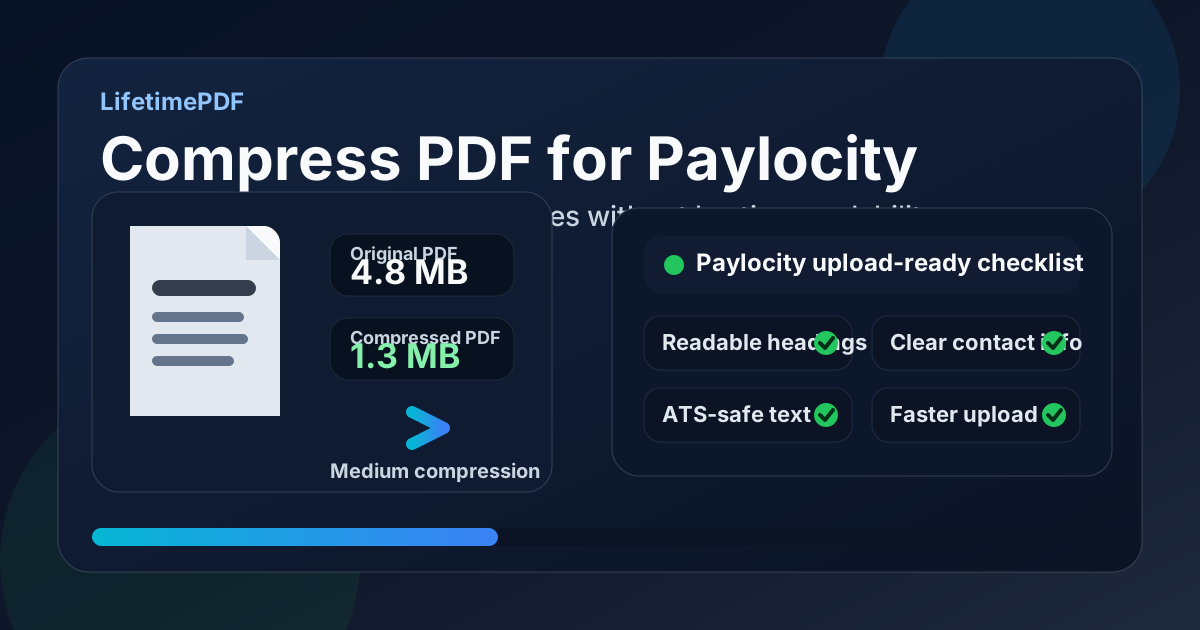
Table of contents
- Quick start: compress a PDF for Paylocity in under 2 minutes
- Why smaller PDFs help in Paylocity workflows
- What file size should you aim for?
- Which compression level should you choose?
- Step-by-step: shrink a Paylocity PDF with LifetimePDF
- Best strategy for common Paylocity file types
- What if the PDF is still too large?
- How to keep Paylocity files readable and ATS-friendly
- Privacy and document-cleanup habits before you upload
- Related LifetimePDF tools and useful internal links
- FAQ (People Also Ask)
Quick start: compress a PDF for Paylocity in under 2 minutes
If your real goal is simply make this PDF smaller so the Paylocity upload goes through cleanly, this workflow is usually enough:
- Open Compress PDF.
- Upload the final resume, cover letter, transcript, certificate, portfolio, or supporting PDF you plan to submit.
- Choose Medium compression first.
- Download the smaller result and compare the new size with the original.
- Open it once and check the details that matter most: your name, contact info, headings, dates, bullet points, links, and any fine text inside samples or certificates.
- If the file is still heavier than you want, use Extract Pages, Delete Pages, or Crop PDF before trying a stronger compression setting.
Why smaller PDFs help in Paylocity workflows
Paylocity applications often happen in short, focused bursts. You tailor a resume, update a cover letter, attach a transcript or certification, and try to finish while your attention is still on the role. That is why file friction stands out so much. A heavy PDF can slow uploads, make replacement uploads more annoying after last-minute edits, and add drag when you are applying to more than one job in a session.
Compression also works as a quick quality check. A text-based resume or cover letter usually should not be bulky. If the file feels heavier than expected, there is often a reason: oversized images, screenshots of text, giant scan margins, decorative backgrounds, or too many pages merged together. Making the PDF smaller often exposes those problems faster than staring at the file-size number alone.
Why compression usually helps
- Faster uploads: especially useful on weaker Wi-Fi, mobile hotspots, or older laptops.
- Less re-upload hassle: lighter files are easier to replace after a small resume or cover-letter edit.
- Cleaner reviewer experience: smaller PDFs usually open faster when somebody is moving through a queue of candidates.
- Better reuse: a lean file that behaves well in Paylocity usually behaves better in email and other ATS platforms too.
- Easier document hygiene: slimming the file often reveals extra pages, bad scans, or visual clutter you did not need in the first place.
What file size should you aim for?
There is no single Paylocity number that fits every employer or every document type, but a few practical ranges keep you from compressing harder than necessary:
| Document type | Practical target | Why it works |
|---|---|---|
| Resume or cover letter | Under 1MB to 2MB | Usually more than enough for text-first application files with normal formatting. |
| Transcript or certificate PDF | About 1MB to 3MB | Leaves room for scans while still keeping uploads easy to manage. |
| Short portfolio or work sample | About 2MB to 5MB | Lets you keep visuals readable without turning the attachment into a brick. |
| Combined support packet | Only as large as it needs to be | These files bloat quickly, so page trimming matters more than aggressive compression. |
These are not hard rules from every company using Paylocity. They are practical comfort zones. If your resume is still 4MB after export, something about the source file is probably worth fixing. If your certificate packet lands around 3MB and still looks sharp, that is usually fine.
Which compression level should you choose?
Most problems come from either skipping compression entirely or jumping straight to the strongest setting without thinking about what kind of PDF you are dealing with. A better approach is to match the compression level to the file itself.
| Compression level | Best for | What to watch |
|---|---|---|
| Low | Already-clean resumes, cover letters, or exported PDFs with small text | May not reduce size enough if the file is bloated by scans or images. |
| Medium | Most Paylocity uploads | Usually the best balance between smaller file size and trustworthy readability. |
| High | Scan-heavy certificates, transcripts, or image-heavy samples that are still too large after cleanup | Review small text, logos, signatures, and fine details carefully before keeping it. |
Step-by-step: shrink a Paylocity PDF with LifetimePDF
- Start with the final version. Compress the actual file you plan to upload, not an older draft you might replace in a few minutes.
- Open Compress PDF. Drag the file in or choose it from your device.
- Use Medium compression first. That is the safest first pass for most resumes, cover letters, and application attachments.
- Download the result and check the size. Do not judge the outcome only by the file-size number. Open the PDF once.
- Review the parts recruiters notice fastest. Check your name, email address, phone number, section headings, dates, bullet points, certificate text, and any sample thumbnails.
- Fix the source problem if the file is still bulky. Remove extra pages, crop scan waste, or split a combined packet before trying higher compression.
In practice, most Paylocity-related PDFs do not need a heroic workflow. They need one pass of reasonable compression and one minute of common-sense review. Problems usually come from skipping the review step or trying to solve a messy source file with compression alone.
Best strategy for common Paylocity file types
Resume and cover letter
These should usually compress very well because they are mostly text. If they do not, suspect logos, screenshots, decorative backgrounds, or export settings rather than the hiring platform.
Transcript or certificate PDF
Scans often carry unnecessary weight. Crop margins, rotate crooked pages, and delete blanks before compressing. If the document is image-only, OCR PDF can also make it more usable afterward.
Portfolio or work sample
Preserve readability over raw size. If you need visuals to stay convincing, remove duplicate pages and trim dead space before pushing compression harder.
Combined support packet
If Paylocity gives separate upload fields, keep files separate. If you truly need one packet, build it intentionally with Merge PDF after removing pages that do not help your application.
A useful rule here is to compress based on the job the file needs to do. A plain resume needs clarity more than visual richness. A portfolio sample can tolerate a bit more size if that keeps charts, diagrams, or screenshots readable.
What if the PDF is still too large?
If Medium compression barely moves the file size, compression is not the main issue. The usual fix is to remove weight that never needed to be there.
- Use Delete Pages to remove blank sheets, duplicate exports, or irrelevant appendix pages.
- Use Extract Pages if only part of a larger packet actually belongs in the application.
- Use Crop PDF to remove large scanner borders or dead margins.
- Export a fresh text-based resume from Word to PDF if the original file was built from screenshots or flattened images.
- Only after cleanup, try stronger compression on the lighter source file.
How to keep Paylocity files readable and ATS-friendly
The biggest readability risk is usually not compression itself. It is the underlying document design. If the file already relies on screenshots, tiny text, low-contrast colors, or over-styled layouts, compression only makes those weaknesses easier to notice.
Quick ATS-safe review checklist
- Your name and contact details are clear at normal zoom.
- Dates and job titles are still easy to scan.
- Bullet points remain readable without blurry edges.
- Links still look intact and not visually broken.
- Text is selectable if the original document was meant to be text-based.
- Any portfolio screenshots still communicate what they need to communicate.
If the compressed file passes that checklist, it is probably good enough. You do not need perfection. You need a document that uploads smoothly and still feels credible when opened quickly by another human.
Privacy and document-cleanup habits before you upload
File size is only one part of a clean application. Before uploading, it is worth checking whether the PDF contains information you did not mean to share: outdated versions, unnecessary extra pages, hidden metadata, or page scans that reveal more than the employer asked for.
- Remove extra pages that do not support the application.
- Strip hidden details with Remove PDF Metadata or review them with PDF Metadata Editor.
- Keep transcripts, IDs, or certificates limited to the pages actually requested.
- Rebuild a clean resume PDF from source if the current file has been edited too many times and carries formatting baggage.
A smaller PDF is helpful. A smaller and cleaner PDF is better. That is especially true when the file may be reused across several applications, emailed to a recruiter, or stored in different systems afterward.
Related LifetimePDF tools and useful internal links
If you are working through a Paylocity application stack, these tools and related articles usually save the most time:
- Compress PDF
- Word to PDF
- Merge PDF
- Extract Pages
- Delete Pages
- Crop PDF
- OCR PDF
- Compress PDF for Paylocity: Upload Resume and Job Application Files Faster
- Compress PDF for Paylocity Without Monthly Fees
- Compress PDF for Dayforce
- Compress PDF for UKG
- Compress PDF for Rippling
- Compress PDF for Teamtailor
- Compress PDF Online Free
- Word to PDF Online Free
- Browse all LifetimePDF articles
Want the shortest workflow? Start with compression, then fix the source only if the result still feels bulky or messy.
FAQ (People Also Ask)
How do I compress a PDF for Paylocity?
Upload the PDF to LifetimePDF's compressor, start with Medium compression, and keep the smaller copy only if names, dates, headings, bullet points, links, and contact details still look clean. That is usually the safest balance between a lighter file and a trustworthy application.
What file size should I aim for on Paylocity?
Under 2MB is a strong target for resumes and cover letters. Scan-heavy files such as transcripts, certificates, or small portfolios can reasonably land in the 2MB to 5MB range if that keeps important detail intact.
Will compression hurt ATS readability in Paylocity?
Usually not if the original file contains real text and you start with Medium compression. The larger readability risks are screenshot-based resumes, overdesigned layouts, and tiny text that was already hard to read before compression.
Should I upload one combined PDF or separate files in Paylocity?
Follow the structure of the application. If Paylocity provides separate upload fields, separate files are usually cleaner. Combine documents only when the employer actually expects a single supporting PDF.
Which LifetimePDF tools pair best with Paylocity uploads?
Compress PDF is the main starting point. Word to PDF, Merge PDF, Extract Pages, Delete Pages, Crop PDF, OCR PDF, Remove PDF Metadata, and PDF Metadata Editor are the most useful supporting tools when you want smaller, cleaner, and more intentional application documents.