Compress PDF for Ironclad: Keep Contracts, Redlines, and Approval Packets Small Without Losing the Details
To compress a PDF for Ironclad, upload the final file to LifetimePDF's Compress PDF tool, start with Medium compression, and keep the smaller copy only if clause text, redlines, signatures, dates, exhibit labels, and approval notes still read cleanly.
For most Ironclad workflows, under 2MB is a strong target for text-heavy agreements, while scanned exhibits, approval packets, and mixed legal bundles usually work best around 2MB to 5MB.
Ironclad work tends to happen near important decisions. The contract is already moving. The redline packet needs one more clean upload. The order form is ready for approval. At that point, the job is not to chase the tiniest possible file. It is to remove unnecessary weight without making the legal packet feel harder to review, trust, or sign.
Fastest path: use LifetimePDF's Compress PDF tool at Medium, then trim duplicate pages, split bulky exhibits, or OCR scanned support files only if the final Ironclad packet is still heavier than it needs to be.
Need the short version? Jump to Quick start: compress an Ironclad PDF in about 2 minutes.
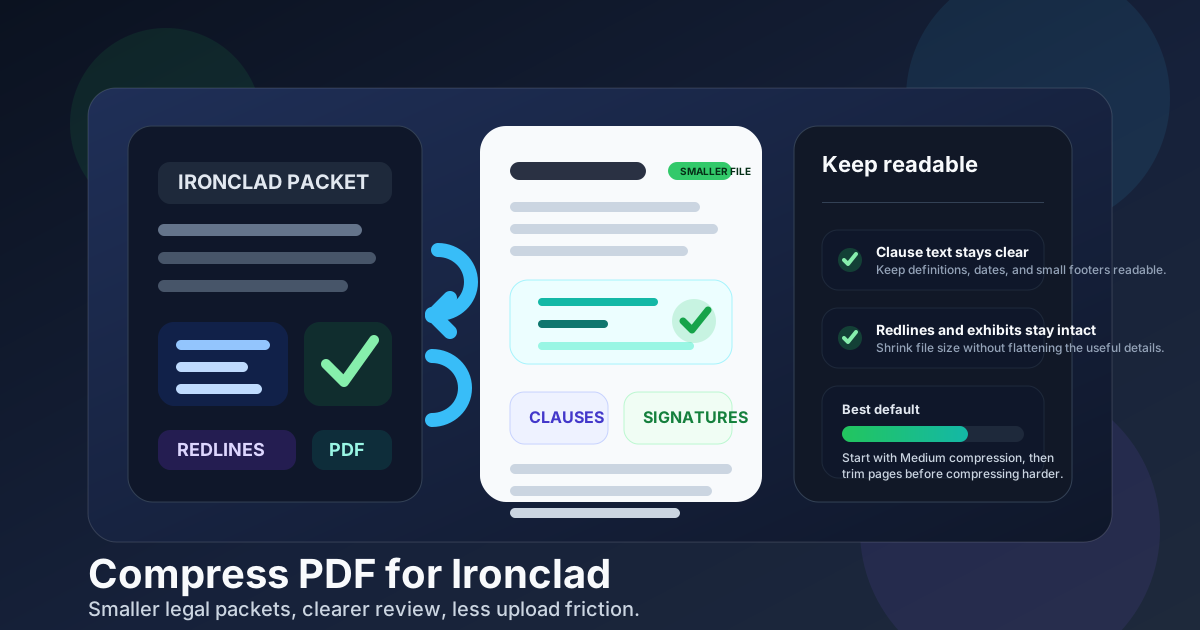
Table of contents
- Quick start: compress an Ironclad PDF in about 2 minutes
- Why smaller PDFs help in Ironclad workflows
- What size should an Ironclad PDF be?
- Which compression level should you choose?
- Step-by-step: shrink a PDF with LifetimePDF
- Best approach for common Ironclad document types
- What to do if the PDF is still too large
- How to keep legal details readable
- Workflow habits that prevent PDF bloat
- Related LifetimePDF tools and useful reading
- FAQ (People Also Ask)
Quick start: compress an Ironclad PDF in about 2 minutes
If your real goal is simply make this Ironclad PDF smaller so it uploads cleanly and still feels safe to review later, this workflow is usually enough:
- Start with the contract, NDA, order form, statement of work, approval packet, redline export, or exhibit PDF you actually plan to upload.
- Open Compress PDF.
- Choose Medium compression first.
- Download the smaller result and compare the new size.
- Check the weak spots once: clause text, dates, signatures, initials, exhibit labels, comments, and the faintest scanned page.
- If the file is still bulky, use Delete Pages, Extract Pages, Split PDF, Crop PDF, or OCR PDF before trying stronger compression.
Why smaller PDFs help in Ironclad workflows
Ironclad PDFs are usually not throwaway documents. They are contracts, NDAs, order forms, statements of work, approval packets, signature pages, or supporting exhibits that may move through several rounds of review. When those PDFs are heavier than they need to be, the friction appears at exactly the wrong moment: right before approval, right before signature, or right before someone needs to confirm one important line on mobile.
Smaller PDFs upload faster, open more smoothly, and are easier to resend or archive later. That matters even more when the packet picked up repeated exports, scan shadows, image-heavy appendices, duplicate pages, or support material that never really belonged in the main legal handoff. Compression works best when it removes avoidable bulk while protecting the text and markings that make the document trustworthy.
- Faster uploads: useful when an updated contract packet needs to move now, not after another cleanup loop.
- Smoother review: lighter PDFs are easier for internal approvers and counterparties to open on any device.
- Better mobile handling: many people first open legal packets on a phone or tablet.
- Less scan waste: IDs, signed exhibits, and paper-origin support files often carry empty borders and oversized image data.
- Cleaner downstream work: smaller PDFs are easier to compare, split, extract, merge, and archive later.
What size should an Ironclad PDF be?
There is no single perfect number for every Ironclad workflow, so practical ranges are more useful than chasing the smallest possible file. You want a PDF that feels easy to upload, easy to review, and still reliable when someone needs to confirm legal language or commercial terms.
| Document type | Practical target | Why it works |
|---|---|---|
| Text-heavy contract, NDA, or order form | < 1MB to 2MB | Usually enough for files that should upload fast and stay easy to review |
| Approval packet, SOW bundle, or mixed-content agreement | 1MB-3MB | Leaves room for signatures, tables, and modest scans without feeling bulky |
| Scanned exhibit bundle or image-heavy support file | 2MB-5MB | More realistic when multiple pages include scans, screenshots, or supporting images |
| Over 5MB | Usually needs cleanup | At that point, trimming pages or fixing scan waste often works better than compressing harder |
Those ranges are not strict rules. They are good working targets that help you avoid two common mistakes: sending a bloated packet that feels clumsy, or over-compressing a legal file until small but important details look fragile.
Which compression level should you choose?
If you are unsure where to start, Medium is usually the best default for Ironclad. It often removes enough weight to help the workflow without flattening the details people still need to read closely.
- Low compression: best when the PDF is already fairly light and you only want a modest size reduction with minimal visual change.
- Medium compression: the best first choice for most contracts, NDAs, order forms, SOWs, and approval packets.
- High compression: worth trying only when the file is still too heavy after cleanup and medium compression, and you are ready to inspect the smallest text carefully.
Step-by-step: shrink a PDF with LifetimePDF
- Open Compress PDF.
- Upload the final Ironclad-ready PDF rather than an earlier working draft.
- Choose Medium compression and run the file through once.
- Download the smaller copy and compare the file size.
- Check the reviewer-facing weak spots: clause text, dates, signature blocks, initials, line-item tables, exhibit labels, and the smallest scanned text.
- If the file is still larger than it should be, remove duplicated pages, split heavy exhibits, or OCR scanned pages before applying stronger compression.
That one-pass workflow handles most Ironclad preparation jobs well. The second pass is usually not stronger compression. It is better packet structure.
Best approach for common Ironclad document types
Contracts, NDAs, and order forms
These are usually text-heavy and compress well. Medium compression is often enough, especially if the source file came from a clean digital export rather than a scan. Keep an eye on clause text, dates, signature blocks, and the smallest footer language.
Approval packets and redline bundles
These files often mix text, comments, signatures, cover pages, repeated drafts, and supporting pages. They rarely benefit from aggressive compression across every page. A better result usually comes from medium compression plus removing duplicate pages, stale drafts, or backup material the next reviewer does not actually need.
Statements of work and pricing attachments
These documents often contain tables, scope details, commercial terms, and line items. Compression helps, but structure usually helps more. Split optional appendices away from the core agreement when that keeps the review flow clearer.
Scanned exhibits and support files
These are the most likely to stay bulky after one compression pass. Crop blank borders, remove empty backsides, rotate crooked pages, and OCR image-only pages first. A cleaner scan often beats pushing the whole document into aggressive compression.
What to do if the PDF is still too large
If an Ironclad file still feels heavier than it should after Medium compression, stronger compression is only one option. In many cases, smarter cleanup gives you a better result.
- Delete duplicate pages: use Delete Pages to remove stale drafts, repeated scans, or unnecessary support pages.
- Extract only the needed sections: use Extract Pages when the actual review packet is only part of a larger file.
- Split a heavy exhibit bundle: use Split PDF when appendices or support material make the main packet harder to handle.
- Crop scan waste: use Crop PDF to remove oversized borders and dead space from photographed pages.
- OCR image-only paperwork: use OCR PDF so the final file is searchable as well as smaller.
- Rebuild a messy export: if the PDF has been printed, rescanned, re-merged, and re-exported multiple times, a cleaner source export may solve the real problem faster.
How to keep legal details readable
The fastest quality check is not rereading every page. It is checking the parts most likely to fail after compression.
- Signature blocks and initials areas
- Dates, names, and defined terms
- Clause text in the densest section of the agreement
- Line-item tables, pricing rows, and approval notes
- Exhibit labels, footnotes, and the smallest footer text
- Any scanned page that was already a little weak before compression
If those still look clean, the rest of the document usually follows. If they do not, step back and clean the packet structure before you try to squeeze more size out of every page.
Workflow habits that prevent PDF bloat
- Export once from the cleanest source you have. Repeated print-save-rescan loops usually create unnecessary weight.
- Keep the main legal packet focused. Do not send every appendix, backup copy, or internal note unless it genuinely belongs in the workflow.
- Use scans carefully. Paper-origin documents often include shadows, margins, and skew that add size but not value.
- Merge with intent. Combine documents only when the reviewer truly needs them as one packet.
- Compress near the finish line. It works best when the packet structure is already final.
These habits save time because they reduce the number of times the same agreement has to be repaired later for upload, review, archiving, or signature follow-up.
Related LifetimePDF tools and useful reading
If you are cleaning up an Ironclad packet, these tools usually help the most:
- Compress PDF for the first safe size-reduction pass
- Extract Pages for contract-only or exhibit-only sections
- Delete Pages for duplicate or irrelevant pages
- Split PDF for heavy exhibits and oversized bundles
- Crop PDF for scan borders and dead space
- OCR PDF when you need searchable scanned exhibits
- Merge PDF for building a clean final packet
Related reading on LifetimePDF:
- Compress PDF for Ironclad: Upload Smaller Contracts and Legal Documents Faster
- Compress PDF for Ironclad Without Monthly Fees
- Compress PDF for DocuSign
- Compress PDF for Oneflow
- Compress PDF for Icertis
Want the quickest workflow? Compress the final Ironclad packet first, then split or extract only if the result is still heavier than it should be.
FAQ (People Also Ask)
How do I compress a PDF for Ironclad?
Upload the final Ironclad-ready PDF to a PDF compressor, start with Medium compression, and keep the smaller copy only after checking clause text, dates, signatures, exhibit labels, and approval details. For most Ironclad workflows, Medium is the safest first step.
What file size should I aim for before uploading an Ironclad PDF?
Text-heavy contracts, NDAs, and order forms often work well under 2MB. Approval packets, scanned exhibits, and mixed-content legal bundles usually work better around 2MB to 5MB if that preserves the smallest important details.
Will compression blur redlines, clause text, or signatures?
It can if you compress too aggressively. Start with Medium compression and review the smallest clause text, signature blocks, dates, initials, and scanned exhibits before you keep the smaller file.
Should I compress before or after merging files for Ironclad?
If you already know the final legal packet, merge first and compress the finished PDF once. If the file is large because it includes duplicate scans, stale appendices, or pages the next reviewer does not need, trim or split those sections first.
What if my Ironclad PDF is still too large after compression?
Delete duplicate pages, crop scan borders, extract only the sections the workflow needs, split a heavy exhibit bundle, or run OCR on image-only paperwork. Better packet structure often helps more than stronger compression.