Compress PDF for Ironclad Without Monthly Fees: Shrink Contract Packets Without Another Subscription
If you need to compress a PDF for Ironclad without monthly fees, export the final contract packet, upload it to LifetimePDF's Compress PDF tool, start with Medium compression, and keep the smaller copy only if clauses, signatures, redlines, dates, and exhibit labels still look clean.
For most Ironclad workflows, that is enough to shrink NDAs, MSAs, order forms, SOWs, approval packets, and supporting exhibits without adding another recurring subscription just to finish the upload step.
Ironclad usually shows up near the serious part of the workflow. Legal needs a clean contract packet. Procurement wants support files attached. Sales ops is trying to move an order form forward. Finance or an outside counterparty still needs something readable on first open. At that point, the job is not to buy another monthly utility. The job is to make the PDF lighter, keep it trustworthy, and keep the contract process moving.
Fastest path: run the Ironclad packet through LifetimePDF's Compress PDF tool at Medium, then split, extract, crop, or delete pages only if the file still carries more weight than the next reviewer actually needs.
In a hurry? Jump to Quick start: compress an Ironclad PDF in under 2 minutes.
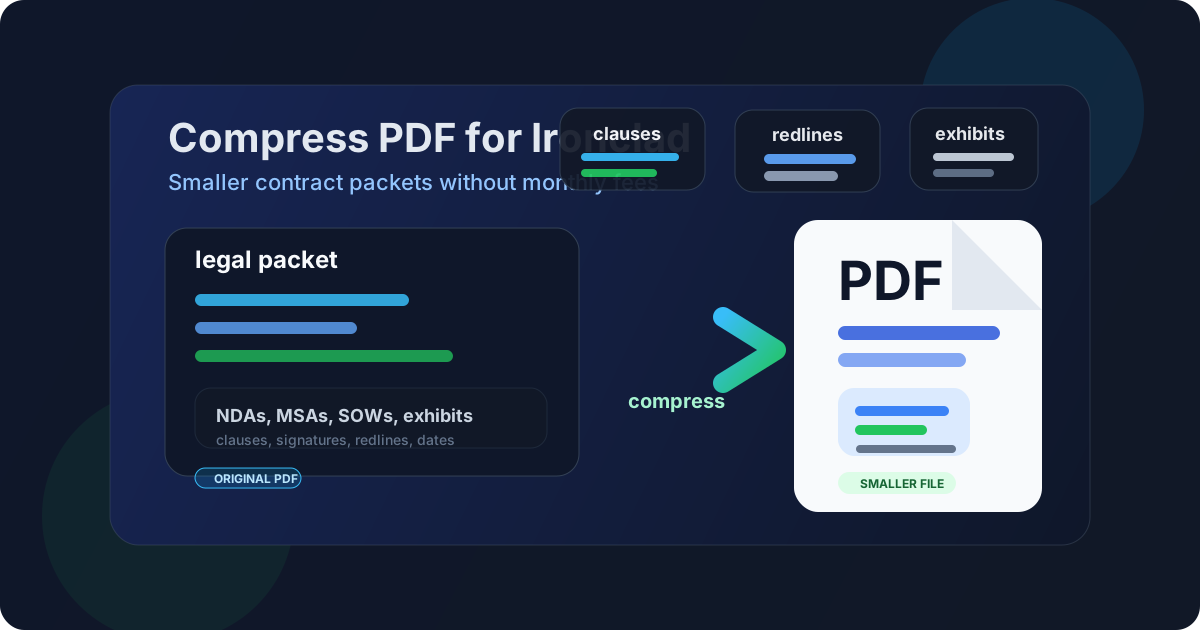
Table of contents
- Quick start: compress an Ironclad PDF in under 2 minutes
- Why "without monthly fees" matters here
- Why smaller PDFs help in Ironclad workflows
- What file size should an Ironclad PDF be?
- Which compression level should you choose?
- Step-by-step: use LifetimePDF to shrink the file
- Best approach for common Ironclad PDFs
- What to do if the PDF is still too large
- How to keep legal details readable
- Workflow habits that reduce PDF bloat
- Related LifetimePDF tools and useful reading
- FAQ (People Also Ask)
Quick start: compress an Ironclad PDF in under 2 minutes
If your real goal is simply make this Ironclad PDF smaller so it is easier to upload, review, and route, this workflow is usually enough:
- Export the final NDA, MSA, order form, SOW, approval packet, vendor agreement, exhibit bundle, or supporting PDF you actually plan to send.
- Open Compress PDF.
- Upload the file and choose Medium compression first.
- Download the smaller result and compare the new size.
- Preview the details that matter most: clauses, signatures, dates, table columns, version notes, exhibit labels, and the smallest legal text.
- If the packet is still bulky, use Extract Pages, Split PDF, Crop PDF, or Delete Pages before forcing stronger compression across the whole packet.
Why "without monthly fees" matters here
The real question behind this keyword is not only, "Can I make this PDF smaller?" It is usually, "Can I finish this contract workflow without adding one more recurring cost?" That is a fair question. Ironclad sits near the finish line. The document is already prepared, the approvals are already moving, and nobody wants to justify another monthly bill just to shave a few megabytes off the final packet.
A pay-once PDF workflow fits that stage better. You export the file, shrink it, check that clause text and signature sections still feel dependable, and move on. The value is not another dashboard. The value is a cleaner file that uploads smoothly, opens faster for reviewers, and still looks professional when legal, procurement, finance, sales, or an outside counterparty opens it for the first time.
Why smaller PDFs help in Ironclad workflows
Ironclad documents often move between internal teams and outside stakeholders. Legal may review an NDA on a desktop. Sales ops may open an order form between calls. Procurement may only need the agreement plus one exhibit. A counterparty might first open the packet on a phone. Smaller PDFs reduce friction at every step.
- Faster uploads: lighter files move into contract workflows with less waiting and less frustration.
- Smoother review: smaller packets usually open more comfortably for busy internal reviewers and external signers.
- Cleaner version handoffs: compact files are easier to resend when someone asks for the latest draft or a corrected exhibit.
- Less archive clutter: smaller PDFs are easier to store, compare, merge, and reuse later.
In practice, the extra size often comes from scanned exhibits, repeated appendices, old draft pages, image-heavy support files, or one oversized packet trying to serve every audience at once. Compression helps, but it works best when paired with a little page cleanup.
What file size should an Ironclad PDF be?
There is no single perfect number, but these ranges are a practical starting point:
| Document type | Practical target | Why it works |
|---|---|---|
| Text-heavy NDAs, MSAs, and order forms | < 1MB to 2MB | Usually small enough to upload quickly while keeping clause text and signature blocks sharp |
| SOW bundles and mixed approval packets | 1MB-3MB | Leaves room for tables, comments, and supporting context without making the packet feel bulky |
| Scan-heavy exhibits and support files | 2MB-5MB | Gives weaker source pages enough room while still making the file easier to move |
| Over 5MB | Usually needs cleanup | At that point the packet often includes duplicate pages, oversized scans, or appendices that should travel separately |
The real rule is simple: the smallest useful text still has to read clearly. If the file becomes lighter but redlines, dates, version labels, or signature areas become harder to trust, it is not the right result.
Which compression level should you choose?
Start conservative and only push harder if the file stays too large.
- Low compression: best when the PDF is already fairly small or contains fragile fine print, faint scans, or detailed markup that cannot afford much softening.
- Medium compression: the best default for most Ironclad PDFs because it balances size reduction and reviewer readability.
- High compression: useful for image-heavy support material or very bloated packets, but it should always be followed by a real readability check.
Step-by-step: use LifetimePDF to shrink the file
- Export the final Ironclad PDF you actually intend to send.
- Open LifetimePDF Compress PDF.
- Upload the file and start with Medium.
- Download the smaller copy and compare the size change.
- Review the pages that matter most: clauses, signatures, dates, exhibit labels, table lines, redlines, and the smallest legal text.
- If the packet is still heavy, extract the reviewer-facing section, split appendices, crop scan borders, or delete duplicate support pages before trying a stronger pass.
That order matters. A lot of oversized legal packets do not need harsher compression. They need fewer pages or less wasted image area.
Need the short version? Export the final Ironclad packet, run it through Compress PDF at Medium, review the weakest page once, and then split or trim only if the file is still too large.
Best approach for common Ironclad PDFs
NDAs, MSAs, and order forms
These are usually text-heavy and compress well. Medium compression is often enough, and many files can drop nicely below 2MB while staying sharp and easy to review.
Statements of work and approval packets
These often include tables, pricing, comments, and supporting pages for several stakeholders. Keep the compression sensible and review the smallest numbers, labels, and revision markers once before routing the packet onward.
Vendor agreements and procurement support files
This is where extra weight sneaks in. A packet may include insurance certificates, supporting PDFs, scans, and repeated instruction pages. Splitting or extracting the real review core often works better than crushing the whole bundle harder.
Redline bundles and scan-heavy exhibits
Be more careful here. Printed exhibits, low-contrast scans, old signatures, and image-based appendices can go soft quickly. Medium compression plus crop or delete-page cleanup usually works better than an aggressive all-at-once squeeze.
What to do if the PDF is still too large
If compression alone does not get the file where it needs to be, the next step is cleanup rather than brute force.
- Use Extract Pages for the actual reviewer-facing or signer-facing section.
- Use Split PDF to separate appendices, support material, or bulky scan sets.
- Use Delete Pages for duplicate covers, blank separators, old drafts, or repeated support pages.
- Use Crop PDF if scans or exports carry oversized borders and wasted white space.
- Use Merge PDF if the packet really should be one clean file and you want to rebuild it more intentionally.
In many Ironclad workflows, those page-level fixes remove more weight than a harsher compression setting ever would.
How to keep legal details readable
Before you send the smaller copy, inspect the places that usually fail first:
- signature pages, initials, and dated approval blocks
- dense clauses, definitions, and small footnotes
- redline notes, comment callouts, and revision labels
- pricing tables, quantity columns, and line-item totals
- exhibit captions, attachment labels, and certification numbers
- scan-heavy support pages with faint text or noisy backgrounds
A useful habit is to zoom in on the weakest page instead of the prettiest one. If the smallest clause text, tightest table, and worst scan still look dependable, the rest of the file is usually fine.
Workflow habits that reduce PDF bloat
- Export for the real audience: do not send one giant master packet when the next reviewer only needs the agreement and essential exhibits.
- Separate core and appendix material: keep bulky support files outside the main contract when possible.
- Trim scan waste: borders, crooked pages, and blank backs add weight fast.
- Delete duplicates early: repeated covers, old drafts, and extra support pages create bulk without adding value.
- Check once before routing: a quick review beats a resend after someone says the PDF is blurry or awkward to open.
Related LifetimePDF tools and useful reading
If your Ironclad document still needs cleanup after the first compression pass, these tools and guides usually help:
- Compress PDF for the main size-reduction step.
- Extract Pages for reviewer-facing sections only.
- Split PDF for appendix-heavy packets.
- Delete Pages for duplicate or dead-weight pages.
- Crop PDF for scan borders and oversized margins.
- Merge PDF for rebuilding a cleaner final packet.
- Compress PDF for Ironclad for the broader workflow guide.
- Compress PDF for DocuSign Without Monthly Fees for a close signing-platform companion.
- Compress PDF for RightSignature Without Monthly Fees for another contract-packet workflow.
- Compress PDF for Signable Without Monthly Fees for another pay-once signing use case.
- Compress PDF for Dropbox Sign Without Monthly Fees for another agreement-sharing workflow.
FAQ (People Also Ask)
How do I compress a PDF for Ironclad without monthly fees?
Export the final legal packet, upload it to LifetimePDF, start with Medium compression, and review the smaller result before sending it into Ironclad. If the file is still too large, split or extract the pages the next reviewer actually needs instead of over-compressing the whole packet.
What file size should I aim for with Ironclad PDFs?
Under 2MB is a strong target for text-heavy NDAs, MSAs, and order forms. Mixed approval packets and SOW bundles often work well around 1MB to 3MB, while scan-heavy exhibits usually need 2MB to 5MB as long as clauses, signatures, and labels still read clearly.
Will compression hurt redlines, clauses, or exhibits?
It can if you compress too aggressively. Medium compression is the safest first pass for most Ironclad-ready PDFs because it lowers size while keeping fine print, dates, signature blocks, and exhibit labels readable.
Should I split a large Ironclad packet instead of compressing it harder?
Often, yes. If one PDF mixes the actual agreement with appendices, duplicate scans, backup materials, and reviewer-only support pages, splitting it usually works better than forcing stronger compression across the whole packet.
Why look for an Ironclad PDF workflow without monthly fees?
Because shrinking the final upload is finish-line work. If your team already pays for contract, procurement, legal, or revenue-operations systems, a pay-once PDF toolkit is usually a better fit than another recurring bill just to reduce file size.
Published by LifetimePDF - Pay once. Use forever.