Compress PDF for ContractSafe: Keep Contracts, Approval Packets, and Repository Files Small Without Losing Readability
To compress a PDF for ContractSafe, upload the final contract or approval file to LifetimePDF's Compress PDF tool, start with Medium compression, and keep the smaller copy only if clause text, dates, signatures, and searchable text still look clean.
For most text-first ContractSafe documents, under 2MB is a strong target, while scanned exhibits, signed appendices, and mixed-content approval packets usually work best around 2MB to 5MB.
ContractSafe PDFs often need to stay useful long after the first upload. A file might be revisited at renewal time, checked during procurement, reviewed by legal, or opened months later by someone who needs to trust what they are seeing immediately. Smaller PDFs help because they move faster and feel cleaner, but only if the details that matter still stay readable.
Fastest path: run the ContractSafe PDF through LifetimePDF's Compress PDF tool on Medium, then do one quick readability check before you archive, review, or share it.
Need the short version? Jump to Quick start: compress a ContractSafe PDF in under 2 minutes.
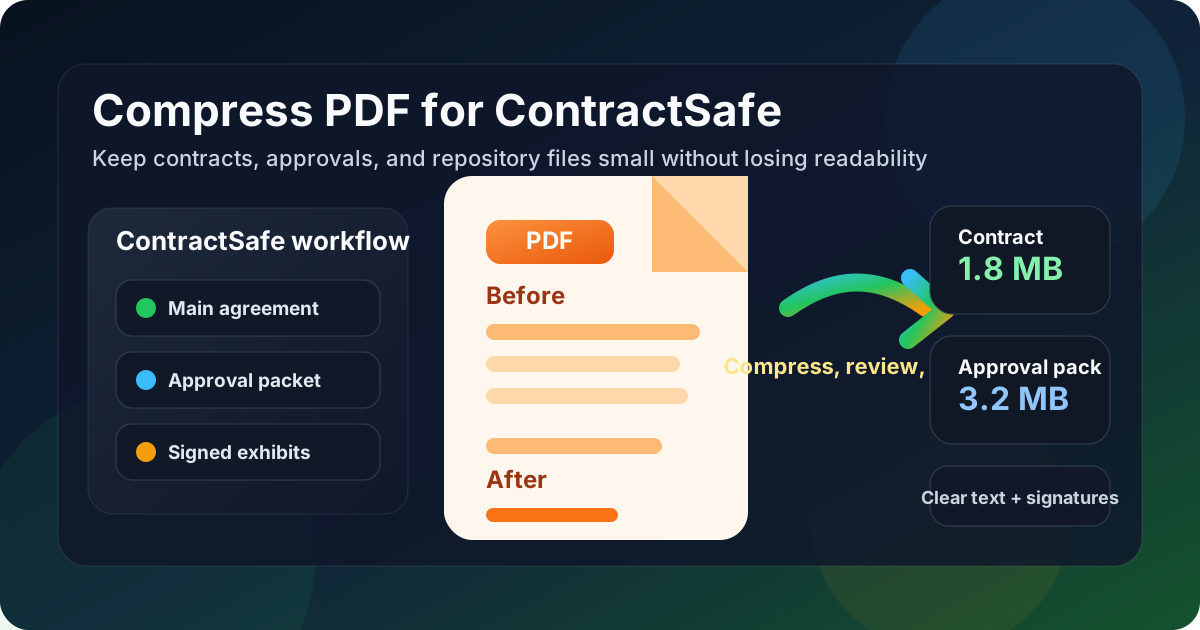
Table of contents
- Quick start: compress a ContractSafe PDF in under 2 minutes
- Why smaller PDFs help in ContractSafe workflows
- What file size should you aim for?
- Which compression level should you choose?
- Step-by-step: shrink a ContractSafe PDF with LifetimePDF
- Best strategy for common ContractSafe document types
- What if the PDF is still too large?
- How to keep contract details and searchable text usable
- Workflow habits that reduce PDF bloat
- Related LifetimePDF tools and useful reading
- FAQ (People Also Ask)
Quick start: compress a ContractSafe PDF in under 2 minutes
If your real goal is simply make this contract PDF smaller so it is easier to use in ContractSafe, this workflow is usually enough:
- Open Compress PDF.
- Upload the contract, NDA, amendment, renewal packet, approval file, exhibit set, or scanned support PDF you want to shrink.
- Choose Medium compression first.
- Download the smaller result and compare the new size with the original.
- Open it once and check the smallest useful details: clause text, dates, names, signatures, approval notes, appendix labels, and searchable text.
- If the file is still bulkier than it should be, use Extract Pages, Delete Pages, or Crop PDF before trying heavier compression.
Why smaller PDFs help in ContractSafe workflows
ContractSafe is often used as a place where agreements need to stay easy to revisit. That changes what good compression means. You are not only trying to make an upload finish faster. You are also trying to keep the file comfortable to reopen when someone needs to check a renewal date, a signature block, an approval attachment, or a key clause months later.
Smaller PDFs help because they preview more smoothly, share more easily, and create less friction when a team is moving through review or archive work. They also make scanned support files less painful to handle when the original packet picked up unnecessary weight from dark borders, repeated exports, or image-heavy appendices. The goal is not to make the PDF tiny at any cost. The goal is to remove avoidable weight while keeping the file trustworthy.
Why lighter ContractSafe PDFs work better
- Faster storage and retrieval: useful when a contract needs to be reviewed quickly or shared internally.
- Smoother reading: lighter files are less frustrating to open on normal office laptops and mobile devices.
- Better long-term usability: smaller repository files are easier to revisit during renewal, audit, and handoff work.
- Less scan waste: signed exhibits, paper-based appendices, and old support files often carry more image weight than they need.
- Cleaner document sets: smaller files are easier to split, merge, compare, and organize when agreements change over time.
What file size should you aim for?
There is no perfect number for every ContractSafe workflow, so practical ranges are more useful than chasing one tiny target. What matters is whether the PDF stays easy to review later.
| Document type | Practical target | Why that range works |
|---|---|---|
| Text-heavy contracts, NDAs, amendments, and renewals | Under 2MB | These are usually text-first files that should stay quick to open and easy to review. |
| Approval packets, signed exhibits, and mixed-content bundles | 2MB to 5MB | This range often keeps tables, signatures, and moderate scan content readable without hauling unnecessary weight. |
| Scanned legacy agreements and image-heavy support files | Up to 5MB if needed | These naturally weigh more, so preserving clarity matters more than forcing them into an unrealistically tiny number. |
If a straightforward legal PDF is far above those ranges, the real issue is usually not ContractSafe. It is more often duplicate pages, blank backs, dark scan borders, oversized images, or one file trying to carry too many supporting materials at once.
Which compression level should you choose?
For most ContractSafe workflows, Medium compression is the safest starting point. It usually removes enough file weight to make the document easier to handle while keeping legal details and searchable text in a healthy place.
- Low compression: useful when the PDF already looks clean and only needs a modest size reduction.
- Medium compression: the best default for most agreements, renewals, approval files, and ordinary legal support documents.
- High compression: best saved for bulky scans, archive copies, or image-heavy appendices where a lighter file matters more than perfect image quality.
Step-by-step: shrink a ContractSafe PDF with LifetimePDF
- Start with the final packet. Use the version you actually intend to store or review so you are not compressing stale drafts or duplicate appendices.
- Open Compress PDF.
- Upload the file. This might be a contract, MSA, renewal packet, vendor agreement, approval file, side letter, or scanned archive PDF.
- Choose Medium compression. It is usually the best first pass for ContractSafe documents.
- Download the smaller copy. Compare the size change so you can judge whether the reduction was worthwhile.
- Check the details that carry meaning. Review names, dates, clause references, signatures, approval notes, exhibit labels, and searchable text.
- Clean up only if needed. If the PDF is still too large, remove duplicate pages, split long appendices, or crop scan waste before compressing harder.
That review step matters. A PDF can be technically smaller and still be worse if a signature, a clause reference, or the text layer becomes harder to trust. One quick quality check is usually enough to avoid that mistake.
Best strategy for common ContractSafe document types
Text-heavy contracts, NDAs, and amendments
These usually compress well. Medium compression is often enough to cut size without hurting readability. If the file still feels larger than expected, look for duplicate schedules, branded cover sheets, or image-based inserts before reaching for stronger compression.
Approval packets and renewal files
These often mix contract text with tables, signatures, pricing pages, and support material. Medium compression is still a strong default, but review dates, pricing rows, signer names, and any small appendix labels before you replace the original file.
Scanned legacy agreements
This is where avoidable weight shows up most often. Old scans, phone captures, dark borders, and blank page backs can make a simple agreement much larger than it needs to be. Use Crop PDF, Delete Pages, or OCR PDF where useful instead of relying on heavy compression alone.
Signed exhibits and support appendices
Signed support files can be naturally heavier because they often include scans, stamps, handwritten marks, or embedded image pages. In those cases, a practical file size matters more than chasing perfection. It is usually better to keep the signing details, initials, and supporting images clear than to squeeze the file down so far that the result feels fragile.
What if the PDF is still too large?
If Medium compression helps but does not get the file far enough, resist the urge to keep squeezing the same document harder right away. In ContractSafe workflows, structural cleanup often gives a better result than brute-force compression.
- Remove blank pages, duplicate scans, or outdated drafts no one needs.
- Split one oversized packet into a core agreement and separate exhibits.
- Extract only the pages a reviewer actually needs.
- Crop scanner borders and dead margin space.
- Re-scan or re-export a problem file if the source was already weak before compression started.
Useful cleanup tools: when compression alone is not enough, combine it with page cleanup instead of sacrificing readability.
How to keep contract details and searchable text usable
Before replacing the original with the smaller version, check the details that tend to break first:
- small clause text and section references
- names, dates, and counterparty details
- pricing tables and line-item schedules
- signature blocks, initials, and handwritten marks
- approval notes, appendix labels, and page references
- text that should still copy, search, or OCR cleanly
If any of those become awkward to read at normal zoom, the file may be over-compressed. Back off, use a lighter setting, or clean the packet structure instead. In repository-oriented contract workflows, readability and usable text are not cosmetic. They are part of whether the document remains useful later.
Workflow habits that reduce PDF bloat
- Finalize the packet first: compress the version you actually intend to keep, not a temporary working export.
- Separate core agreements from bulky support material: one clean contract plus separate exhibits is often better than one giant bundle.
- Clean scan problems early: crop, rotate, OCR, and remove blank pages before they multiply through later versions.
- Compare before replacing: if you are unsure what changed visually, use Compare PDFs.
- Start from a clean source: use Word to PDF or a fresh export when possible instead of repeatedly recompressing an already tired file.
- Trim unnecessary metadata when appropriate: PDF Metadata Editor can help tidy a file before sharing or archiving it.
These habits do more than reduce size. They also make the document easier to hand off, easier to search, and easier to trust when someone reopens it later.
Related LifetimePDF tools and useful reading
If you are working with contract-heavy documents, these tools usually pair well with PDF compression:
- Compress PDF for the first size-reduction pass.
- OCR PDF when legacy scans need a cleaner searchable text layer.
- Extract Pages when only part of a long packet needs to move forward.
- Split PDF when the agreement and exhibits should travel separately.
- Delete Pages for blank scans, duplicate appendices, and outdated backup sections.
- Compare PDFs when you want to confirm the smaller copy still preserves the details that matter.
Useful adjacent reading: the upload-focused ContractSafe guide, Compress PDF for Contractbook, Compress PDF for Juro, Compress PDF for Conga CLM, and Compress PDF for LinkSquares if your team works across multiple contract systems.
Bottom line: if the ContractSafe PDF is too large, start with Medium compression, protect readability and searchable text, and clean the packet structure before you force the file any harder.
FAQ (People Also Ask)
How do I compress a PDF for ContractSafe?
Upload the final ContractSafe PDF to a PDF compressor, start with Medium compression, and keep the smaller copy only after checking clause text, names, dates, signatures, approval notes, appendix labels, and searchable text. For most contract workflows, Medium is the safest starting point because it reduces file size without weakening review quality.
What file size should I aim for before using a PDF in ContractSafe?
Text-heavy contracts, NDAs, amendments, and renewal files often work well under 2MB. Mixed-content approval packets, signed exhibits, and scan-heavy legacy agreements usually land better around 2MB to 5MB as long as the smallest useful details remain easy to read.
Will compression make contract text or OCR less usable in ContractSafe?
It can if you compress too aggressively or start with a poor scan. That is why Medium compression is usually the best first move. Always review clause text, signatures, dates, and searchable text before you keep the smaller file.
Should I split a large legal packet instead of compressing it harder?
Often, yes. If one PDF mixes the core agreement with long exhibits, scan-heavy appendices, or backup materials, splitting it or extracting only the needed pages usually works better than forcing stronger compression across the whole document.
Which LifetimePDF tools pair best with ContractSafe workflows?
Compress PDF is the main starting point. OCR PDF, Extract Pages, Delete Pages, Split PDF, Crop PDF, Compare PDFs, and PDF Metadata Editor are especially useful when you want smaller, cleaner ContractSafe documents without carrying extra file weight forward.