AI PDF Summarizer Online: Fastest Way to Understand Long Documents and Pull Key Points
Yes — you can use an AI PDF summarizer online to upload a long PDF, get a readable overview, and pull out the key points in minutes without installing desktop software.
The smartest workflow is to summarize first, verify the important details in the original file, then switch to PDF Q&A only when you need exact clauses, dates, figures, or follow-up answers.
This is usually what people actually want when they search for the term. They do not want to babysit a giant document, and they definitely do not want to read 70 pages line by line before they even know whether the file is important. They want the document to become understandable fast. That could mean a contract before a meeting, a research paper before notes, a manual before troubleshooting, or a proposal before deciding what needs a closer look.
Fastest path: upload the PDF, generate the summary, read the key points, and then move into OCR or PDF Q&A only if the file actually needs the next step.
In a hurry? Jump to Quick start: summarize a PDF online in a few minutes.
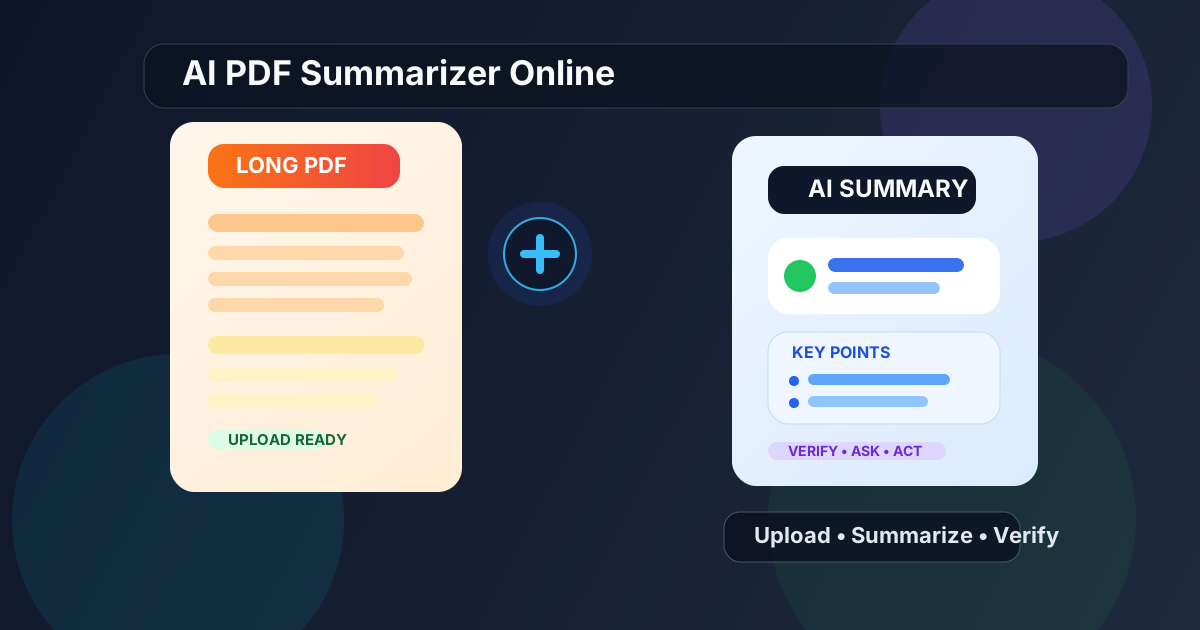
Table of contents
- Quick start: summarize a PDF online in a few minutes
- What an AI PDF summarizer online is actually good for
- Step-by-step: how to use an AI PDF summarizer online
- Summary first or PDF Q&A first?
- Best use cases: reports, contracts, manuals, and research papers
- How to get cleaner summaries from long or messy PDFs
- How to handle scanned PDFs before summarizing
- Common mistakes that make AI summaries less useful
- Related LifetimePDF tools and guides
- FAQ (People Also Ask)
Quick start: summarize a PDF online in a few minutes
If your PDF already contains selectable text, the clean workflow is simple:
- Open PDF Summarizer.
- Upload the PDF you want to understand faster.
- Generate the summary and read the main overview first.
- Review the key points for deadlines, actions, risks, or conclusions.
- If something important needs exact wording, switch to PDF Q&A instead of guessing from the summary alone.
What an AI PDF summarizer online is actually good for
The phrase sounds technical, but the job is very ordinary. Most people searching for it want answers to practical questions like these:
- What is this document really about?
- What are the main points without reading every page?
- Is this worth a full read or just a quick skim?
- What parts should I verify personally?
- Can I turn this into meeting notes, action items, or a short brief?
An online summarizer is at its best when the PDF is long enough to be annoying but structured enough to compress. It helps you orient yourself before you commit more time. That is why it works well for long reports, proposals, policies, manuals, research papers, handbooks, and contracts that need a first-pass understanding before a deeper review.
| What you need | Best tool first | Why |
|---|---|---|
| Big-picture overview | AI PDF Summarizer | Faster way to understand the whole document before reading closely |
| Exact clause, date, or number | PDF Q&A | Better when precision matters more than overview |
| Scanned or image-based PDF | OCR PDF first | Bad text extraction leads to weaker summaries and weaker answers |
| Only one section matters | Extract Pages or Split PDF | Smaller focused input usually produces a cleaner result |
Step-by-step: how to use an AI PDF summarizer online
The best workflow is not “upload and blindly trust whatever comes back.” The best workflow is quick, but it still has some judgment built into it.
1. Start with the cleanest PDF you have
If you have both an exported PDF and a photo-based scan of the same file, use the exported version. Clean text almost always produces cleaner summaries. If the document is full of crooked pages, fuzzy text, or page images, fix that before you expect the summarizer to carry the whole burden.
2. Generate the summary with a real goal in mind
A summary becomes more useful when you know what you are trying to learn. Are you checking whether a report deserves a full read? Looking for risks in a contract? Trying to understand a manual before diving into the exact procedure? The clearer the purpose, the more valuable the output becomes.
3. Read the summary like a triage tool
Do not just ask whether the summary sounds impressive. Ask whether it helps you decide what happens next. A useful summary should help you answer things like:
- What is the document trying to say?
- What sections deserve closer attention?
- What deadlines, obligations, or claims should I verify?
- Can I move on, or do I need follow-up questions?
4. Verify anything important in the source PDF
This matters most for dates, money, obligations, technical instructions, and legal wording. A summary should save time. It should not become a substitute for checking the details that actually matter.
5. Use the next tool only if the document truly needs it
- Need exact answers? Open PDF Q&A.
- Need searchable text from a scan? Run OCR PDF.
- Need only one chapter or appendix? Use Extract Pages or Split PDF.
- Need raw text for notes or reuse? Export it with PDF to Text.
Best practical sequence: summarize first, verify the parts that matter, then ask smarter follow-up questions instead of rereading the whole PDF from scratch.
Summary first or PDF Q&A first?
People often mix these up, but they solve different problems.
Use the summarizer first when:
- you want a fast overview of the whole PDF
- you are screening multiple documents quickly
- you need briefing notes before a meeting
- you want to decide whether the file deserves deeper reading
Use PDF Q&A first when:
- you already know what exact answer you need
- you are hunting for a clause, date, figure, or exception
- you need quoted evidence from the document
- the goal is precision, not orientation
In real life, the strongest workflow is usually summary first, Q&A second. The summary gives you the map. Q&A helps you inspect the streets that matter.
Best use cases: reports, contracts, manuals, and research papers
Not every PDF needs AI summarization, but some document types benefit from it immediately.
Reports and proposals
Long business documents often hide the useful part under setup, framing, and repetition. A summary helps you reach the actual findings, recommendations, and next steps faster.
Contracts and policy documents
A summary can surface likely obligations, exceptions, deadlines, and risk areas before you inspect the exact wording. It is a strong orientation tool, not a replacement for careful review.
Manuals and handbooks
When a document contains procedures, setup guidance, or repeated instructions, the summary helps you get the operational outline before you jump into the exact pages you need.
Research papers and long articles
Summaries are useful when you are triaging multiple papers or trying to decide what deserves a full read. They help you pull out the main idea, likely findings, and limits before committing more time.
| Document type | Why summarization helps | Best next step |
|---|---|---|
| Business report | Condenses findings, recommendations, and trends fast | Verify the decision-driving sections directly |
| Contract | Surfaces obligations, dates, and likely risk areas | Use PDF Q&A or manual review for exact wording |
| Manual | Turns a long guide into a workable overview | Jump to the exact task or troubleshooting section |
| Research paper | Helps you judge relevance before reading in full | Review methods, results, and limitations afterward |
How to get cleaner summaries from long or messy PDFs
Better results usually come from better input and a clearer goal, not from hoping the tool will magically repair a messy file.
Use the cleanest version of the document
If the original PDF exists, use it. Re-scanned copies, screenshots, and flattened printouts usually make summarization worse for no good reason.
Summarize the part you actually care about
If you only need chapter 3, appendix B, or pages 12 through 18, isolate them first with Extract Pages. Smaller focused input often gives you a cleaner and more relevant summary.
Know what kind of summary would help
The best summary for a manager, student, lawyer, analyst, or operations lead may not look the same. Sometimes you want a short overview. Sometimes you want key points, risks, action items, or section-by-section notes.
Use the summary to ask better follow-up questions
A good summary is not the end of the workflow. It is the part that makes your next question sharper. Once the overview tells you where the important material lives, PDF Q&A becomes much more useful.
Verify anything high-stakes
If the document touches money, legal obligations, compliance deadlines, or technical procedures, go back to the source file. Speed is helpful. False confidence is not.
How to handle scanned PDFs before summarizing
Scanned PDFs are where many online summaries fall apart. A scan may look readable to you, but to software it can be just a stack of page images.
How to tell the file is scanned
- You cannot highlight the text normally.
- Search inside the PDF finds nothing useful.
- The pages look like photos, photocopies, or flattened printouts.
Recommended scanned-PDF workflow
- Open OCR PDF.
- If needed, fix page orientation or crop issues first.
- Run OCR so the document becomes searchable and selectable.
- Then upload the improved file into PDF Summarizer.
- If you need exact follow-ups afterward, continue with PDF Q&A.
Scanned file? Do OCR first and save yourself a worse summary later.
Common mistakes that make AI summaries less useful
- Using a bad scan when a clean original exists: the source file matters more than people think.
- Expecting the summary to replace review: it should guide attention, not eliminate judgment.
- Summarizing a giant file when only one section matters: focused input usually works better.
- Switching to Q&A too late or too early: start with the tool that matches the real job.
- Ignoring verification for dates, money, or obligations: summaries save time, but the source still decides the truth.
Most of these problems are easy to fix. Use a better source file, narrow the task, and treat the summary as a fast first layer rather than the whole answer.
Related LifetimePDF tools and guides
An online PDF summarizer is most useful when it is part of a broader document workflow. These tools pair especially well with it:
- PDF Summarizer — generate a readable overview and key points from long PDFs.
- PDF Q&A — ask targeted follow-up questions after reading the summary.
- OCR PDF — make scanned documents searchable before summarizing them.
- PDF to Text — extract the source text when you want a raw copy for notes or review.
- Extract Pages — isolate only the section that matters.
- Split PDF — break a huge file into smaller logical parts.
- Redact PDF — remove sensitive details before wider sharing.
- Protect PDF — secure the final document when privacy matters.
Related guides worth reading
- AI PDF Summarizer Online Free
- Summarize PDF Online: Instant Summary
- Ask Questions About a PDF Online
- Chat with PDF Online
- OCR PDF Online Free
- Can AI Really Convert PDFs to Text Accurately?
Want the simple version? Use the summarizer for the overview, OCR only when the PDF is a scan, and PDF Q&A only when you need exact answers afterward.
FAQ (People Also Ask)
How do I use an AI PDF summarizer online?
Open the tool in your browser, upload the PDF, generate the summary, read the key points, and verify any important details in the original file. If the document is scanned, run OCR first for a cleaner result.
Is an AI PDF summarizer online the same as chatting with a PDF?
No. Summarization is better for getting the overall shape of a document quickly, while PDF Q&A is better when you need one exact answer, clause, date, figure, or quoted section.
Can an online AI PDF summarizer handle scanned PDFs?
Yes, but scanned PDFs usually work much better after OCR because the text starts out trapped inside page images. Once the file becomes searchable, summary quality usually improves a lot.
What PDFs work best with an AI PDF summarizer online?
Reports, proposals, manuals, research papers, handbooks, contracts, and policy documents tend to work well because they contain enough structured writing to turn into a useful overview and set of key points.
How do I get better summaries from a long PDF?
Use the cleanest version of the PDF, OCR scanned files first, isolate only the relevant pages when possible, and verify dates, obligations, and important figures in the source document instead of relying on the summary alone.
Published by LifetimePDF — Pay once. Use forever.