How to Summarize a Research Paper PDF: Faster Notes, Better Screening, Less Rereading
To summarize a research paper PDF, start with a fast first-pass summary so you can map the paper before you commit to deep reading.
The smartest workflow is OCR if needed → summarize → extract question, methods, findings, limitations, and relevance → verify the important details in the source.
That may sound almost too simple, but it solves the real problem people have with academic PDFs: not every paper deserves a full read on page one. Sometimes you are screening twenty papers for a literature review. Sometimes you need the main claim before a meeting. Sometimes you are trying to decide whether the paper belongs in your notes at all. A strong summary workflow helps you move faster without pretending shortcuts are the same as understanding.
Fastest path: make the paper searchable if necessary, generate the first-pass summary, then keep only the papers that still look worth deeper reading.
In a hurry? Jump to Quick start: summarize a research paper PDF in a few minutes.
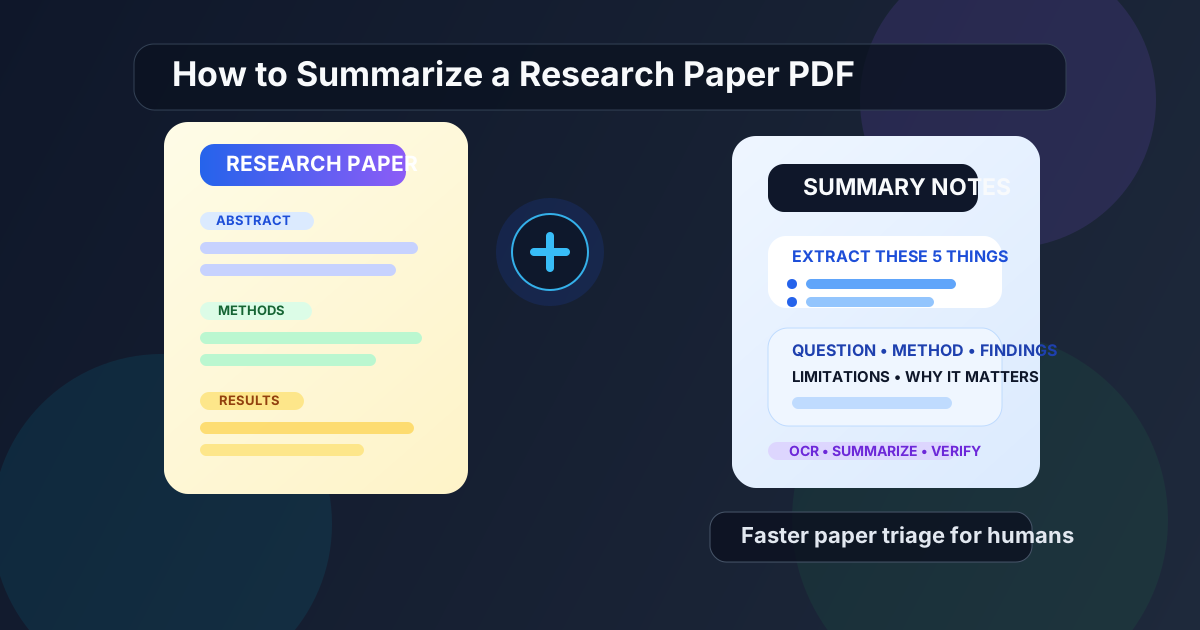
Table of contents
- Quick start: summarize a research paper PDF in a few minutes
- Why this workflow works better than reading every paper from top to bottom
- Before you summarize: check the PDF quality first
- Step-by-step: how to summarize a research paper PDF
- The five things every useful paper summary should include
- How to turn the summary into notes you will actually reuse
- Scanned papers and old journal PDFs: OCR first
- What to verify manually before citing or relying on the paper
- Common mistakes that make paper summaries less useful
- Related LifetimePDF tools and internal guides
- FAQ (People Also Ask)
Quick start: summarize a research paper PDF in a few minutes
If the paper already contains selectable text, the shortest reliable workflow is this:
- Open PDF Summarizer.
- Upload the research paper PDF.
- Generate the summary and read it once for orientation.
- Write down the research question, methods, findings, limitations, and why the paper matters.
- If the paper still looks important, continue with PDF Q&A or the original PDF for exact details.
Why this workflow works better than reading every paper from top to bottom
Academic reading often fails for a boring reason: the pile is bigger than the time available. A full read is valuable, but it is usually a bad first move when you are triaging multiple papers. If ten papers are only loosely relevant and two are actually central, you want to identify that early.
That is why a first-pass summary is useful. It helps you answer practical questions before you spend half an hour on a document that turns out to be a dead end:
- Is this paper really about the problem I am researching?
- What kind of evidence or method does it use?
- What is the main conclusion?
- Does it look strong enough to keep?
- What should I verify if I cite it later?
| What you need | Best first move | Why |
|---|---|---|
| Fast relevance check | Summary first | Lets you screen many papers without reading all of them in full |
| Exact method, number, or quote | Source PDF or PDF Q&A | Precision matters more than compression |
| Scanned journal article | OCR first | Image-only PDFs usually produce weak summaries until they become searchable |
| Literature-review note | Summary plus a note template | Turns the paper into something you can compare later |
Before you summarize: check the PDF quality first
A lot of bad paper summaries are really bad input problems. If the PDF is a clean export from a journal site, the process is usually easy. If it is a blurry scan, a photocopy, a library capture, or a crooked camera image, the summary quality drops fast.
Quick checks before you begin
- Can you highlight the text? If yes, the paper is probably ready.
- Does search inside the PDF work? If not, you likely need OCR.
- Are the pages straight and readable? If they are sideways or messy, fix them first.
- Do you need the whole paper? If only one section matters, isolate that section first.
If you only care about the methods or results section, use Extract Pages before summarizing. Smaller, more focused input usually gives you cleaner output and saves time.
Messy scan? Fix the source before you judge the summary.
Step-by-step: how to summarize a research paper PDF
The best workflow is simple enough to repeat, but structured enough to stop you from treating every paper the same.
Step 1: Start with a first-pass summary
Open PDF Summarizer and upload the paper. Your goal here is orientation, not citation-ready detail. You want the big picture: topic, claim, evidence shape, and whether the paper deserves more of your time.
Step 2: Compare the summary against the paper structure
Most research papers follow a familiar pattern: abstract, introduction, methods, results, discussion, conclusion. A useful summary should line up with that structure. If it cannot clearly tell you what the question was, how the paper approached it, and what it found, slow down and inspect the source directly.
Step 3: Pull out the five notes that matter
Do not save a vague paragraph and move on. Turn the summary into a compact research note that you can compare against other papers later. Those five fields are listed in the next section because they do most of the real work.
Step 4: Promote only the promising papers into deeper review
Once the summary makes the paper legible, decide what happens next:
- Keep and read deeply if the paper looks central to your topic.
- Ask targeted follow-up questions if one detail matters more than the whole paper.
- Archive it if the paper is adjacent but not essential.
- Discard it if it is not actually relevant.
Step 5: Verify anything that will affect a real decision
If you plan to cite the paper, use it in an assignment, mention it in a report, or rely on it for a product or policy decision, go back to the source PDF and verify the exact details before you trust the short version.
Best practical sequence: summarize first, save a structured note, then inspect the source only where it actually matters.
The five things every useful paper summary should include
This is the part that keeps the workflow from turning into vague productivity theater. If you do not extract the right things, you are not really summarizing the paper in a useful way.
1) Research question
What problem is the paper trying to answer? If you cannot say that clearly, you probably do not know whether the paper belongs in your project.
2) Methods or data
Was it a survey, randomized trial, benchmark comparison, case study, observational dataset, interview study, or literature review? You do not need every technical detail in the first pass, but you do need the shape of the evidence.
3) Main findings
What did the authors actually conclude? A good summary surfaces the result, not just the topic.
4) Limitations
This is where mature summaries separate themselves from lazy ones. Sample size, dataset bias, narrow scope, weak controls, or uncertain generalizability all matter.
5) Why the paper matters
Add one short sentence for yourself: why is this paper worth remembering? That could mean it supports your argument, challenges your assumption, provides a method to compare against, or simply helps define the field.
Simple research-paper summary template:
Paper title:
Research question:
Methods / data:
Main findings:
Limitations:
Why it matters for my project:
How to turn the summary into notes you will actually reuse
The summary becomes much more valuable when it turns into a note system you can compare across papers. This matters even more for literature reviews, theses, startup research, and internal briefings where the point is not just to read one paper once.
A practical note workflow
- Save the five-point summary.
- Add one sentence about relevance to your project.
- Flag anything you still need to verify in the source.
- Store the note in one consistent format.
If you want to share the notes with classmates, colleagues, or future-you in a cleaner format, you can turn them into a document using Text to PDF after you finish the review pass.
| Field | Keep it short | Why it helps later |
|---|---|---|
| Question | One sentence | Lets you scan for topic fit quickly |
| Methods | One line | Helps you compare rigor across papers |
| Findings | Two to three bullets | Captures the main contribution |
| Limitations | One to two bullets | Prevents overconfidence when citing |
| Relevance | One sentence | Explains why you saved the paper at all |
Scanned papers and old journal PDFs: OCR first
Older articles, photocopies, library scans, and badly exported course packets often fail for one boring reason: the text is trapped inside page images. That makes both summarization and follow-up questions worse than they need to be.
How to tell the paper is scanned
- You cannot highlight text normally.
- Search inside the PDF finds nothing useful.
- The pages look like photos instead of digital text.
Best workflow for scanned research papers
- Open OCR PDF.
- If needed, fix page orientation or crop obvious scan artifacts first.
- Run OCR so the file becomes searchable and selectable.
- Then summarize the improved PDF.
- If you need exact follow-up answers, continue with PDF Q&A afterward.
What to verify manually before citing or relying on the paper
A summary is helpful for speed, but academic work still lives or dies on precision. Before you cite, present, or rely on a paper, verify the pieces that summaries often flatten.
Always verify these manually
- Exact numbers: sample sizes, percentages, benchmark scores, effect sizes
- Methods details: datasets, inclusion criteria, task setup, controls, comparison baselines
- Limitations: caveats often matter more than the headline result
- Tables and figures: summaries often underrepresent them
- Any quote you plan to reuse: never cite a summary as if it were the source paper
If one section matters more than the rest, use PDF Q&A to ask a precise follow-up question after you already understand the paper's big picture.
Common mistakes that make paper summaries less useful
- Trusting the first output too much: it is a screening tool, not a substitute for the paper.
- Skipping OCR on scanned PDFs: bad input creates bad output.
- Saving only a vague paragraph: structured notes are what make the process reusable.
- Ignoring limitations: this is one of the fastest ways to misread research.
- Summarizing giant PDFs when only one section matters: narrower input often gives better results.
Most of these mistakes are easy to fix. Use cleaner input, extract only the relevant section when possible, and always turn the summary into notes with a repeatable structure.
Related LifetimePDF tools and internal guides
Summarizing a research paper is usually one step inside a broader academic PDF workflow. These tools pair well with it:
- PDF Summarizer — get a fast first-pass overview of the paper
- PDF Q&A — ask exact follow-up questions after the summary
- OCR PDF — make scanned journal articles readable
- PDF to Text — pull raw text for notes, quotes, or manual cleanup
- Extract Pages — isolate only the methods, results, or appendices you need
- Text to PDF — turn your final notes into a clean shareable document
Related blog guides
- Summarize Research Paper PDF Online
- AI PDF Summarizer Online
- Ask Questions About a PDF
- OCR PDF Without Monthly Fees
- PDF to Text Without Monthly Fees
- Browse all LifetimePDF articles
Want the simple version? Make the paper searchable, summarize it once, save five structured notes, then verify anything important in the source before you cite it.
Best workflow for older academic PDFs: OCR → summarize → save notes → verify → ask targeted follow-ups.
FAQ (People Also Ask)
How do I summarize a research paper PDF quickly?
Start with a fast summary, then extract five things: the research question, methods, findings, limitations, and why the paper matters. If the PDF is scanned, run OCR PDF first.
Can I summarize a scanned research paper PDF?
Yes, but scanned papers usually need OCR first because the text is trapped inside page images. Once the file becomes searchable, both summaries and follow-up answers tend to improve a lot.
What should I include in a research paper summary?
Include the research question, methods or dataset, main findings, limitations, and one short note explaining why the paper matters for your assignment, project, or literature review.
Should I trust an AI summary of a research paper?
Use it for triage and note-taking, not as a substitute for the original paper. Always verify the exact methods, numbers, tables, caveats, and any quote you plan to cite.
What is the best workflow for reviewing many research papers?
OCR if needed, summarize first, save a structured five-point note for each paper, then use PDF Q&A or deeper reading only on the papers that survive your first-pass filter.
Published by LifetimePDF — Pay once. Use forever.