Translate PDF to Slovak: OCR Scans First, Review Diacritics and Formal Wording, and Export a Clean Final PDF
To translate a PDF to Slovak, upload a text-based PDF to LifetimePDF's Translate PDF tool, choose Slovak, then review names, dates, labels, and Slovak diacritics before you export or rebuild the final file.
If the PDF is scanned, run OCR first; that step usually matters more than any translation setting for clean Slovak output.
Most people searching for this are not trying to create perfect literary Slovak on the first pass. They need a document they can understand, send to a colleague, share with a supplier, use in customer support, hand to a school or local office, or turn into a cleaner final version without spending an hour fixing predictable layout problems. In practice, the biggest wins come from starting with real text instead of page images, checking formal wording and proper nouns, and reviewing the short sections of the document that carry the most risk.
Fastest practical path: translate readable PDFs directly, OCR scanned files first, then do a short review for names, dates, labels, Slovak diacritics, and mixed Czech or English terms before sending the final file.
In a hurry? Jump to the quick answer and workflow.
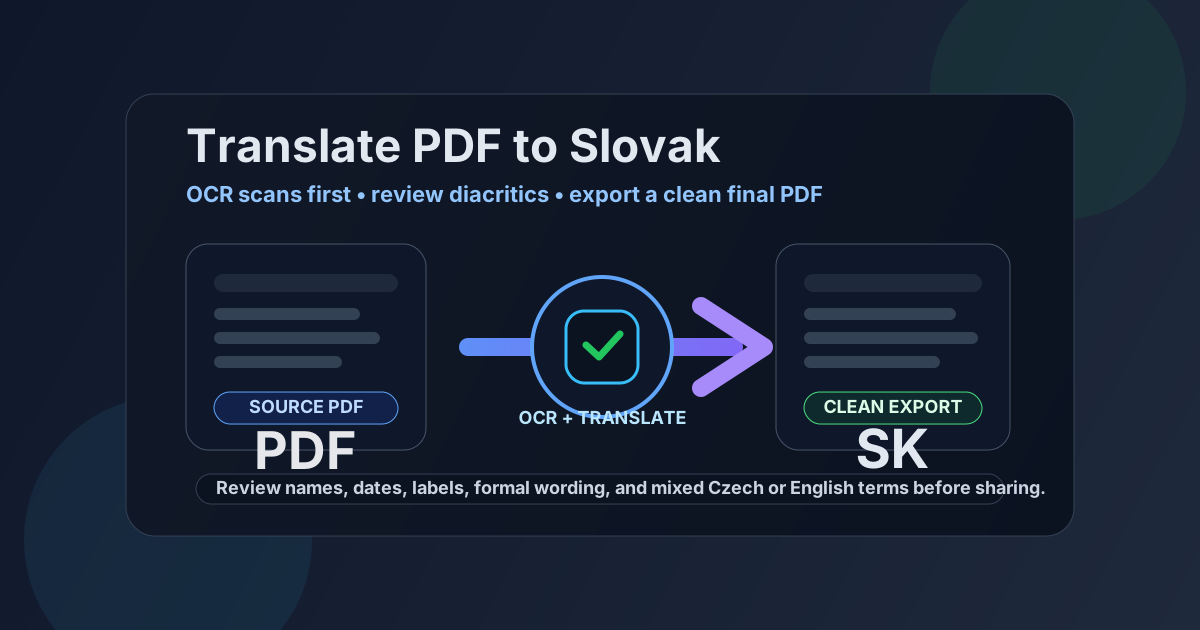
Table of contents
- Quick answer: the cleanest way to translate PDF to Slovak
- When direct PDF translation works well
- Why Slovak needs a careful review pass
- Scanned PDFs: why OCR comes first
- Step-by-step workflow with LifetimePDF
- How to create a clean final Slovak PDF
- Before you share: privacy and final checks
- Helpful tools and related Slovak pages
- FAQ
Quick answer: the cleanest way to translate PDF to Slovak
If the PDF already contains selectable text, the fastest reliable workflow is simple:
- Open Translate PDF.
- Choose Slovak as the target language.
- Upload the PDF.
- Review names, dates, headings, totals, labels, and letters such as á, ä, č, ď, ľ, ň, ô, š, ť, ú, ý, and ž.
- Copy the output, export it, or rebuild a cleaner final Slovak PDF if presentation matters.
When direct PDF translation works well
Direct translation works best when the source PDF is text-heavy and structurally simple. Contracts, invoices, school records, supplier paperwork, onboarding documents, product instructions, internal reports, and support files usually translate more cleanly than dense brochures or heavily designed forms.
Good candidates for a quick Slovak translation
- Letters and notices: mostly paragraphs, headings, and short lists.
- Invoices and supplier documents: readable text plus a short review of totals, dates, and company names.
- Manuals and support content: especially if the source file uses plain language and simple page structure.
- Regional business or school files: useful when the goal is understanding and sharing rather than pixel-perfect preservation of the original layout.
Where people usually get stuck
- Scanned PDFs: bad OCR creates bad translation inputs.
- Tables and forms: translated Slovak text can become longer and wrap differently.
- Mixed-language files: Czech, English, German, or software-specific terms may appear beside Slovak wording and should not always be forced into one style.
- Formal wording: legal, procurement, HR, and compliance language often needs a quick human review.
Why Slovak needs a careful review pass
Slovak translation is usually easy to understand when the source text is clear, but small details still matter. A document can be broadly correct while still feeling unready because of a few awkward labels, formal phrases, or missing diacritics in the places readers notice first.
What to review first
- Names and places: customer names, street names, company names, and city names should match the real-world record you are working from.
- Dates and numbers: invoice dates, contract dates, reference numbers, totals, and IDs need exact accuracy, not approximate meaning.
- Headings and short labels: these are where awkward phrasing feels most obvious to readers.
- Mixed Czech and English terms: product names, software labels, or familiar regional wording may read better when a recognizable original term stays visible.
- Diacritics quality: quickly scan letters such as á, ä, č, ď, ľ, ň, ô, š, ť, ú, ý, and ž in prominent headings, instructions, and action steps.
This does not mean every translated Slovak PDF needs a professional linguist. It means the final two or three minutes of review often matter more than another tool setting. If the document is customer-facing, legal, financial, or operational, that short review is the difference between "good enough to understand" and "safe to send."
Scanned PDFs: why OCR comes first
If your PDF behaves like a stack of page photos, the translator cannot do much with it until the text becomes searchable. OCR adds that text layer. Once the source is readable, Slovak translation quality improves immediately.
Two quick tests
- Selection test: try to highlight a sentence. If you cannot select words, the page may just be an image.
- Search test: use
Ctrl + ForCmd + Fand search for a visible word. If nothing is found, OCR is probably required.
Use OCR PDF first, then send the extracted text into Translate PDF. If the scan is crooked, low-contrast, or full of stamps, signatures, or handwritten notes, expect a little extra cleanup afterward.
Step-by-step workflow with LifetimePDF
1) Start with the smallest useful file
If the original PDF has appendices, blank pages, duplicate pages, signatures, or sections that do not need translation, trim it first. Smaller source files usually mean faster processing and less clutter in the Slovak result.
- Extract Pages for only the relevant section
- Split PDF for large files
- Compress PDF if upload size is the real problem
2) Translate into Slovak
Open Translate PDF, choose Slovak, and upload the source file. If it is scanned, OCR first. If it already has searchable text, translate directly.
3) Review the output where mistakes matter most
Do not reread every sentence equally. Start with the pieces that readers actually act on: names, dates, totals, field labels, section headings, instructions, short warnings, and formal statements. Those are the places where a small mismatch causes outsized confusion.
4) Decide whether plain output is enough
If your goal is understanding, an extracted translation may already be enough. If the document needs to be forwarded, archived, printed, or shared externally, rebuild it into a cleaner PDF instead of forcing a messy export to carry the whole job.
5) Protect the final file if the content is sensitive
Once the Slovak version is ready, use PDF Protect if the file contains private, HR, financial, legal, medical, or operational information.
How to create a clean final Slovak PDF
Many people do not actually need the original formatting preserved line for line. They need a Slovak PDF that is easy to read and presentable enough to send. Rebuilding from translated text is often the cleanest route.
Use the rebuild path that matches the job
- Text to PDF for quick clean documents from translated text.
- Word to PDF if you want better control over spacing, headings, lists, or tables.
- HTML to PDF if you are assembling a more structured or styled Slovak handout.
This approach is especially useful for brochures, application packs, worksheets, forms, multi-column layouts, and anything with captions or dense tables. Once the meaning is correct, a deliberate rebuild gives you a cleaner Slovak deliverable than a rough auto-preserved layout usually can.
Before you share: privacy and final checks
Before sending a translated Slovak PDF to a customer, partner, colleague, or family member, do one short review focused on risk rather than style.
- Confirm names, addresses, dates, totals, and identifiers.
- Check that mixed Czech or English terms were not translated into something confusing.
- Review short warnings, payment instructions, procurement notes, or action steps.
- Make sure no irrelevant appendix pages or notes slipped into the final export.
- Protect the PDF if the contents are sensitive.
That final pass is boring, but it prevents the most expensive mistakes. Most Slovak PDF translation problems are not dramatic machine-translation failures; they are ordinary human oversights in the last minute before a file gets shared.
Helpful tools and related Slovak pages
If you are building a repeatable workflow rather than solving a one-off document, these pages and tools are the most relevant next stops:
- Translate PDF for the main translation step
- OCR PDF for scanned files
- Text to PDF for a quick clean Slovak export
- PDF Protect before sharing sensitive files
- Translate PDF to Slovak Online for the broader browser-based workflow
- Translate PDF to Slovak Without Monthly Fees for the pay-once angle
- Translate PDF to Czech Online if you also work across neighboring language workflows
Ready to do it now? Start with the translator, OCR first if needed, then rebuild or protect the final file only if the document actually needs it.
FAQ
How do I translate a PDF to Slovak?
Upload a text-based PDF to a translation tool, choose Slovak, review names, dates, labels, formal wording, and Slovak diacritics, then export or rebuild the final file. If the source is scanned, OCR it first so the translation runs on real text.
Can I translate a scanned PDF to Slovak?
Yes. OCR should come first. Once the scan becomes searchable text, Slovak translation is much cleaner and easier to review.
Why does Slovak translation still need a review pass?
Because short labels, names, totals, dates, formal wording, and diacritics can still look off even when the overall meaning is correct. A quick review catches the issues readers notice first.
Will the translated Slovak PDF keep the original formatting?
Sometimes partly, but not perfectly. Text-heavy PDFs often stay readable, while forms, brochures, tables, and multi-column layouts usually need a rebuild step for a clean final Slovak PDF.
What should I review before sharing a Slovak PDF externally?
Check names, dates, totals, addresses, headings, action steps, product terms, and any mixed-language wording. Then protect the file if the contents are private or high-stakes.