Translate PDF to Burmese: OCR Scans First, Review Unicode/Zawgyi Output, and Export a Clean Final PDF
To translate a PDF to Burmese, upload a text-based PDF to LifetimePDF's Translate PDF tool, choose Burmese, then review names, dates, headings, and whether the Burmese output renders cleanly before you export or rebuild the final file.
If the PDF is scanned, run OCR first; that usually improves the Burmese result more than any translation setting.
Most people searching for this are not trying to create a perfect publishing-grade Burmese edition in one click. They need to understand a contract, translate school material, review supplier paperwork, localize a customer handout, forward an instruction sheet, or produce a readable Burmese version for a coworker, client, student, parent, or family member. In practice, the fastest wins come from starting with real searchable text, doing a short script-rendering and terminology review, and rebuilding the final PDF only when presentation actually matters.
Fastest practical path: translate readable PDFs directly, OCR scanned files first, then do a short review for names, dates, totals, headings, mixed terms, and Unicode/Zawgyi-looking output before sending the final file.
In a hurry? Jump to the quick answer and workflow.
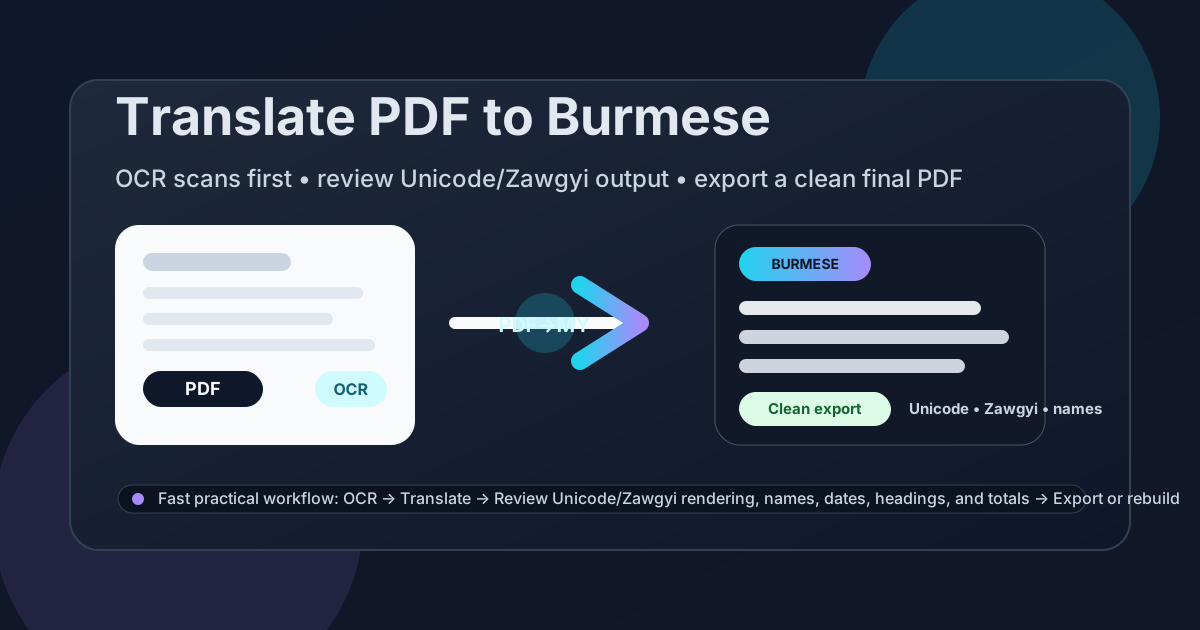
Table of contents
- Quick answer: the cleanest way to translate PDF to Burmese
- When direct PDF translation works well
- Why Burmese still needs a short review pass
- Scanned PDFs: why OCR should come first
- Step-by-step workflow with LifetimePDF
- How to create a clean final Burmese PDF
- Before you share: privacy and final checks
- Helpful tools and related Burmese pages
- FAQ
Quick answer: the cleanest way to translate PDF to Burmese
If your PDF already contains selectable text, the cleanest workflow is simple: upload it to Translate PDF, choose Burmese, translate the file, then review the parts where mistakes actually matter before you share the result. Those usually are names, dates, amounts, headings, field labels, product terms, and whether the Burmese text still renders cleanly instead of turning into awkward copied characters, broken line stacking, or legacy-looking output that readers will struggle with.
If the source is scanned, photographed, faxed, or exported from an older copier, do OCR first. That single step usually matters more than anything else because the translator works far better with real text than with page images.
When direct PDF translation works well
Direct translation works best when the file is mostly text and the layout is not doing anything too clever. In real use, that includes contracts, invoices, shipping instructions, school notices, onboarding material, reports, customer support documents, handbooks, and internal policy files.
Good candidates for direct translation
- Text-heavy pages: paragraphs, headings, bullet lists, and ordinary tables usually translate faster and more cleanly than design-heavy layouts.
- Comprehension-first jobs: when the goal is to understand the document quickly, even a rough first pass into Burmese can save a lot of time.
- Internal review workflows: education, logistics, customer support, compliance, procurement, and operations teams often need a readable Burmese version first and a polished version later.
- Bilingual follow-up: if the translated text will be pasted into email, chat, notes, or another document, perfect PDF formatting matters much less.
Where people usually get frustrated
- Scanned PDFs: poor OCR can break words, line order, and table structure before translation even starts.
- Heavy layouts: brochures, certificates, forms, and multi-column pages rarely keep their original formatting perfectly.
- Mixed-language wording: Burmese documents often keep English product names, labels, legal references, or technical terms that should stay recognizable instead of being translated blindly.
- Legacy text rendering: copied text may look different depending on whether the source was prepared cleanly for Unicode or came from older workflows readers still call Zawgyi.
- High-stakes content: legal, financial, healthcare, immigration, and academic material should not be trusted on translation alone without a human check.
Why Burmese still needs a short review pass
Burmese PDF translation is not tricky only because of vocabulary. The real issues usually come from extraction quality, script rendering, copied legacy text, line wrapping, and mixed terminology. A two-minute review catches most of the mistakes that make a translated document feel awkward, unreadable, or less trustworthy than it should.
What to review first
- Unicode and legacy-looking output: make sure the Burmese text displays cleanly in the app, browser, or device your readers will actually use. If characters look broken, stacked strangely, or copied from an older workflow, do not assume the output is ready to send.
- Names and places: people, schools, agencies, suppliers, districts, and destinations should stay recognizable and consistent across the document.
- Dates, times, and totals: these are the details readers lose trust in first if anything looks off.
- English carry-over: software labels, banking terms, product names, academic references, and form field names sometimes read better when key terms stay recognizable rather than being forced into unnatural translation.
- Headings and instruction lines: if the document tells someone what to sign, send, upload, pay, or bring, those action lines deserve an extra look.
This matters a lot for school letters, supplier forms, shipping paperwork, community outreach documents, support guides, HR material, travel paperwork, and customer-facing PDFs. If the source mixes Burmese and English line by line, the right outcome is not “every word translated blindly.” It is “a Burmese version that people can read, trust, and act on.”
Scanned PDFs: why OCR should come first
If a PDF came from a scanner, phone camera, fax, legacy copier, or screenshot workflow, it may look readable to you while still being unreadable to the translation engine. In that case, translation errors are often OCR errors wearing a different coat.
Run OCR PDF first when:
- you cannot highlight normal text in the PDF,
- search does not find words that are clearly visible,
- the file looks like page photos instead of text,
- stamps, signatures, or handwritten notes break the reading order, or
- the source contains forms and labels that already look inconsistent.
OCR is not just a technical extra. It gives the translator a searchable text layer so the Burmese output has a better chance of preserving names, numbers, list structure, and line order. Even a short OCR pass can dramatically reduce cleanup later.
If the file is a scan, do this first. It is the easiest way to improve the final Burmese result.
Step-by-step workflow with LifetimePDF
- Check the PDF type. If you can select or search the text, translate directly. If not, OCR first.
- Open Translate PDF. Go to LifetimePDF Translate PDF.
- Choose Burmese. Set Burmese as the target language before or after upload, depending on your workflow.
- Upload the file. Start with the original PDF or the OCR-ready version.
- Review the first screen of output. Check headings, dates, totals, and whether the Burmese text looks structurally clean and readable.
- Check script rendering deliberately. Open the result on the device or browser you expect the reader to use and confirm the characters still look normal there.
- Spot-check the important pages. Contracts, forms, notices, invoices, guides, and approvals deserve more attention than filler pages.
- Export or rebuild. Copy the text, download the result, or rebuild a cleaner final PDF if you need something polished.
The reason this workflow works is that it prioritizes the actual bottlenecks. Most PDF translation failures are not about the target language itself. They come from bad source extraction, poor scan quality, and skipping the short human review that would have caught the obvious problems.
How to create a clean final Burmese PDF
If you only need the translated content for internal understanding, copying the Burmese text may be enough. But if the document is going to a customer, official contact, supplier, applicant, student, parent, traveler, or public-facing team, it is usually worth producing a cleaner final PDF.
When a rebuild makes sense
- The translated lines wrap badly and the page no longer feels easy to read.
- The original file had complex layout that did not survive extraction well.
- You need a cleaner handoff document for external sharing.
- You want a simpler Burmese-only version instead of a messy copy of the original layout.
In those cases, use Text to PDF for a fast clean export. If you need more control, rebuild the content in Word first and then export a new PDF. The goal is not to imitate every original design choice. The goal is to create a Burmese document people can actually use confidently.
Before you share: privacy and final checks
Before a translated PDF leaves your hands, do one last check. This is especially important when the document contains personal data, commercial terms, internal instructions, or anything that could create confusion if a date, number, or name is wrong.
- Recheck names and organizations so proper nouns still match the source.
- Recheck dates, totals, account numbers, and addresses because these are the highest-risk fields for practical mistakes.
- Confirm action lines are understandable so the reader knows what to sign, submit, pay, or send next.
- Confirm the Burmese output still renders cleanly on the device you expect the reader to use, especially if the source came from older office systems or copied text.
- Protect the final PDF with PDF Protect if the contents are private or high-stakes.
This final pass is short, but it is what turns a machine-assisted translation into something usable in the real world.
Helpful tools and related Burmese pages
If you are building a repeatable workflow rather than solving one document once, these are the most relevant next stops:
- Translate PDF for the main translation step
- OCR PDF for scanned files
- Text to PDF for a quick clean Burmese export
- PDF Protect before sharing sensitive files
- Translate PDF to Burmese Online for the broader browser-based workflow
- Translate PDF to Burmese Without Monthly Fees for the pay-once angle
- Translate PDF to Thai for a nearby regional workflow
- Translate PDF to Bengali for another common multilingual document workflow
Ready to do it now? Start with the translator, OCR first if needed, then rebuild or protect the final file only if the document actually needs it.
FAQ
How do I translate a PDF to Burmese?
Upload a text-based PDF to a translation tool, choose Burmese, review names, dates, headings, and whether the script renders cleanly, then export or rebuild the final file. If the source is scanned, OCR it first so the translation runs on readable text.
Can I translate a scanned PDF to Burmese?
Yes. OCR should come first. Once the scan becomes searchable text, Burmese translation is cleaner and easier to review.
Why should I review Unicode or Zawgyi-looking output after translation?
Because OCR mistakes, copied legacy text, and line wrapping can make Burmese output display awkwardly or inconsistently. A quick check catches the details readers notice first.
Will the translated Burmese PDF keep the original formatting?
Sometimes partly, but not perfectly. Text-heavy PDFs often stay readable, while forms, brochures, tables, and multi-column layouts usually need a rebuild step for a cleaner final Burmese PDF.
What should I check before sharing a Burmese PDF externally?
Check names, dates, totals, addresses, headings, action steps, terminology, and script rendering. Then protect the file if the contents are private or high-stakes.