Compress PDF to 2MB: Get Under Common Upload Limits Without Making the File Hard to Read
To compress a PDF to 2MB, start with one clean compression pass, then remove extra pages or blank scan margins only if the file still lands above the limit.
For resumes, forms, signed packets, and most digitally created PDFs, 2MB is usually a very workable target without wrecking readability.
The part people actually need help with is not just making the number smaller. It is knowing when 2MB should be easy, when a scan is carrying useless weight, and when one cleanup step will work better than repeatedly crushing the same PDF. Most searches for this phrase come from real deadlines: an upload portal, a school form, a visa document, a claim packet, or an email attachment that just needs to go through cleanly.
Fastest path: compress once, check the new size, then remove page waste or scan waste only if you still need a little more room under 2MB.
In a hurry? Jump to the quick answer and workflow.
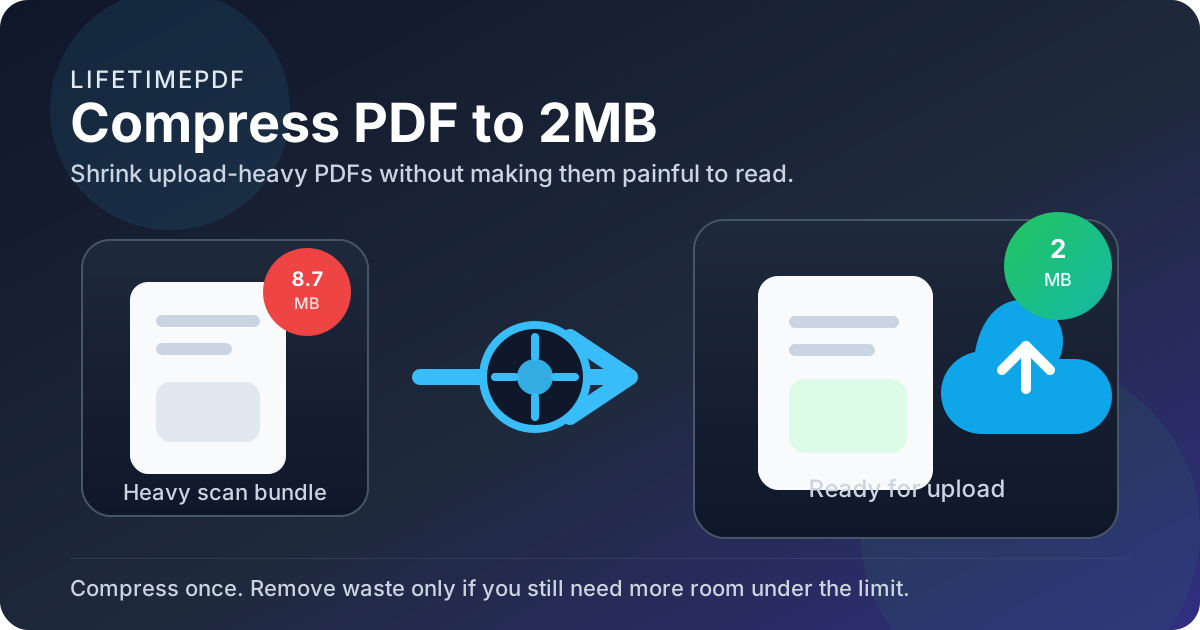
Table of contents
- Quick answer: the best way to compress a PDF to 2MB
- Why 2MB is such a common PDF target
- Which PDFs usually reach 2MB easily
- Step-by-step: get a PDF under 2MB
- Scans, signed packets, and image-heavy PDFs
- How to keep the PDF readable
- Best use cases for 2MB PDFs
- What to do if the PDF is still above 2MB
- Related tools and guides
- FAQ
Quick answer: the best way to compress a PDF to 2MB
If your file is a normal digital PDF, start with Compress PDF and check the result right away. Many resumes, forms, contracts, invoices, letters, and signed exports fall under 2MB in a single pass.
If the file is still too large, do not assume you need much harsher compression. Remove unneeded pages with Delete Pages or Extract Pages, crop blank borders with Crop PDF, then recompress the cleaner file.
Why 2MB is such a common PDF target
People search for compress PDF to 2MB because a system, person, or workflow is forcing a decision. Many portals are more generous than 1MB but still cap uploads hard enough that bulky scans, signed packets, or photo-based documents fail unless you trim them down. 2MB is common because it strikes a useful balance: small enough to upload quickly, but roomy enough that many real-world PDFs still look professional.
| Situation | Why 2MB helps | Best first move |
|---|---|---|
| Job applications and HR portals | Large enough for polished resumes and signed forms, small enough for strict upload rules | Compress the original export first |
| School, visa, and government forms | Fits common submission limits without forcing extreme quality loss | Compress, then keep only required pages |
| Email attachments | Downloads faster and creates less friction on mobile | Compress once and preview readability |
| Signed packets and statements | Leaves enough room for signatures, stamps, and a few images | Compress, then remove duplicate or summary pages |
| Scanned paperwork | More realistic than very tight limits like 300KB or 500KB | Compress and crop obvious scan waste |
That is what makes 2MB practical. It is not unlimited, but it is forgiving enough that you can usually solve the problem without turning the document into mush.
Which PDFs usually reach 2MB easily
The phrase “PDF file” hides the real question: what is inside the PDF, and how messy is the source?
Usually easy to get under 2MB
- Digitally exported resumes, cover letters, and forms with mostly text
- Statements, invoices, and reports built from office software
- Signed documents where signatures are layered onto a clean digital file
- Short to medium multi-page PDFs with light graphics and ordinary page counts
Usually harder to get under 2MB
- Phone-camera scans with shadows, textured backgrounds, and uneven lighting
- Long scanned packets where every page is essentially an image
- Portfolios, brochures, and photo-heavy documents with large embedded images
- Messy scanner output with oversized margins or pages nobody actually needs
Step-by-step: get a PDF under 2MB
This workflow gives you the best odds of hitting the limit while still ending up with a file another person can comfortably read.
1. Start from the cleanest version you have
If the document still exists as a Word file, spreadsheet export, online statement, or generated form, start there instead of using a print-and-scan copy. Cleaner source files usually compress faster and better.
2. Run one compression pass
Open Compress PDF, upload the file, download the result, and check the actual size. That tells you whether the problem is already solved, nearly solved, or still structural.
3. Decide what kind of problem remains
- Already below 2MB: you are done. Preview it once and upload.
- Just a little above 2MB: one cleanup step is often enough.
- Still far above 2MB: the document likely has too many pages, too much image data, or too much scan waste for compression alone to fix elegantly.
4. Remove the weight that should not be there
Keep only the pages the recipient actually needs. Crop empty scan borders. If the file bundles appendices, receipts, or supporting material nobody asked for, strip those before trying again. Those small decisions often save more space than people expect.
Best sequence: compress, measure, trim waste, then recompress only if the cleaned file still needs help.
Scans, signed packets, and image-heavy PDFs
A 2MB target is much friendlier than 1MB, but it can still feel tight when your PDF is really an image bundle wearing a PDF label. That is especially true for scanned IDs, signed packets with attachments, expense receipts, and phone-photographed paperwork.
Why these files stay large
- Each page contains image data instead of mostly text structure.
- High DPI, color noise, and shadows add weight fast.
- Blank margins and bad framing waste pixels on every page.
- Multi-document packets multiply every problem at once.
What works better for them
- Compress the PDF once to see where you stand.
- Crop scanner waste and sloppy edges.
- Delete appendices, duplicate pages, or summary sheets that are not required.
- Split the packet if the destination accepts multiple uploads.
The big advantage of a 2MB target is that you often do not need heroic quality loss. A little cleanup plus one sensible compression pass is usually enough.
How to keep the PDF readable
The goal is not a mathematically tiny file. The goal is a file that uploads cleanly and still looks trustworthy when someone opens it.
What should stay clear
- names, dates, account numbers, and reference IDs
- signatures, initials, and stamps
- table values and form fields
- body text at normal zoom
What can soften a little without breaking the document
- background textures
- oversized decorative images
- scanner shadows and page-edge noise
- nonessential visual polish in internal-use documents
A simple habit helps: after compression, check page one, one busy middle page, and the last page at 100% zoom. If those samples look comfortable, the whole PDF is usually fine for real-world submission.
Best use cases for 2MB PDFs
A 2MB PDF is useful because it covers more document types than ultra-tight limits while still behaving well in common workflows.
- Application packets: enough room for resumes, letters, and a few signed pages.
- School or visa uploads: more realistic for supporting documents and scan-based attachments.
- Email attachments: quick to send, faster to download, and less annoying on mobile.
- Insurance, banking, and admin paperwork: small enough for form portals without losing key details.
- Client-facing document handoffs: light enough to share while still looking finished.
In short, 2MB is often the sweet spot where a PDF still feels substantial enough to carry real work, but small enough to pass the system that is blocking you.
What to do if the PDF is still above 2MB
If compression alone is not enough, use this fallback ladder instead of guessing.
- Delete pages the destination does not need.
- Extract only the required range if one section matters more than the whole packet.
- Crop blank margins and scanner waste.
- Split the PDF if multiple uploads are allowed.
- Rebuild from a cleaner source if the original digital file still exists.
One useful trick is to aim below 2MB instead of right on it. A small safety buffer helps avoid upload systems that count file size a little differently or reject anything that lands too close to the line.
Recommended mindset: remove useless weight before you sacrifice the parts people actually need to read.
Related tools and guides
These are the most useful next clicks when you need a PDF under 2MB:
- Compress PDF for the first size-reduction pass
- Delete Pages for removing unnecessary document weight
- Extract Pages for keeping only the required section
- Crop PDF for scanner borders and wasted margins
- Split PDF when one file should not remain one file
- Compress PDF to 2MB Online for the browser-first companion angle
- Compress PDF to 2MB Without Monthly Fees for the pay-once value angle
- Compress PDF to 1MB if the next system gives you a tighter limit
- Compress PDF Without Quality Loss for quality-first workflows
FAQ
How do I compress a PDF to 2MB?
Compress the PDF first, then confirm the exact size. If it is still too large, remove extra pages, crop blank margins, or split the document if your destination allows multiple uploads.
Can every PDF be reduced to 2MB?
No. Many digital PDFs get there easily, but long scans, photo-heavy brochures, and bulky color portfolios may still stay above 2MB without noticeable quality loss.
Will compressing a PDF to 2MB ruin quality?
Usually not for ordinary forms, resumes, letters, contracts, statements, and signed documents. A 2MB target gives you more breathing room than 1MB, which makes readable results more common.
Is 2MB a good target for scanned PDFs?
Yes. It is a realistic target for many scans, especially after you crop empty borders or remove pages nobody needs. It is still possible to miss the limit if the source is long or image-heavy, but 2MB is a sensible place to aim.
What should I do if I keep missing the 2MB limit by a little?
Try one structural cleanup step instead of harsher recompression. Removing one page, trimming wasted margins, or splitting a long packet often gets you below the line more cleanly.
Published by LifetimePDF — Pay once. Use forever.