Compress PDF for SEO Client Reports Without Monthly Fees: Share Lighter Audit Decks, Rank Reports, and Monthly Recaps Without Another Subscription
If you need to compress PDF for SEO client reports without monthly fees, export the report, upload it to LifetimePDF Compress PDF, start with Medium compression, and keep the smaller copy only if charts, screenshots, keyword tables, and commentary still read clearly.
For most agencies, consultants, and in-house teams, that is enough to make audit decks, rank reports, and monthly recaps easier to email, upload, and archive without adding one more recurring subscription to the reporting stack.
This is a very ordinary problem, which is exactly why people keep searching for it. The report is already built. The screenshots are already taken. The rankings are already exported. Now the file just needs to move. That finish-line step should not require another paid app whose only job is shaving weight off a PDF before it goes to a client.
Fastest path: compress the SEO report once at Medium, then split or extract appendix pages only if the deck still contains more pages than the client actually needs.
In a hurry? Jump to Quick start: compress an SEO client report in under 2 minutes.
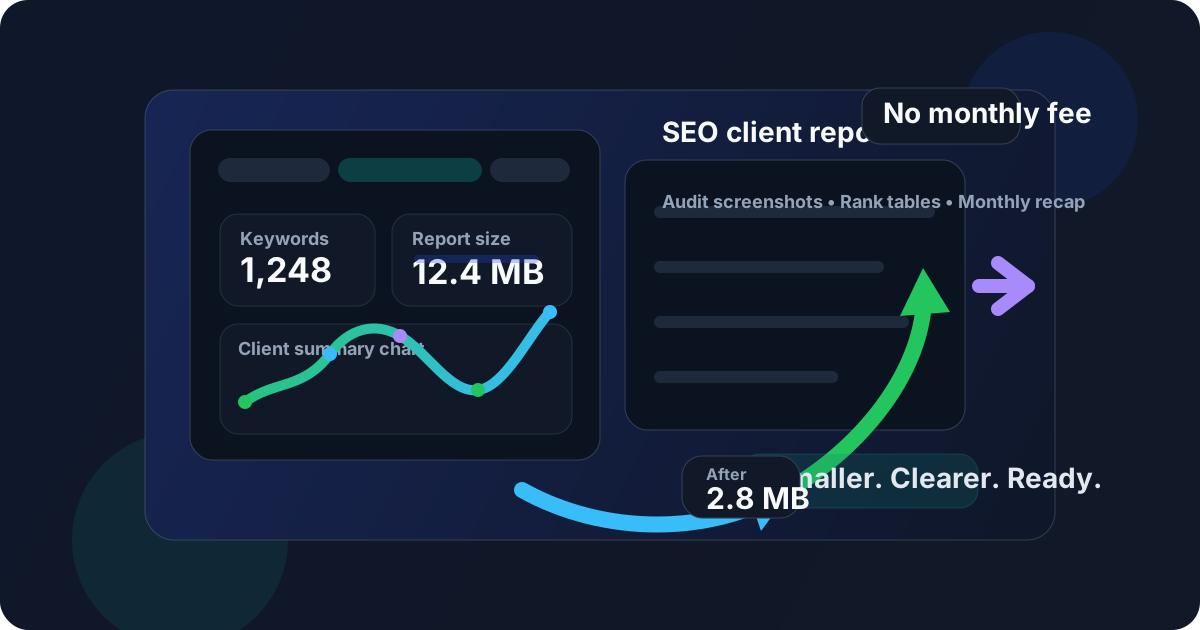
Table of contents
- Quick start: compress an SEO client report in under 2 minutes
- Why "without monthly fees" matters here
- Why SEO client reports get heavy so quickly
- What file size should an SEO client report be?
- Which compression level should you choose?
- Step-by-step: use LifetimePDF to shrink the file
- Best approach for common SEO report types
- What to do if the PDF is still too large
- How to keep charts, screenshots, and commentary readable
- Workflow habits that reduce PDF bloat
- Related LifetimePDF tools and useful reading
- FAQ (People Also Ask)
Quick start: compress an SEO client report in under 2 minutes
If your real goal is simply make this SEO report PDF smaller so it is easier to send, this workflow is usually enough:
- Export the report you actually plan to send, whether that is a monthly recap, rank report, site audit deck, local SEO update, backlink summary, or white-label client presentation.
- Open Compress PDF.
- Upload the file and choose Medium compression first.
- Download the smaller copy and review the details that matter most: chart labels, keyword columns, screenshot text, recommendation callouts, and date ranges.
- If the file is still bulky, use Extract Pages, Split PDF, or Delete Pages before pushing stronger compression across the whole deck.
Why "without monthly fees" matters here
SEO reporting is already subscription-heavy. Agencies and consultants pay for rank trackers, crawl tools, backlink databases, dashboards, local SEO software, screenshot tools, proposal software, and usually a few analytics platforms on top. Once the remaining task is simply make this PDF easier to attach, upload, and archive, another recurring bill feels less like value and more like stack fatigue.
That matters because PDF cleanup is finish-line work. Nobody buys reporting software because they are excited about file compression. They do it because a client portal has a size limit, email feels clumsy with a large deck, or a monthly report opens too slowly on a phone. A pay-once workflow fits the task better because the task itself is narrow, repeatable, and practical.
There is also the trust issue. Plenty of tools look free until the final step, then the download gets trapped behind account creation, a trial wall, or a recurring plan. For a job that should take a minute or two, that friction quickly feels larger than the file-size problem it was supposed to solve.
Simple logic: if you already paid to create the SEO report, you probably do not want another monthly fee just to make the PDF smaller.
Why SEO client reports get heavy so quickly
SEO PDFs gain weight fast because they mix several file-heavy things in one place. They often include screenshot-based evidence, dashboard exports, keyword tables, trend charts, site audit visuals, before-and-after comparisons, local grid images, and appendix pages that exist mostly for backup. One report can be doing summary, explanation, proof, and archive duty all at once.
That is why even a good-looking report can feel awkward to share. A PDF that is fine on a fast laptop may feel slow in email, clumsy in a client portal, or annoying to reopen on mobile. The goal is not just to shrink the number of megabytes. It is to remove enough friction that the client can actually open the file, skim it, and trust what they are seeing.
In practice, smaller SEO report PDFs help because they send faster, upload faster, and stay easier to store over time. The best compression workflow keeps the strategic parts readable while trimming the unnecessary weight that builds up around them.
What file size should an SEO client report be?
There is no universal perfect number, but practical ranges help. For a short monthly recap or focused rank update, staying under 2MB is a strong default. For broader audit decks, screenshot-heavy quarterly reviews, or white-label reports with appendix pages, 2MB to 5MB is usually comfortable if the visuals still read clearly.
Match the size to the way the file will travel. A PDF that mostly lives in archive storage can be a little heavier. A PDF that gets emailed, dropped into chat, uploaded to a portal, or reopened on phones should usually be lighter.
- Under 2MB: ideal for short monthly summaries, one-audience updates, and executive recaps.
- 2MB to 5MB: usually right for richer client reporting that still needs to stay easy to send.
- Over 5MB: often a sign that the deck may benefit from trimming appendix pages, splitting sections, or removing repeated screenshots before stronger compression.
Which compression level should you choose?
For most SEO report PDFs, Medium is the right first move. It usually cuts enough file size to make delivery easier while keeping chart labels, table headers, screenshot captions, and short recommendations readable. That balance matters because client reports are often skimmed quickly, and tiny visual losses become frustrating when the report already packs a lot of information into a small space.
Lighter compression makes sense when the deck includes small screenshots, fine-grained keyword tables, or detailed crawl exports that people may zoom into. Stronger compression can work when the PDF is truly oversized, but it should usually be a second pass rather than the default. In reporting workflows, readability usually breaks before structure does.
Step-by-step: use LifetimePDF to shrink the file
The cleanest workflow is simple and repeatable:
- Export the SEO report as a PDF.
- Open LifetimePDF's Compress PDF tool.
- Upload the file and start with Medium compression.
- Download the smaller copy and compare the new size.
- Review the smallest important details: chart labels, rank-change callouts, crawl screenshots, table columns, and summary notes.
- If the file still feels heavy, trim unneeded pages before trying a stronger compression pass.
That order matters. Many oversized SEO PDFs are not oversized because compression was too weak. They are oversized because the report includes too many audiences, too much appendix material, or too much screenshot evidence for the version that is actually being sent. Compression works best when it is paired with a little editorial cleanup.
Start here: compress the full report once, then reduce the page count only if the first pass still leaves the deck bulkier than the client needs.
Best approach for common SEO report types
Different report types benefit from different cleanup choices. The goal is not always the smallest possible file. It is the smallest file that still matches the client conversation.
Monthly recap decks
These usually need speed more than depth. Keep the summary, the movement, and the next actions. Medium compression is often enough, and trimming repeated appendix pages usually helps more than forcing a stronger compression setting.
Site audit exports
Audit decks can get heavy because they include issue screenshots, long tables, and crawl visuals. Protect readability here. If the PDF is too large, splitting the appendix or extracting only the sections discussed with the client often works better than flattening every page harder.
Rank tracking and keyword reports
These rely on compact tables, arrows, trend lines, and date ranges. The smallest labels matter. Medium compression is usually safe, but always review table headers and low-contrast chart text before you send the final copy.
Local SEO updates and screenshot-heavy reports
Grid screenshots, map packs, GBP evidence, and before-and-after visuals tend to create bulk quickly. If one PDF contains both the high-level summary and every proof screenshot, keeping one archive version and sending a lighter client-facing version is often the cleanest move.
What to do if the PDF is still too large
If the file is still bulky after a first compression pass, do not assume stronger compression is the only answer. Very often the better fix is structural. An SEO report stays more useful when you remove weight instead of blurring every page equally.
- Use Extract Pages to keep only the summary pages, action plan, or client-facing highlights.
- Use Split PDF when one deck mixes the executive summary, appendix screenshots, and detailed exports in a single file.
- Use Delete Pages for repeated charts, backup evidence, and context pages that are useful in archive but not necessary in every send.
- Keep one full archive copy, but send a lighter audience-specific version day to day.
A smaller file is good. A smaller file that is also better organized is better.
How to keep charts, screenshots, and commentary readable
The quality check for SEO report PDFs should be quick and specific. You do not need to review every pixel. You do need to inspect the parts people actually rely on when they skim the document.
- Zoom in on the smallest chart labels and KPI tiles.
- Check screenshot text in site audit evidence, SERP snapshots, and local grids.
- Confirm keyword columns, headers, and rank-change arrows still separate clearly.
- Read short strategic notes, annotations, and next-step commentary once.
- Open the PDF on a smaller screen if clients often review reports from laptops or phones.
If those details still feel easy to scan, the file is probably ready. If not, back up and trim pages or return to a lighter compression level. SEO reporting is communication work, so clarity should win over maximum shrinkage.
Workflow habits that reduce PDF bloat
Better export habits reduce how much compression work you need in the first place. If a report feels bulky, the first question should not always be which compression level is strongest? Often the better question is which pages does this client actually need right now?
- Export only the views and date ranges relevant to the current reporting cycle.
- Separate executive summaries from appendix evidence when the audiences are different.
- Keep backup screenshots out of everyday send files when they are mainly useful for internal reference.
- Archive one full version, but send lighter client-facing copies during normal reporting cycles.
- Use live dashboards or links when a static PDF is not really necessary.
Related LifetimePDF tools and useful reading
Once the file size is under control, nearby tools help polish the rest of the workflow. If the report is too broad, pull out the summary pages. If the appendix is doing all the damage, split it. If you want adjacent examples, the tool-specific reporting guides below are useful too.
- Compress PDF for the main size-reduction step.
- Extract Pages when only a few summary pages need to travel.
- Split PDF when client-facing and appendix sections should become separate files.
- Delete Pages for repeated screenshots, backup charts, and oversized appendix material.
- Compare PDFs if you want to confirm the smaller copy still preserves the details that matter.
- Compress PDF for Semrush Without Monthly Fees, Compress PDF for Ahrefs Without Monthly Fees, and Compress PDF for Google Search Console Without Monthly Fees for adjacent SEO reporting workflows.
FAQ (People Also Ask)
How do I compress PDF for SEO client reports without monthly fees?
Open LifetimePDF's Compress PDF tool, upload the report, start with Medium compression, and review the smaller copy before sending it. If the file is still too large, split the appendix or extract the summary pages instead of over-compressing the entire deck.
What is the best compression level for SEO client report PDFs?
Medium is usually the best starting point because it often reduces file size while keeping chart labels, keyword tables, screenshots, and commentary readable. Stronger compression can work, but it needs a closer review.
Should I split a report appendix instead of compressing harder?
Yes, often. If the PDF mixes an executive summary, screenshot evidence, audit exports, and backup pages, splitting the appendix usually works better than forcing heavier compression across the entire file.
Why not use another monthly app just to shrink SEO reports?
Because the PDF task is usually just the final delivery step. If you already pay for SEO tools and reporting software, a pay-once PDF workflow is often the cleaner and more practical fit.
Ready to shrink an SEO client report? Compress the file first, then split or extract pages only if the deck still includes more than the client needs to review.