Compress PDF for Oracle CX Sales: Keep Quotes, Opportunity Files, and Account PDFs Easy to Open
To compress a PDF for Oracle CX Sales, upload the final quote, account brief, signed approval, proposal, or opportunity attachment to LifetimePDF's Compress PDF tool, start with Medium compression, and keep the smaller copy only after pricing, screenshots, signatures, and notes still look clean inside the real Oracle CX Sales workflow where the file gets reopened.
For most Oracle CX Sales PDFs, under 2MB is a strong target for one-page quotes, recap files, and short customer documents, while longer proposals, account plans, and screenshot-heavy opportunity packets usually work best around 2MB to 5MB after light cleanup.
Oracle CX Sales lives in the middle of active deal work. A quote gets attached to an opportunity. An account plan gets reopened during review. A manager needs an approval packet before the next call starts. That is why PDF size matters here. Heavy files slow down moments where people want answers, not waiting.
Fastest path: run the Oracle CX Sales PDF through LifetimePDF's Compress PDF tool on Medium, then extract key pages or split a bulky packet only if the document is still heavier than the real opportunity workflow needs.
In a hurry? Jump to Quick start: compress an Oracle CX Sales PDF in about 2 minutes.
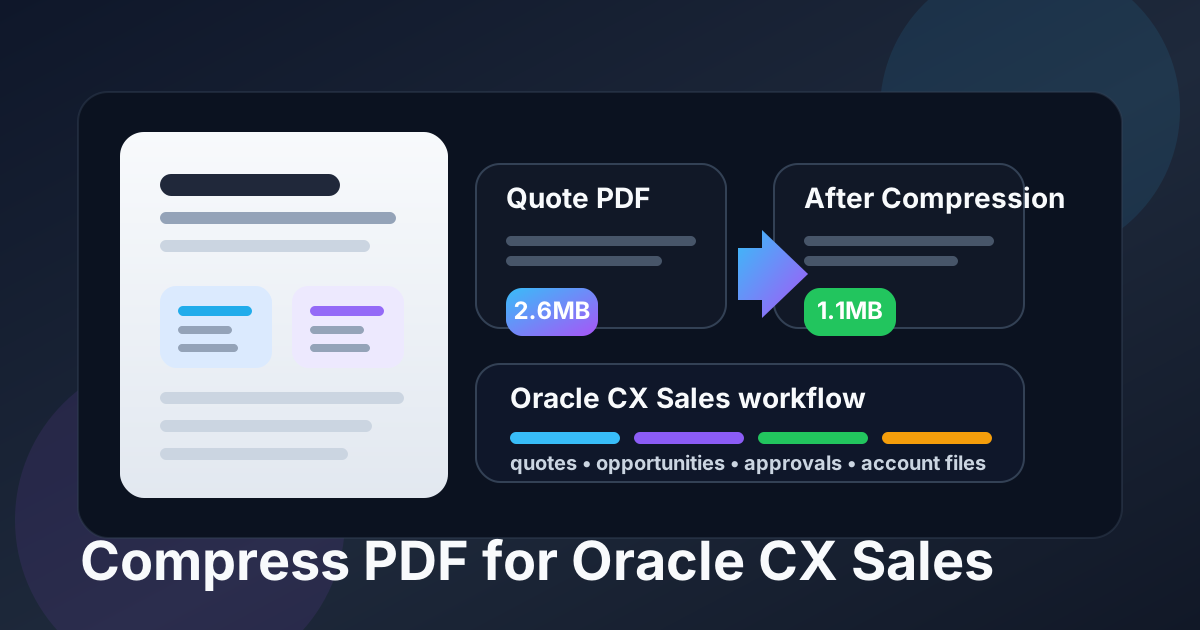
Table of contents
- Quick start: compress an Oracle CX Sales PDF in about 2 minutes
- Why Oracle CX Sales PDFs get heavy so quickly
- Where large PDFs create friction in Oracle CX Sales
- What file size should you aim for?
- Which compression level should you choose?
- Step-by-step: shrink an Oracle CX Sales PDF with LifetimePDF
- Best strategy for common Oracle CX Sales PDF types
- What if the file is still too big?
- How to keep pricing, screenshots, and approvals readable
- Workflow habits that keep Oracle CX Sales PDFs lighter
- Related LifetimePDF tools and useful internal reading
- FAQ (People Also Ask)
Quick start: compress an Oracle CX Sales PDF in about 2 minutes
- Open Compress PDF and upload the exact file you plan to keep in Oracle CX Sales.
- Start with Medium compression. It is usually the best balance for quotes, proposals, account plans, approval files, and customer-facing PDFs.
- Download the smaller PDF and reopen it where the file is really used: the opportunity, account timeline, approval path, quote record, or handoff workflow.
- Check the details that matter most: prices, dates, signatures, screenshots, notes, line items, and the smallest text on the busiest page.
- If the file is still heavier than it should be, use Extract Pages or Split PDF before you try stronger compression.
That order works because many bloated sales PDFs are not only suffering from image weight. They are also carrying the wrong pages. When you trim the document first and compress second, the final result usually feels faster, cleaner, and easier to trust during real deal work.
Why Oracle CX Sales PDFs get heavy so quickly
Oracle CX Sales often sits downstream from several different document sources. A quote starts in a proposal tool. A pricing approval arrives as a scan. An account plan picks up screenshots, product visuals, and appended notes. Someone adds a long appendix because it might be useful later. The result is a PDF that is complete, but heavier than the live workflow actually needs.
Another common problem is version stacking. Teams keep draft, revised, approved, and final copies attached to the same deal context. That is understandable during active selling, but it creates slower open times, cluttered handoffs, and more attachment weight than the next person truly needs.
Where large PDFs create friction in Oracle CX Sales
Large PDFs are not only annoying at upload time. They keep costing time later. In Oracle CX Sales, the pain usually shows up in a few repeat situations:
- Opportunity review: a seller or manager needs the latest quote open fast during pipeline discussion, not after a long wait.
- Approval workflows: finance, sales ops, or leadership reopen the same attachment and lose time if the packet is bloated.
- Mobile follow-up: someone pulls up a proposal or account brief from a phone before a call and the file drags.
- Team handoff: account executives, managers, and post-sale teams all revisit the same PDF later.
- Customer sharing: a smaller file is easier to forward when the client is on weaker bandwidth or a smaller screen.
Smaller PDFs improve all of those moments. The best compression workflow is the one that makes the next review or handoff smoother without degrading the document that supports the sale.
What file size should you aim for?
There is no perfect universal number, but a practical target keeps you from over-compressing a file that is already good enough.
- Under 2MB: ideal for one-page quotes, short approval files, recap PDFs, and straightforward customer-facing documents.
- 2MB to 5MB: a healthy range for longer proposals, account plans, approval packs, and screenshot-heavy opportunity files.
- 5MB and up: acceptable only when the file genuinely needs many pages, complex tables, or image detail that would be risky to flatten too hard.
If your PDF stays above 5MB, do not assume stronger compression is the answer. Quite often the smarter move is to remove duplicate pages, split internal appendix material, or replace a bulky scan with a cleaner source export.
Which compression level should you choose?
For most Oracle CX Sales workflows, the safest sequence is simple:
- Low compression: best when the file already feels close to right and you only need a small reduction.
- Medium compression: the best starting point for most quotes, proposals, account documents, and approval packets because it lowers file weight without making the PDF feel unreliable.
- High compression: only use it after testing, especially if the document contains signatures, tiny pricing details, dense screenshots, or legal text.
Medium is the default recommendation because sales files are supposed to reassure. If the compressed PDF makes pricing fuzzy or an approval hard to verify, the file is smaller but the workflow is worse.
Step-by-step: shrink an Oracle CX Sales PDF with LifetimePDF
- Start with the final document. Use the actual customer-facing quote, proposal, account brief, signed form, or approval file instead of an older working draft.
- Upload it to Compress PDF. Open LifetimePDF Compress PDF and add the file.
- Choose Medium first. That is usually the best balance for Oracle CX Sales attachments.
- Download the smaller copy. Save it with a clear name so it does not get confused with earlier versions.
- Reopen the real workflow. View the PDF from the exact place where people will use it: opportunity, account, quote, approval, or mobile review.
- Inspect the high-risk details. Check pricing grids, totals, screenshots, initials, signatures, dates, and any small legal or approval text.
- Trim structure if needed. If the file is still heavy, delete dead pages, extract the customer-facing section, or split backup material before trying stronger compression.
That sequence keeps you from solving the wrong problem. In CRM work, the cleanest outcome is usually not the most compressed file. It is the smallest file that still feels dependable in the exact place your team needs it.
Best strategy for common Oracle CX Sales PDF types
Quotes and pricing summaries
These are usually the easiest files to compress because they are often text-heavy with structured tables and a small amount of branding. Medium compression is normally enough. Just make sure line items, totals, discount notes, approval stamps, and expiration dates still read cleanly.
Proposals and account plans
These tend to bloat because they mix text, screenshots, diagrams, and slide-like visuals. If the file feels stubbornly large, extract the sections that belong in Oracle CX Sales and keep reference material somewhere else. Not every appendix needs to travel with the live opportunity attachment.
Approval packets and signed forms
Be more careful here. Compression is useful, but signatures, dates, initials, approval notes, and fine print must stay easy to verify. If the page came from a scan, inspect it closely before replacing the original.
Handoff briefs and customer summaries
These should open fast because they get reused during reviews and transitions. If a handoff packet includes internal notes plus customer-facing material, splitting it often creates a cleaner Oracle CX Sales workflow than forcing everything into one compressed bundle.
What if the file is still too big?
Do not keep pushing compression harder without checking the structure of the PDF. If Medium does not get the file where you need it, try one of these first:
- Use Delete Pages to remove draft pages, repeated covers, or appendix material.
- Use Extract Pages to keep only the customer-facing or decision-making section.
- Use Split PDF when the main document and backup material should not live together.
- Use Crop PDF to remove scan borders and wasted margins.
Those steps usually remove more useful weight than jumping straight to High compression.
How to keep pricing, screenshots, and approvals readable
The easiest mistake is checking only the first page. For Oracle CX Sales attachments, inspect the details that support real follow-up:
- prices, totals, line items, and discount notes
- customer names, dates, signatures, and approval markers
- small legal text and policy language on the busiest page
- screenshots, diagrams, and image-heavy sections of the proposal
- internal notes or next steps that another teammate may rely on later
If any of those feel fuzzy, uncertain, or annoying to zoom into, keep the lighter setting or clean the file another way. Compression should remove waste, not confidence.
Workflow habits that keep Oracle CX Sales PDFs lighter
A few simple habits prevent attachment bloat from coming back:
- Attach the final customer-facing PDF, not the working packet with internal extras.
- Keep archived versions and appendix material separate when they do not need to live on the active opportunity.
- Use cleaner exports instead of rescanning a document that already exists digitally.
- Replace duplicate versions instead of stacking nearly identical PDFs on the same record.
- Check mobile readability before deciding the document is truly finished.
These habits matter because Oracle CX Sales works best when the next useful file is quick to reopen. Cleaner attachment discipline saves time long after the upload itself is over.
Related LifetimePDF tools and useful internal reading
If Oracle CX Sales is only one part of your broader sales stack, these tools and guides pair well with this workflow:
- Compress PDF for the main size-reduction step.
- Extract Pages when only the core document should stay attached.
- Delete Pages to remove outdated versions or repeated exports.
- Split PDF to separate live files from backup material.
- Crop PDF to trim wasted scan borders.
- PDF Metadata Editor for cleaner document properties.
- Compress PDF for SAP Sales Cloud.
- Compress PDF for Dynamics 365 Sales.
- Compress PDF for Salesforce.
- Compress PDF for Oracle Eloqua.
- Compress PDF for Oracle Responsys.
- Lifetime access if PDF cleanup is a repeat part of your sales workflow.
Bottom line: for most Oracle CX Sales PDFs, start with Medium compression, test the real workflow, and trim page weight before you use stronger compression.
FAQ (People Also Ask)
How do I compress a PDF for Oracle CX Sales?
Upload the final PDF to a compressor, start with Medium compression, download the smaller copy, and test it in the real Oracle CX Sales workflow before replacing the original. Medium is usually the safest first pass because it lowers file size without making pricing, notes, screenshots, or signatures harder to trust.
What file size should I aim for in Oracle CX Sales?
For one-page quotes, short approval files, and compact account summaries, under 2MB is a strong target. Longer proposals, account plans, and screenshot-heavy opportunity packets usually work best around 2MB to 5MB as long as the smallest useful detail still reads clearly.
Will PDF compression blur quotes or approvals inside Oracle CX Sales?
It can if you compress too aggressively. That is why Medium compression is the best place to start. Always check totals, dates, signatures, legal text, screenshots, and the busiest page before you keep the smaller file.
Should I split a large PDF instead of compressing it harder?
Often, yes. If one PDF combines the customer-facing document with internal notes, archived versions, approvals, or a long appendix, splitting it usually creates a cleaner Oracle CX Sales workflow than forcing the whole bundle through aggressive compression.
Which LifetimePDF tools pair best with Oracle CX Sales?
Compress PDF is the main starting point. Extract Pages, Delete Pages, Split PDF, Crop PDF, PDF Metadata Editor, and OCR PDF are especially useful when you want smaller, cleaner Oracle CX Sales attachments without carrying extra pages, scan waste, hidden metadata, or image-only text forward.
Published by LifetimePDF - Pay once. Use forever.