Compress PDF for Oracle Aconex: Keep Drawing Packages, Transmittals, and Project PDFs Small Without Losing the Details
To compress a PDF for Oracle Aconex, export or print the file as PDF, upload it to LifetimePDF's Compress PDF tool, start with Medium compression, and keep the smaller copy only if title blocks, revision notes, signatures, and document references still look clear.
For most Oracle Aconex PDFs, under 5MB works well for everyday transmittals, submittals, RFIs, and review files, while larger drawing packages and handover records often sit best around 5MB to 10MB.
Oracle Aconex files usually matter when the next person needs the right document quickly and with confidence. A consultant is reviewing a submittal package. A document controller is issuing a transmittal. A site team only needs the relevant drawing sheets, not the whole bulky pack. Smaller PDFs help because they upload faster, reopen faster, and create less friction for everyone who has to read, forward, approve, or archive the file. The goal is not to crush every document into the tiniest number possible. The goal is to make it lighter while protecting the details that keep the document dependable.
Fastest path: run the Oracle Aconex PDF through LifetimePDF's Compress PDF tool on Medium, then do one quick readability check before you upload, send, or archive the smaller copy.
Short on time? Jump to Quick start: compress an Oracle Aconex PDF in under 2 minutes.
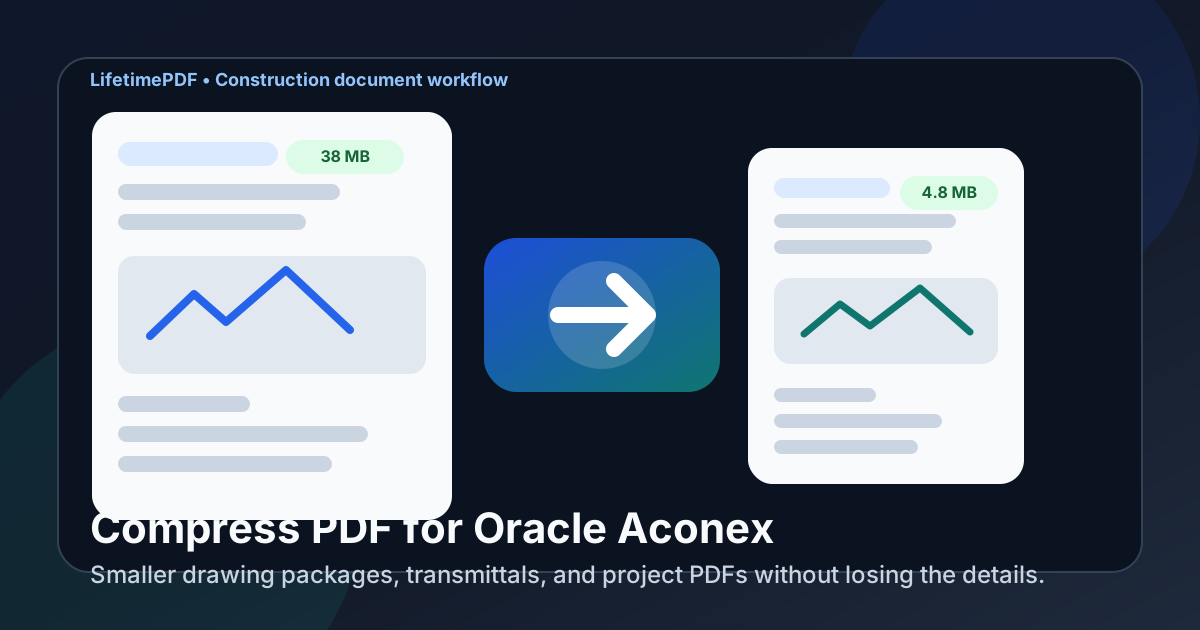
Table of contents
- Quick start: compress an Oracle Aconex PDF in under 2 minutes
- Why smaller PDFs help in Oracle Aconex workflows
- What file size should you aim for?
- Which compression level should you choose?
- Step-by-step: shrink an Oracle Aconex PDF with LifetimePDF
- Best strategy for common Oracle Aconex PDF types
- What if the PDF is still too large?
- How to keep drawings and project details readable
- Workflow habits that reduce PDF bloat
- Related LifetimePDF tools and internal links
- FAQ (People Also Ask)
Quick start: compress an Oracle Aconex PDF in under 2 minutes
If your real goal is simply make this Oracle Aconex PDF smaller so it is easier to upload, open, and review, this workflow is usually enough:
- Open Compress PDF.
- Upload the Oracle Aconex file you want to shrink, such as a drawing package, transmittal, submittal, RFI attachment, review set, or handover document.
- Choose Medium compression first.
- Download the smaller file and compare the new size with the original.
- Open it once and check the smallest useful details: title blocks, revision clouds, signatures, stamps, issue references, markups, and sheet notes.
- If the packet is long, use Extract Pages or Split PDF to keep only what the next reader actually needs.
- If the file is still bulky, trim repeated cover sheets, blank scans, superseded appendices, or extra photo sections before pushing compression harder.
Why smaller PDFs help in Oracle Aconex workflows
Oracle Aconex documents are not just archive files. They get opened during reviews, transmittals, submittal cycles, RFI follow-ups, approvals, closeout handoffs, and field coordination. That means the file does not only need to exist. It needs to move quickly and stay readable in the places people actually use it.
Heavy PDFs slow that down. They take longer to upload, feel clumsy on tablets, and create friction when someone only needs one section of a package. In practice, the extra weight often comes from scan-heavy pages, oversized drawing exports, repeated covers, long appendices, or one giant PDF trying to serve several audiences at once. Good compression removes that friction without weakening the record.
Why compression usually helps
- Faster uploads: useful when you are issuing transmittals, attaching RFIs, sending submittals, or updating handover files.
- Smoother review: lighter files open more comfortably on laptops, tablets, and phones used in meetings and on site.
- Cleaner handoffs: document controllers, consultants, contractors, and owners can work from the same file with less attachment friction.
- Less archive bloat: recurring document revisions stay easier to store and revisit.
- Less rework: one sensible compression pass is easier than rebuilding and resending a file after someone says it is too large or too slow.
What file size should you aim for?
There is no single perfect number because a one-page signed transmittal behaves differently from a marked-up drawing set or a bulky closeout package. Still, these ranges work well for most Oracle Aconex workflows:
- Under 2MB: ideal for short letters, signatures, transmittals, simple forms, and lightweight review attachments.
- 2MB to 5MB: a strong everyday target for RFIs, submittals, short issue sets, and smaller drawing excerpts.
- 5MB to 10MB: often a realistic range for drawing packages, scan-heavy reports, and handover sections that still need fine detail.
- Above 10MB: usually a sign the packet may need both compression and cleanup, not just stronger compression.
The right size depends on who needs the file next. If a reviewer only needs a few sheets, extract them. If a consultant needs a single marked-up section, split the packet. Smaller, focused PDFs usually beat one oversized do-everything document.
Which compression level should you choose?
For Oracle Aconex documents, the safest order is usually the same every time:
- Start with Medium. It usually shrinks the file while keeping small but important details readable.
- Use lighter compression when the PDF already looks lean. This is useful for title-sheet excerpts, clean digital exports, or files with fine text you do not want to soften.
- Use stronger compression only after cleanup. If you have already trimmed the packet and the file is still too large, then heavier compression can make sense.
Step-by-step: shrink an Oracle Aconex PDF with LifetimePDF
- Export the Oracle Aconex file as PDF.
- Open Compress PDF.
- Upload the file.
- Choose Medium compression first.
- Download the smaller version.
- Check the areas most likely to break first: title blocks, revision clouds, signatures, stamps, document references, markup, and the smallest sheet notes.
- If the packet is still bigger than it needs to be, remove unnecessary pages or split it into smaller parts.
That last step matters more than people think. Most oversized project PDFs are not just too dense. They are also too broad. One file tries to serve a reviewer, an approver, a field crew, and an archive all at once. A smaller, purpose-built PDF is usually more useful than a heavily compressed all-in-one package.
Best strategy for common Oracle Aconex PDF types
Drawing packages and issue sets
These often carry the heaviest files because they combine many sheets, title blocks, revision marks, and project references. Start with Medium compression, then consider splitting by discipline, level, or review purpose if the package is still bulky.
Transmittals and formal submissions
These usually need clean text, issue references, and signatures more than ultra-high image fidelity. Compression helps quickly here, but always make sure transmittal numbers, dates, signoffs, and document references remain easy to read.
Submittals and RFI attachments
Many of these are lighter than full drawing sets but still get bloated by scans, product sheets, and repeated covers. Trim duplicate pages and nonessential appendices before you force the whole file through a harsher setting.
Handover and closeout records
These often deserve a little more breathing room. If the smallest labels, signatures, and equipment references matter later, accept a slightly larger file rather than sacrificing long-term readability.
Photo-heavy site reports
Compression helps, but these often benefit most from better selection. Keep the photos that add evidence. Remove duplicates, repeated cover pages, and blank scans that only add weight without adding meaning.
What if the PDF is still too large?
If Medium compression does not get you where you need to go, do not immediately crush the same file again. Usually the smarter move is structural cleanup:
- Extract only the relevant sheets or sections.
- Split one large packet into several focused PDFs.
- Delete repeated covers, superseded pages, blank scans, or appendix material the next reader does not need.
- Crop oversized scan margins if they add weight without adding information.
LifetimePDF tools that help here include Extract Pages, Delete Pages, Split PDF, and Crop PDF.
How to keep drawings and project details readable
The quality check for Oracle Aconex PDFs should be fast but deliberate. Before you replace or send the smaller copy, zoom in on:
- Title blocks and sheet references
- Revision clouds and issue notes
- Document references and transmittal numbers
- Signatures, initials, and stamps
- Small callouts, tables, and dimension notes
- Markup or redlines that affect approvals or coordination
If any of those feel soft, muddy, or unreliable, back off the compression or trim the packet in a smarter way. In construction-document workflows, trust matters more than shaving off one extra megabyte.
Workflow habits that reduce PDF bloat
- Send only the pages people need: a focused attachment is easier to review than a giant reference pack.
- Keep transmittals and technical appendices separate: different audiences rarely need the full combined packet.
- Trim repeated scans: duplicate cover pages and blank dividers add up fast.
- Use OCR when scans are rough: OCR PDF can help text-heavy scanned documents stay more usable after cleanup.
- Compare revisions when needed: Compare PDFs is useful when you want smaller files but also need confidence about what changed.
Related LifetimePDF tools and internal links
If you work with Oracle Aconex PDFs often, these tools usually pair well together:
- Compress PDF for the first size reduction pass
- Extract Pages to send only the relevant sheets
- Split PDF for large issue sets or handover packs
- Delete Pages to remove repeated covers and bulky extras
- Crop PDF for oversized scan margins
- Rotate PDF for sideways scans and sheet fixes
Related reading on LifetimePDF: Compress PDF for Autodesk Build, Compress PDF for Buildertrend, and Compress PDF for Procore.
FAQ (People Also Ask)
How do I compress a PDF for Oracle Aconex?
Export the Oracle Aconex file as PDF, upload it to a compressor, start with Medium compression, and review the smaller result before sharing it. Medium is usually the safest first pass because it lowers file size while keeping title blocks, revision notes, signatures, and document references readable.
What file size should I aim for with Oracle Aconex PDFs?
Under 2MB works well for short transmittals and simple forms. Many everyday RFIs, submittals, and smaller issue sets work best around 2MB to 5MB. Larger drawing packages and handover records often sit more comfortably around 5MB to 10MB as long as the smallest useful details still read clearly.
Will compression make Oracle Aconex drawings blurry?
It can if you compress too aggressively. That is why Medium compression is usually the best starting point. Always review the smallest notes, title blocks, revision marks, signatures, stamps, and markup before you keep the smaller file.
Should I split a large Oracle Aconex PDF instead of compressing it harder?
Often, yes. If one PDF combines drawing sheets, transmittals, appendices, review notes, or audience-specific sections, splitting it usually works better than forcing stronger compression across the whole packet.
Which LifetimePDF tools pair best with Oracle Aconex files?
Compress PDF is the main starting point. Extract Pages, Split PDF, Delete Pages, Crop PDF, OCR PDF, Rotate PDF, and Compare PDFs all help when you need smaller, cleaner project documents without sending the entire working pack every time.
Bottom line: if your Oracle Aconex PDF feels heavier than the task requires, compress it first, then trim the packet until only the useful pages remain.