Compress PDF for Oracle Aconex: Upload Smaller Drawing Packages, Transmittals, and Project Docs Faster
Yes - you can compress a PDF for Oracle Aconex before uploading drawing packages, transmittals, RFIs, submittals, review sets, and handover documents, and Medium compression is usually the safest place to start because it reduces file size without making sheet notes, revision stamps, signatures, or title blocks hard to read.
If the PDF is a bulky issue set or long document package where only a few pages matter, extract those pages first because smaller files are easier for document controllers, consultants, contractors, and project managers to open, forward, and approve.
Oracle Aconex workflows depend on documents moving cleanly between teams. A file may start as a drawing package, then show up again in a transmittal, a submittal review, an RFI response, an approval cycle, or a final handover folder. When that same PDF carries more weight than the next reviewer actually needs, every handoff gets slower. The goal is not to crush the file into the smallest possible version. The goal is to keep the useful detail, remove extra weight, and make the shared copy easier for the next person to open and trust.
Fastest path: Use LifetimePDF's Compress PDF tool, start with Medium compression, and create a smaller Oracle Aconex-ready PDF in seconds.
In a hurry? Jump to Quick start: compress a PDF for Oracle Aconex in under a minute.
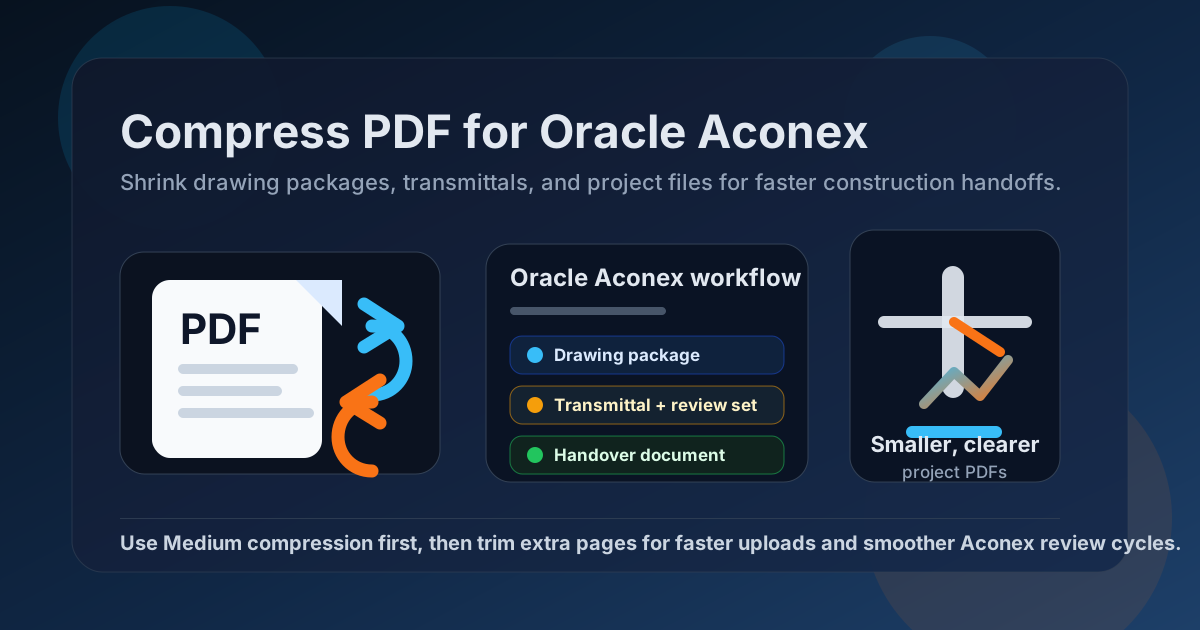
Table of contents
- Quick start: compress a PDF for Oracle Aconex in under a minute
- Why compress PDFs before using them in Oracle Aconex workflows?
- What size should an Oracle Aconex-friendly PDF be?
- Which compression level should you choose?
- Step-by-step: shrink a PDF with LifetimePDF
- Common Oracle Aconex PDFs that benefit from compression
- What if the PDF is still too large?
- How to keep drawing packages and transmittals readable
- Workflow habits that keep Aconex document traffic cleaner
- Related LifetimePDF tools and internal links
- FAQ (People Also Ask)
Quick start: compress a PDF for Oracle Aconex in under a minute
If your goal is simply make this Oracle Aconex PDF smaller so it is easier to upload, reopen, and review, keep it straightforward:
- Open Compress PDF.
- Upload the drawing package, transmittal, submittal, RFI attachment, signed form, or handover document.
- Start with Medium compression.
- Download the smaller version and zoom in on the smallest notes, revision clouds, signatures, stamps, tables, and title block details.
- If it is still too large, use Extract Pages, Delete Pages, or Split PDF instead of repeatedly crushing the whole packet.
That usually works because the biggest gains come from two moves together: reasonable compression and tighter scope. Most reviewers do not need every superseded sheet, repeated cover, bulky appendix, or duplicate scanned approval bundled into one oversized PDF.
Why compress PDFs before using them in Oracle Aconex workflows?
Oracle Aconex PDFs matter most when someone needs accurate project information without delay. A document controller may need to issue a lighter transmittal pack. A consultant may need a smaller drawing set for markup. A contractor may need a faster-loading attachment in the field. A handover coordinator may need a cleaner final record. Smaller PDFs reduce friction in all of those moments.
- Faster uploads: useful when teams are pushing documents through approval and distribution workflows on real deadlines.
- Smoother review: lighter PDFs open more comfortably on laptops, tablets, and phones used on site and in meetings.
- Cleaner handoffs: owners, consultants, document controllers, and contractors can work from the same file with less attachment pain.
- Better reuse: a smaller PDF is easier to forward into email, transmittals, RFIs, submittals, and turnover folders.
- Less repeat friction: if the same file gets reopened several times in one week, shrinking it once saves time every time.
Compression is not about chasing the tiniest possible file. It is about making the shared copy easier to use while preserving the details that still carry project meaning.
What size should an Oracle Aconex-friendly PDF be?
There is no single perfect number because a one-page signed form behaves differently from a marked-up drawing package, a submittal binder, a scan-heavy review set, or a handover bundle with appendices. Still, practical targets make decisions easier.
| Use case | Recommended target | Why it works |
|---|---|---|
| Short forms, RFIs, and simple transmittals | < 2MB | Excellent for quick viewing, mobile review, and lower-friction sharing |
| Submittals, short drawing excerpts, and approval packs | 2MB-5MB | Usually the sweet spot between readability and convenience |
| Drawing packages, review sets, and photo-heavy project records | 5MB-10MB | Still workable, but worth shrinking if several people will open the file often |
| Over 10MB | Compress again or split it | Often heavier than it needs to be for ordinary Aconex review and handoff |
If the PDF is mostly text, tables, and standard markup, keeping it under 5MB is a good practical target. If it is driven by scan weight or oversized sheets, trimming pages often helps more than forcing stronger compression.
Which compression level should you choose?
LifetimePDF keeps it simple: Low, Medium, or High. The right choice depends less on theory and more on what the next reviewer still has to read after the file gets smaller.
Low compression
- Best when visual detail matters more than aggressive size reduction.
- Useful for issue sets, shop drawings, or owner-facing packages where tiny notes and linework still need to look crisp.
- Usually not the first choice unless the PDF is already close to the size you want.
Medium compression
- Best default for most Oracle Aconex use cases.
- Good for transmittals, submittals, RFIs, review sets, signed forms, and ordinary project documentation.
- Usually the safest balance between smaller file size and readable notes, signatures, stamps, and tables.
High compression
- Best when file size matters more than presentation polish.
- Useful for scan-heavy approval packs, photo appendices, or bulky handover files that must get much smaller quickly.
- Always preview afterward, especially if the file contains fine linework, small title block text, or handwritten sign-off notes.
Step-by-step: shrink a PDF with LifetimePDF
Here is the simplest workflow when you need a smaller Oracle Aconex-ready PDF without wasting time:
- Open the tool. Go to Compress PDF.
- Upload the file. Add the drawing package, review set, transmittal, submittal, or signed project record you need to share.
- Choose Medium compression first. That is the best default for most Aconex documents because it usually preserves the details people still need to approve, comment on, or archive.
- Download the result. Compare the new file size with the original.
- Preview the smallest important detail. Zoom in on revision notes, title block references, approval stamps, signatures, dates, document numbers, and table text.
- Trim the packet if needed. If the file is still too large, extract the useful pages, remove repeated covers or blank pages, or split one oversized binder into smaller parts.
Fast tool stack for Oracle Aconex: compress first, then clean the document structure only if the file is still heavier than it should be.
Common Oracle Aconex PDFs that benefit from compression
Some Oracle Aconex files are more likely than others to become bloated. These are the usual suspects:
- Drawing packages: especially when they include multiple large sheets, superseded pages, or markups.
- Transmittals: when supporting documents, covers, and attachment summaries get bundled together.
- Submittal packages: often heavy because they combine specifications, product sheets, approvals, and signatures.
- RFI attachments: especially when images, sketches, and scanned field notes are mixed into one file.
- Review sets: consultant comments, revision clouds, and issue responses can add size quickly.
- Handover files: manuals, closeout records, and turnover packets often carry more pages than the current recipient needs.
- Scan-heavy signed documents: every page behaves like an image, so bulky files build up fast.
If one of those document types keeps causing friction, the best fix is usually to compress it once, then clean up the page scope before it travels through the rest of the workflow.
What if the PDF is still too large?
When compression alone is not enough, the problem is often structure rather than raw image weight. In other words, the document may simply include more pages than the next reviewer needs.
- Use Extract Pages if the reviewer only needs one discipline, one section, or one drawing subset.
- Use Delete Pages to remove repeated covers, blank scans, superseded sheets, or appendix pages that are not relevant to the current task.
- Use Split PDF if one file has become a catch-all binder that would work better as smaller parts.
- Use OCR PDF if the file is a scan and you also want searchable text for easier review later.
How to keep drawing packages and transmittals readable
The biggest mistake is checking only the final file size. What matters is whether the next person can still read the details that drive decisions.
- Zoom in on the smallest title block text, revision note, signature line, stamp, and document number.
- Check that revision clouds, markup symbols, and comment callouts are still clear.
- Review scan-heavy pages separately because they often degrade sooner than digitally generated pages.
- Look at tables, schedules, and approval matrices because dense text can blur before big headings do.
- Preview the file on a phone or tablet if that is how the field team will actually read it.
If the compressed copy fails any of those checks, step back. Use a lighter compression level or reduce the page count instead of forcing the whole document smaller at any cost.
Workflow habits that keep Aconex document traffic cleaner
The easiest PDF to share is the one that never became messy in the first place. A few habits keep Oracle Aconex files lighter over time:
- Issue smaller subsets: send the exact sheets or sections people need instead of defaulting to the whole package.
- Remove scanner waste early: blank pages, crooked borders, and duplicate scans add size without adding value.
- Keep approval packs focused: combine only the documents required for the current review cycle.
- Reuse cleaned versions: if one file keeps circulating, shrink and tidy it once before the next round of distribution.
- Separate archival copies from working copies: the full record can stay complete while the day-to-day working copy stays lighter.
Those habits do more for day-to-day collaboration than aggressive compression by itself.
Related LifetimePDF tools and internal links
If you are cleaning up Oracle Aconex document packages regularly, these LifetimePDF tools are the most useful companions:
- Compress PDF for the first pass on oversized files.
- Extract Pages when only a few sheets or sections matter.
- Delete Pages to remove repeated covers, blanks, and appendix clutter.
- Split PDF if one approval or handover pack has become too large to stay useful.
- Merge PDF when you need a clean final package after trimming the pieces.
Related guides on the site: Compress PDF for Procore and Compress PDF for Autodesk Build.
Bottom line: for most Oracle Aconex files, start with Medium compression, then trim the packet if the document is still heavier than the task requires.
FAQ (People Also Ask)
How do I compress a PDF for Oracle Aconex?
Upload the file to a PDF compressor, start with Medium compression, download the smaller result, and preview it before sharing it in Oracle Aconex. If the file is still larger than you want, extract only the pages people actually need instead of repeatedly over-compressing the full packet.
What PDF size is best for Oracle Aconex uploads?
Under 5MB is a practical target for many everyday Oracle Aconex PDFs such as RFIs, transmittals, submittals, and short drawing excerpts, while under 2MB feels especially lightweight for quick review. Larger drawing packages and handover files may need more room, but they are usually easier to manage once trimmed or split.
Will compressing a PDF make Aconex drawings or stamps blurry?
Usually not if you begin with Medium compression and review the result before replacing the original. The biggest risk is with tiny plan notes, title blocks, revision stamps, signatures, and markup, so always zoom in on the smallest important detail first.
Should I upload the whole drawing package or only the pages people need?
If the reviewer only needs a few sheets or one section, upload only those pages. A shorter, lighter PDF is faster to open and usually easier for document controllers, consultants, and contractors to act on than one oversized package.
What if my Oracle Aconex PDF is still too large after compression?
Extract only the pages the reviewer actually needs, delete repeated cover pages, or split one long package into smaller parts. Structural cleanup usually protects readability better than pushing compression harder again and again.
Which Oracle Aconex PDFs benefit most from compression?
Drawing packages, transmittals, submittals, RFI attachments, review sets, handover packs, scan-heavy signed documents, and photo-heavy project records are all common candidates because they get reopened and forwarded across multiple teams.