Compress PDF for Mixpanel Without Monthly Fees: Shrink Funnel Reports, Dashboard Exports, and Stakeholder PDFs Without Another Subscription
If you need to compress a PDF for Mixpanel without monthly fees, use a pay-once PDF tool, start with Medium compression, and keep the smaller copy only if funnel steps, percentages, cohort labels, event tables, and notes still look clear.
For most Mixpanel workflows, that is enough to shrink dashboard exports, retention reviews, experiment recaps, and stakeholder PDFs without adding one more recurring subscription to an already crowded analytics stack.
Mixpanel already does the hard part: turning product behavior into something a team can actually act on. The PDF step should stay simple. Usually you are not building a forever-document system. You are trying to make a report easier to send, easier to archive, or less annoying to open during a meeting. That is exactly why a pay-once workflow fits this job better than paying monthly just to shave a few megabytes off the final export.
Fastest path: run the Mixpanel PDF through LifetimePDF's Compress PDF tool at Medium, then split or extract pages only if the report still carries more file weight than the next reader actually needs.
In a hurry? Jump to Quick start: compress a Mixpanel PDF in under 2 minutes.
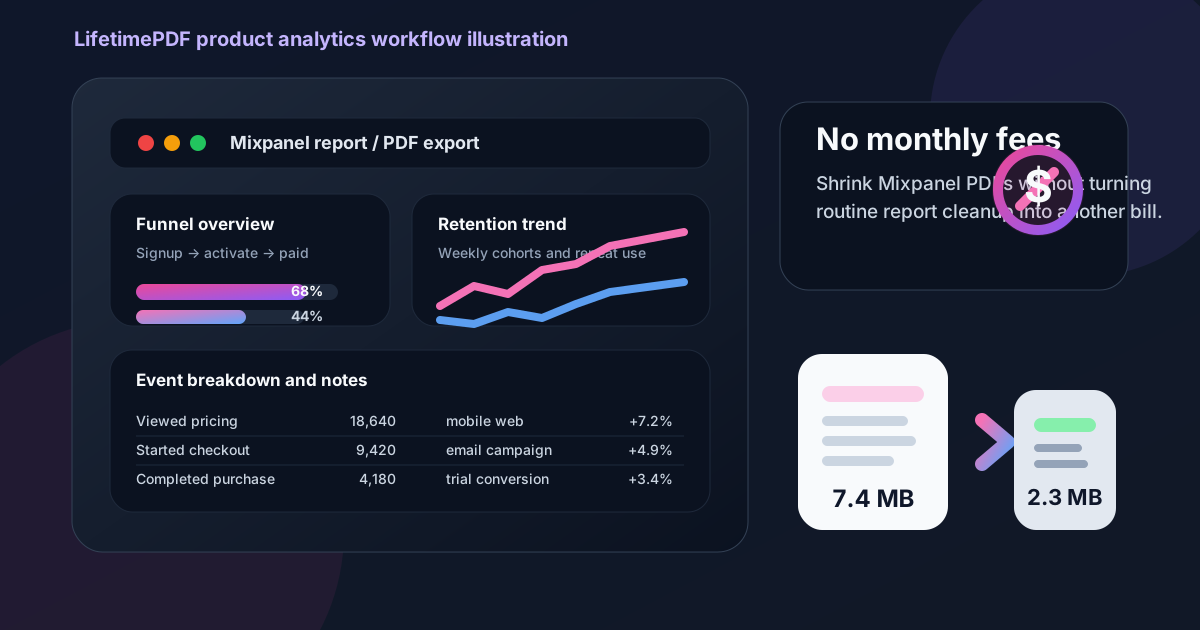
Table of contents
- Quick start: compress a Mixpanel PDF in under 2 minutes
- Why "without monthly fees" matters here
- Why smaller PDFs help in Mixpanel reporting workflows
- What file size should a Mixpanel PDF be?
- Which compression level should you choose?
- Step-by-step: use LifetimePDF to shrink the file
- Best approach for common Mixpanel PDFs
- What to do if the PDF is still too large
- How to keep charts, tables, and notes readable
- Workflow habits that reduce PDF bloat
- Related LifetimePDF tools and useful reading
- FAQ (People Also Ask)
Quick start: compress a Mixpanel PDF in under 2 minutes
If your real goal is simply make this Mixpanel PDF smaller so it is easier to send, this workflow is usually enough:
- Export the Mixpanel file you actually plan to share, whether that is a funnel report, retention review, dashboard snapshot, experiment recap, or product KPI update.
- Open Compress PDF.
- Upload the file and choose Medium compression first.
- Download the smaller result and compare the new size.
- Preview the details that matter most: funnel percentages, cohort labels, event totals, table headers, date ranges, screenshots, and action notes.
- If the file is still bulky, use Extract Pages, Delete Pages, or Split PDF before forcing stronger compression across the whole export.
Why "without monthly fees" matters here
This is finish-line work. The valuable part already happened inside Mixpanel: defining events, following product usage, spotting conversion leaks, and translating behavior into decisions. Paying forever just to make that export smaller is hard to justify.
Product teams already live inside a stack full of recurring costs. Analytics, session replay, experimentation, data pipelines, dashboards, storage, and collaboration tools all add up. When the last step is only make this report easier to send, another monthly fee feels like overhead instead of value.
That matters even more because Mixpanel PDFs are often one-time artifacts. A founder may need a lighter board update. A product manager may need a cleaner funnel recap for leadership. A growth team may need a stakeholder-ready retention review in a ticket, email, or shared drive. None of those use cases really call for another subscription just to finish the file.
Simple logic: if the real task is shrinking a report after the analytics work is already done, a pay-once PDF workflow usually fits better than renting another tool forever.
Why smaller PDFs help in Mixpanel reporting workflows
Mixpanel exports do not stay inside Mixpanel for long. They end up in leadership decks, board packets, experiment reviews, investor updates, product specs, Slack threads pasted into docs, and project folders where someone needs a fixed snapshot instead of a live dashboard. Heavy files slow all of that down.
Smaller PDFs remove friction without changing the meaning of the report. A lighter file is easier to upload, easier to forward, and easier to open on mobile when somebody is joining a meeting late and just needs the topline story. The key is shrinking the file without damaging the parts that make the export useful in the first place.
For Mixpanel specifically, those parts usually include funnel steps, cohort labels, event counts, conversion percentages, annotations, screenshots, filters, dates, and next-step notes. If those stay readable, the PDF still does its job.
What file size should a Mixpanel PDF be?
There is no universal perfect number, but practical targets help:
| Mixpanel PDF type | Practical target | What to protect |
|---|---|---|
| Short KPI snapshots and leadership updates | < 2MB | Topline metrics, short notes, and visual clarity |
| Funnel reports, retention reviews, and experiment recaps | 2MB to 4MB | Percentages, chart labels, event names, and commentary |
| Board packs and appendix-heavy stakeholder PDFs | 3MB to 5MB | Screenshots, tables, date filters, and backup context |
The right target depends on the audience. A product lead reviewing one conversion funnel does not need the same structure as a leadership deck that combines summaries, screenshots, and supporting evidence. Aim for the smallest version that still feels dependable at normal zoom.
Which compression level should you choose?
Start with Medium almost every time. It is usually the best balance for Mixpanel PDFs because it lowers file size without flattening small labels, table headers, or screenshot annotations too aggressively.
- Low compression: best when the PDF contains dense tables, tiny cohort labels, or narrow columns you absolutely cannot risk softening.
- Medium compression: the safest default for most funnel reviews, retention summaries, dashboard exports, and stakeholder recaps.
- High compression: useful only when size matters more than polish, and only after you confirm the smallest important text still reads clearly.
If Medium does not get the file small enough, the next smartest move is often removing pages rather than crushing the whole report harder.
Step-by-step: use LifetimePDF to shrink the file
- Export or print the final Mixpanel view as PDF.
- Open Compress PDF.
- Upload the report and choose Medium.
- Download the compressed version.
- Check the pages with the smallest text first, especially funnel percentages, event names, date ranges, cohort labels, annotations, table headers, and screenshots.
- Keep the compressed file only if it still reads cleanly at ordinary zoom.
- If it is still too large, extract summary pages or split appendix material before trying heavier compression.
Best approach for common Mixpanel PDFs
Different exports benefit from slightly different handling:
- Funnel reports: protect step names, conversion percentages, comparison dates, and short explanations of where drop-off changed.
- Retention reviews: check cohort labels, weekly or monthly intervals, and the notes that explain what changed in user behavior.
- Dashboard exports: preserve KPI tiles, chart legends, screenshots, and the context blocks that make the snapshot useful later.
- Experiment recaps: keep the result summary sharp, then move backup evidence or extra screenshots into a second file if needed.
- Board or investor updates: keep the decision-making pages crisp, even if that means accepting a slightly larger final file.
The goal is not preserving every possible backup page in one giant document. The goal is sending the right version of the report to the right person with less friction.
What to do if the PDF is still too large
If the compressed PDF is still bulkier than you want, do not treat harder compression as the only option. Mixpanel exports often shrink more cleanly when you simplify the document instead.
- Use Extract Pages to pull out only the summary or decision-making pages.
- Use Split PDF for board packs or appendix-heavy reporting decks.
- Use Delete Pages to remove repeated screenshots, draft covers, or stale backup sections.
- Use Crop PDF if oversized margins or screenshot borders are inflating the file.
In many real workflows, sharing less PDF is smarter than compressing the same oversized export into something fuzzy.
How to keep charts, tables, and notes readable
Before you send the smaller version, check the parts that break first when compression goes too far:
- funnel step labels and conversion percentages
- cohort names, retention intervals, and event counts
- table headers, narrow columns, and date filters
- screenshots, annotations, and highlighted callouts
- summary recommendations, experiment notes, and next-step commentary
A compressed PDF is only useful if it still supports the conversation it was created for. If the smallest meaningful detail looks fuzzy, roll back and use a lighter setting or a cleaner page set.
Workflow habits that reduce PDF bloat
Good habits reduce the need for aggressive compression later:
- export only the charts, filters, and date ranges you actually need
- separate the executive summary from backup appendix pages
- remove repeated screenshots before the final export
- avoid sending one master PDF to audiences who need different levels of detail
- keep an archive copy if needed, but create a lighter shared version for delivery
Those small decisions usually save more file size than people expect. They also make the report easier to read, which is the real point.
Related LifetimePDF tools and useful reading
Mixpanel exports often need more than one finishing step. These tools pair well with compression:
- Compress PDF for the main file-size reduction step
- Extract Pages for summary-only handoffs
- Split PDF for large board or stakeholder packs
- Delete Pages for repeated screenshots or stale backup sections
- Crop PDF for wasted margins
- PDF Metadata Editor for cleaner document properties before delivery
If you work with similar analytics exports, you may also find these guides useful: Compress PDF for Mixpanel, Compress PDF for Adobe Analytics Without Monthly Fees, Compress PDF for Google Analytics Without Monthly Fees, Compress PDF for Matomo Without Monthly Fees, and Compress PDF for Databox Without Monthly Fees.
FAQ (People Also Ask)
How do I compress a PDF for Mixpanel without monthly fees?
Upload the Mixpanel export to a pay-once PDF tool like LifetimePDF, start with Medium compression, and review the smaller result before sharing it. If the file is still large, extract or split the pages the next reader actually needs instead of repeatedly compressing the whole export.
What file size should I aim for with Mixpanel reports?
Under 2MB is a strong target for short KPI snapshots and leadership updates. Larger funnel reviews, retention decks, experiment recaps, and appendix-heavy stakeholder PDFs usually work better around 2MB to 5MB as long as the smallest useful labels still look clear.
Will compression make Mixpanel charts or tables blurry?
It can if you compress too aggressively. Medium compression is usually the safest first pass. Always check funnel percentages, cohort labels, event names, table headers, screenshots, and action notes before keeping the smaller copy.
Why look for a Mixpanel PDF workflow without monthly fees?
Because shrinking exported analytics PDFs is finish-line work, not something most teams want to rent forever. If you already pay for Mixpanel and the rest of your product stack, a pay-once PDF workflow usually makes more practical sense.
What if my Mixpanel PDF is still too large after compression?
Extract only the summary pages, split the appendix into a second file, remove duplicate screenshots, and delete stale backup pages before pushing compression harder. In many Mixpanel workflows, sharing less PDF works better than crushing the whole report more aggressively.
Ready to shrink the file? Start with the Mixpanel export you already have, compress it once, and keep the version that stays readable without the extra recurring cost.
Published by LifetimePDF - Pay once. Use forever.