Compress PDF for Lemon Squeezy: Speed Up Product Guides, Bonus Files, and Customer Downloads
To compress a PDF for Lemon Squeezy, upload the final file to LifetimePDF's Compress PDF tool, start with Medium compression, and replace the customer-facing copy only after it opens cleanly from your checkout follow-up, download link, or customer portal.
For most Lemon Squeezy PDFs, under 3MB is a comfortable target for quick-start guides, setup docs, and bonus checklists, while manuals, screenshot-heavy onboarding packs, and printable bundles usually work best around 3MB to 6MB after light cleanup.
Lemon Squeezy works best when the handoff feels instant. A customer buys a digital product, opens the follow-up email, or returns to the download page expecting the file to feel polished and fast. If the PDF drags on mobile, feels oversized, or looks like it came straight out of a design archive, the product can feel clumsier than it really is. The goal is not the tiniest file possible. The goal is a lighter PDF that still feels worth paying for.
Fastest path: run the Lemon Squeezy PDF through LifetimePDF's Compress PDF tool on Medium, then test the smaller file from the exact customer path buyers actually use.
In a hurry? Jump to Quick start: compress a Lemon Squeezy PDF in about 2 minutes.
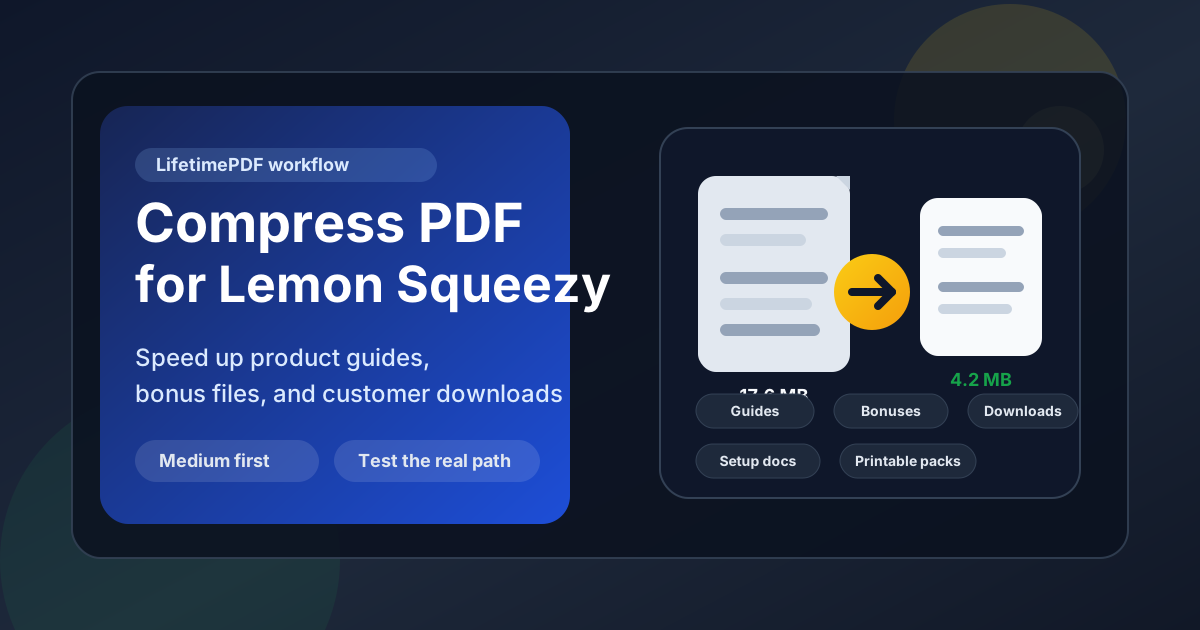
Table of contents
- Quick start: compress a Lemon Squeezy PDF in about 2 minutes
- Why Lemon Squeezy PDFs get heavy so quickly
- Where large PDFs slow the customer experience
- What file size should you aim for?
- Which compression level should you choose?
- Step-by-step: shrink a Lemon Squeezy PDF with LifetimePDF
- Best strategy for common Lemon Squeezy PDF types
- What if the file is still too big?
- How to protect the post-purchase experience
- Workflow habits that keep Lemon Squeezy PDFs lighter
- Related LifetimePDF tools and useful internal reading
- FAQ (People Also Ask)
Quick start: compress a Lemon Squeezy PDF in about 2 minutes
If your real goal is simply make this Lemon Squeezy PDF lighter without making it feel worse for the customer, this workflow is usually enough:
- Start with the final Lemon Squeezy file, not a bloated master export.
- Open Compress PDF.
- Choose Medium compression first.
- Download the smaller copy.
- Open the exact Lemon Squeezy product page, post-purchase link, or customer portal route buyers actually use.
- Keep the compressed version only if the smallest useful text, screenshots, and printable details still feel easy to trust.
That last step matters more than the size reduction by itself. Saving another megabyte is not a win if the guide now feels blurry, cramped, or less professional when somebody opens it right after paying.
Why Lemon Squeezy PDFs get heavy so quickly
Lemon Squeezy PDFs often become oversized because one file starts doing too many jobs. A single document tries to be the quick-start guide, the bonus workbook, the onboarding manual, the printable resource, and the archive copy all at once. That can feel generous from the seller side, but it often creates a heavier download than the customer needs in that moment.
Another common issue is shipping the design export instead of the delivery copy. Full-size cover art, repeated divider pages, oversized screenshots, appendix sections, and revision leftovers survive into the live file even though the buyer only needs the polished resource. Compression helps, but cleaner structure usually helps first.
- Product guides often include internal planning pages or old versions that should never reach customers.
- Bundle bonuses can combine several resources into one oversized PDF when separate files would feel cleaner.
- Setup docs usually carry screenshot-heavy steps that grow quickly if every image stays full size.
- Printable packs may include duplicate covers, instruction pages, or filler sheets that add weight without adding value.
- Customer resource libraries sometimes reuse the same reference material across products instead of linking it once elsewhere.
If the next buyer does not need part of the PDF to get the promised result, trim it, split it, or move it instead of asking compression to rescue everything.
Where large PDFs slow the customer experience
A big PDF does not only affect storage or upload convenience. It changes how smooth the delivery feels when somebody has just paid and expects the file to work immediately.
| Lemon Squeezy touchpoint | What the problem feels like | Most useful fix |
|---|---|---|
| Post-purchase download | The customer paid, but the first file still feels slower than the promise | Keep the file lean and compress before you publish the product |
| Order follow-up or portal link | The PDF opens like an archive instead of a fast next step | Use Medium compression and remove preview-only or archive-only pages |
| Setup or onboarding guide | Screenshot-heavy instructions feel bulkier than the software or product itself | Compress the final customer copy and trim stale images or repeated sections |
| Bundle bonus download | One giant PDF makes the add-on feel harder to use than it should | Split focused resources into separate files instead of pushing harder compression |
| Printable worksheet or template | The file is slow and the fine detail risks getting softened | Compress carefully, then test the busiest page before replacing the original |
Buyers rarely describe it as a file-size problem. They just notice when a download opens fast, feels polished, and looks professionally delivered.
What file size should you aim for?
There is no universal perfect number, but practical ranges help you compress enough without damaging the product itself.
- Under 3MB: a good target for quick-start guides, setup checklists, one-page bonuses, and short PDF downloads.
- 3MB to 5MB: often a comfortable range for manuals, mini-courses, and customer resources with a few screenshots or designed pages.
- 5MB to 6MB: still reasonable for screenshot-heavy onboarding packs or printable bundles if the smallest useful detail stays clear.
- Over 6MB: worth reviewing carefully to see whether the PDF should be trimmed or split instead of only compressed harder.
A better question than How tiny can I make this? is How small can I make this before a paying customer notices quality loss? That usually leads to better decisions.
Which compression level should you choose?
For Lemon Squeezy, Medium compression is usually the safest starting point. It cuts file weight without being overly aggressive on body text, screenshots, worksheet lines, preview pages, and printable details.
- Low compression: useful when the PDF is already close to your target and only needs a gentle reduction.
- Medium compression: the best default for most Lemon Squeezy PDFs.
- High compression: worth testing only after you trim extra pages, crop wasted margins, or split bundles that are doing too much.
The common mistake is reaching for the strongest setting before cleaning the structure. Usually, a cleaner file plus medium compression beats brute force.
Step-by-step: shrink a Lemon Squeezy PDF with LifetimePDF
- Start with the final customer-facing PDF. Use the exact file buyers should receive, not a master export full of internal extras.
- Open Compress PDF.
- Upload the file and choose Medium. That is usually the cleanest first pass for product guides, setup docs, and bonus downloads.
- Download the smaller copy.
- Replace the real delivery file. Update the exact Lemon Squeezy product, follow-up link, bundle asset, or customer resource buyers actually reach.
- Test the real customer path. Open it once on desktop and once on a phone.
- Review the hardest page to preserve. Check the smallest text, busiest screenshot, faintest worksheet lines, preview thumbnails, QR codes, and any page with fine print or printable layouts.
- Only then keep or revise it. If the file still feels trustworthy, publish the smaller version. If not, clean up the PDF and try again.
Best practical sequence: compress first, test the live customer path second, trim or split third, and only then consider stronger compression.
Best strategy for common Lemon Squeezy PDF types
Product guides and quick-start docs
These should feel fast and useful immediately. If the promise is a setup guide, reference PDF, or walkthrough, keep the file lean and move archive material elsewhere.
Bundle bonuses and add-on resources
These can carry a little more weight, but they still need to open cleanly. If the file combines the core bonus, worksheets, references, and older extras, splitting it often works better than forcing hard compression across the whole pack.
Customer setup manuals and onboarding docs
Be careful here. Buyers need screenshots, labels, and step order to stay intact. Medium compression plus light cleanup is usually safer than aggressive shrinking, especially if the PDF includes interface callouts or multi-step diagrams.
Printable templates and worksheets
Customers need lines, boxes, contrast, and small labels to stay crisp enough for real use. Compress carefully and review the pages with the smallest captions, narrowest columns, and most detailed visuals before replacing the original.
Release notes, resource packs, and companion libraries
One giant PDF can feel tidy on the seller side but clumsy on the buyer side. If separate resources serve different moments, publish them as separate files instead of forcing everything into one oversized download.
What if the file is still too big?
If Medium compression helps but the PDF is still heavier than it should be, the file probably has a structure problem rather than just a compression problem.
- Remove repeated covers, stale appendix pages, and archive-only sections with Delete Pages.
- Split giant bundles with Split PDF.
- Pull only the buyer-facing section with Extract Pages.
- Trim wasted margins or oversized layouts with Crop PDF.
Very often, the fastest way to make a Lemon Squeezy PDF feel lighter is not to compress harder. It is to stop making one file carry too many jobs.
How to protect the post-purchase experience
Before you replace the original file, review the details most likely to break trust:
- small body text, captions, and callout notes
- screenshots with tiny interface labels
- worksheet lines, planner boxes, and printable areas
- tables, charts, and any narrow multi-column layout
- QR codes, links, and action pages that move the buyer to the next step
- the busiest page in the whole PDF, not only the cleanest one
If the smallest useful detail still feels easy to trust, the PDF is probably compressed enough. If not, back up, clean the structure, and try again.
Workflow habits that keep Lemon Squeezy PDFs lighter
- Export a delivery copy and a master copy when the same PDF does not need to do both jobs.
- Compress after the final export so you optimize the exact file buyers will open.
- Test the real customer path after replacing the file instead of judging quality only from your local folder.
- Keep bonuses modular if extra pages make the main file feel bloated.
- Name versions clearly so old PDFs do not linger and get linked by mistake.
- Clean metadata before publishing with PDF Metadata Editor if you want the download title and properties to look polished.
- Match the file to the moment so a fast post-purchase handoff does not have to carry the weight of a full archive pack.
Compression works best as final polish, not as a rescue plan for a PDF that was oversized long before it reached your customers.
Related LifetimePDF tools and useful internal reading
If Lemon Squeezy is part of your normal digital-product workflow, these tools and articles pair well with this guide:
- Compress PDF for the first size-reduction pass.
- Split PDF for long manuals or bundle files that should become smaller downloads.
- Extract Pages when only the buyer-facing section should be published.
- Delete Pages to remove stale covers, appendix sections, or repeated guide pages.
- Crop PDF to trim wasted margins from printable layouts.
- PDF Metadata Editor for cleaner download properties.
- Compress PDF for Gumroad.
- Compress PDF for Sellfy.
- Compress PDF for Payhip.
- Compress PDF for Ko-fi.
- Compress PDF for Shopify.
- Lifetime access if PDF cleanup is a recurring part of your product stack.
Bottom line: for most Lemon Squeezy PDFs, start with Medium compression, test the real customer path, and trim page weight before you use stronger compression.
FAQ (People Also Ask)
How do I compress a PDF for Lemon Squeezy?
Upload the final PDF to a compressor, start with Medium compression, download the smaller copy, and test the exact Lemon Squeezy post-purchase path before replacing the original. Medium is usually the safest first pass because it lowers file size without making text, screenshots, worksheet lines, or printable details feel unreliable.
What file size should I aim for on Lemon Squeezy?
For many Lemon Squeezy quick-start guides, setup docs, and bonus checklists, under 3MB is a comfortable target. Longer manuals, screenshot-heavy onboarding packs, and printable bundles often work best around 3MB to 6MB as long as the smallest useful text still reads clearly.
Should I compress the PDF before uploading it to Lemon Squeezy?
Yes. It is usually cleaner to compress the final customer-facing copy before you upload or attach it to a Lemon Squeezy product, order follow-up, or gated download area. That way you test the same file buyers will actually open.
Will PDF compression hurt product guides or printable bonuses on Lemon Squeezy?
It can if you compress too aggressively. That is why Medium compression is the best place to start. Always check small body text, screenshot labels, worksheet lines, QR codes, preview pages, and the busiest page before you replace the original.
Should I split a long Lemon Squeezy PDF instead of compressing it harder?
Often, yes. If one PDF combines the core guide, setup docs, printable extras, and archive material for different moments, splitting it usually creates a cleaner customer experience than forcing the whole file through aggressive compression.
Published by LifetimePDF - Pay once. Use forever.