Compress PDF for Airbase Without Monthly Fees: Shrink Invoices, Receipts, and AP PDFs Without Another Subscription
If you need to compress a PDF for Airbase without monthly fees, upload the file to LifetimePDF's Compress PDF tool, start with Medium compression, and keep the smaller copy only if supplier names, totals, dates, PO references, and coding notes still look clear.
For most Airbase workflows, that is enough to shrink invoices, receipt bundles, approval packets, and AP support PDFs without paying for another recurring subscription just to finish routine document cleanup.
Airbase paperwork usually is not difficult because the file itself is unusual. It becomes annoying because the same cleanup step keeps repeating. Another vendor invoice, another card receipt stack, another reimbursement backup, another approval packet, another PDF export that quietly became heavier than anyone expected. The real win is not the tiniest file possible. The real win is a smaller PDF that still feels credible when finance, AP, procurement, or an approver opens it later.
Fastest path: run the Airbase file through LifetimePDF's Compress PDF tool at Medium, then use OCR, page cleanup, or split tools only if the PDF still carries more weight than the workflow actually needs.
In a hurry? Jump to Quick start: compress an Airbase PDF in about 2 minutes.
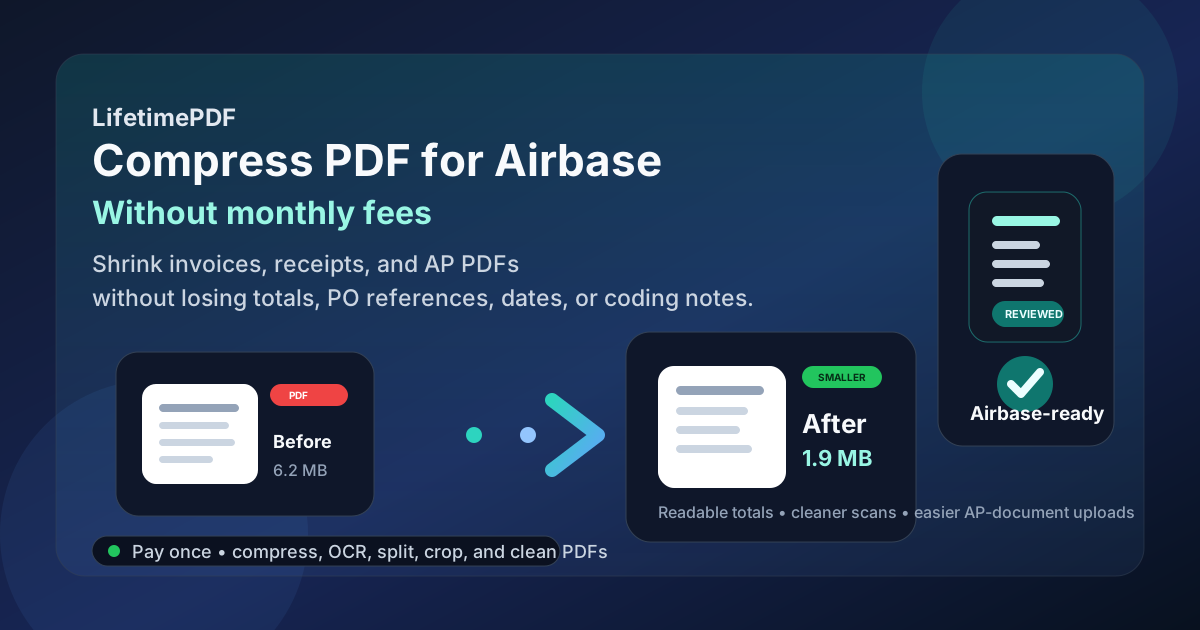
Table of contents
- Quick start: compress an Airbase PDF in about 2 minutes
- Why "without monthly fees" matters here
- Why smaller PDFs help in Airbase workflows
- What file size should an Airbase PDF be?
- Which compression level should you choose?
- Step-by-step: use LifetimePDF to shrink the file
- Best approach for common Airbase PDFs
- What to do if the PDF is still too large
- How to keep AP and spend details readable
- Workflow habits that reduce PDF bloat
- Related LifetimePDF tools and useful reading
- FAQ (People Also Ask)
Quick start: compress an Airbase PDF in about 2 minutes
If your real goal is simply make this PDF smaller so it is easier to use in Airbase, this workflow is usually enough:
- Export or save the final vendor invoice, receipt packet, approval backup, reimbursement PDF, or AP support file you actually plan to keep.
- Open Compress PDF.
- Upload the file and choose Medium compression first.
- Download the smaller result and compare the new size.
- Preview the weakest details: supplier names, dates, totals, tax lines, PO references, invoice numbers, and the faintest scanned text.
- If the file is still bulky or image-heavy, run OCR PDF, crop empty scan borders, delete duplicate pages, or split the packet before trying stronger compression.
Why "without monthly fees" matters here
Airbase document prep is not a one-time project. It repeats across invoices, receipts, reimbursement support, approval backups, procurement paperwork, and month-end review packets. That is exactly why the subscription angle matters. If the task happens every week, paying monthly just to shrink, OCR, split, crop, and clean ordinary PDFs gets old fast.
A pay-once workflow makes more sense for this type of admin work. You want a tool you can reach for whenever a file is oversized, messy, scan-heavy, or harder to upload than it should be. You do not want another recurring bill just to tidy a vendor invoice, shrink a receipt packet, or fix one approval PDF before the next step.
- Recurring work: AP and spend-document cleanup does not stop after one month.
- Multiple tasks: compression often leads to OCR, page extraction, cropping, or splitting.
- Better cost fit: a pay-once tool matches occasional but repeated document prep better than another subscription.
- Less friction: the easier the workflow is, the more likely people are to clean the file before upload instead of hoping it works.
Why smaller PDFs help in Airbase workflows
Airbase files often come from several directions at once. AP adds a vendor invoice. A cardholder uploads a receipt. Someone attaches backup for an exception request. A buyer exports supporting pages for procurement or coding review. By the time everything becomes one PDF, it is easy for the document to feel much heavier than the information inside it.
Smaller PDFs are easier to upload, faster to open, and less frustrating to review later. That matters when the real job is checking supplier names, dates, totals, PO references, tax lines, coding notes, and approval context rather than waiting on a bloated file. Compression is not about squeezing every page until it looks rough. It is about removing avoidable weight while keeping the record clear enough to trust.
Why compression helps
- Faster uploads: useful when invoices, receipts, and support PDFs should move through the workflow without unnecessary delay.
- Smoother review: lighter PDFs are easier for AP, procurement, and finance teams to open on desktop or mobile.
- Cleaner storage: smaller files are easier to archive, resend, and reuse later.
- Less scan bloat: camera captures, scans, and screenshot-based appendices often carry extra weight that adds no real value.
- Better follow-up options: leaner PDFs are easier to OCR, split, crop, extract pages from, or compare if the workflow changes.
If the PDF is mostly text, tables, signatures, and standard supporting pages, it usually should not feel huge. When it does, the extra weight is often coming from oversized scans, duplicate pages, blank backsides, or exported images rather than the AP content itself.
What file size should an Airbase PDF be?
There is no single perfect number for every Airbase workflow, so practical ranges are more useful than chasing an exact target. You want a file that uploads comfortably, opens quickly, and still looks reliable when somebody checks the details that matter.
| Document type | Practical target | Why it works |
|---|---|---|
| Text-heavy invoice, approval PDF, or supplier form | < 1MB to 2MB | Usually enough for files that should stay easy to upload and review |
| Receipt bundle, reimbursement backup, or mixed spend packet | 1MB-3MB | Leaves room for several pages without making the file awkward |
| Scanned AP support, paper invoices, or image-heavy appendices | 2MB-5MB | Gives scan-heavy pages enough room while still keeping the file manageable |
| Over 5MB | Usually needs cleanup | At that point, trimming packet waste often works better than compressing harder |
Which compression level should you choose?
Most people should not start with the strongest option. That is the fastest route to fuzzy invoice text, muddier totals, and a file that technically became smaller but is now harder to trust. For Airbase uploads, Medium is usually the right first move.
| Compression level | Best use | Main trade-off |
|---|---|---|
| Low | Already-clean PDFs, contracts, and ordinary text-heavy invoices | Preserves quality best but may not reduce size enough |
| Medium | Most receipts, reimbursement backups, approval packets, and mixed support PDFs | Best balance of smaller size and readable detail |
| High | Only when the file is still too large after smarter cleanup | Highest risk of hurting tiny tables, faint print, and scan clarity |
Medium works well because most Airbase documents are not design files. They are proof documents. If compression makes the proof harder to read, you lost the real purpose of the file.
Step-by-step: use LifetimePDF to shrink the file
- Save the final version first. Use the exact packet you plan to upload, not a rough draft with extra pages you already know you do not need.
- Open Compress PDF.
- Upload the file. This can be a vendor invoice, receipt packet, approval PDF, reimbursement backup, supplier form, or coding-support packet.
- Choose Medium compression. That is the safest default in most AP and spend-document situations.
- Download the smaller copy. Compare the new file size before you move on.
- Open the result once. Check supplier names, dates, totals, PO references, invoice numbers, tax lines, and any small printed text.
- Only do more if needed. If the PDF is still too heavy, clean it instead of immediately forcing stronger compression.
Useful combo: compress first, then run OCR PDF if the file came from a scanner or phone camera and the text is not selectable.
Best approach for common Airbase PDFs
Vendor invoices and AP bills
These are usually text-heavy and compress well. Low or Medium is often enough. What matters most is keeping supplier names, invoice numbers, dates, tax lines, totals, and purchase-order references readable. A slightly larger invoice that remains easy to review is better than a tiny one that makes someone zoom in just to confirm the amount.
Receipt bundles and reimbursement backups
These packets often become bloated because they mix phone photos, screenshots, receipts, and notes into one file. Start with Medium compression. If the smallest text is already faint, protect readability and focus on cropping empty borders or removing duplicate captures instead of pushing harder compression.
Approval packets and coding support PDFs
If the packet includes memos, exported summaries, screenshots, and supporting evidence, make sure the final file is coherent. Smaller is good, but clarity matters more. Keep the pages the reviewer will actually use, preserve the order, and avoid stuffing every possible backup artifact into one oversized attachment.
Supplier forms and procurement paperwork
These are often easy to compress because they are mostly text and signatures. Still, review vendor names, dates, addresses, signatures, banking details where relevant, and any compliance notes before you keep the smaller version.
What to do if the PDF is still too large
If Medium compression still leaves the file larger than you want, the next move is usually structural cleanup, not panic. Most oversized AP PDFs have extra weight that can be removed without hurting the useful content.
- Crop empty scan borders: phone captures and office scans often include wasted space.
- Delete duplicate pages: repeated receipts, accidental rescans, and duplicate exports are common.
- Split oversized packets: use Split PDF when one file contains separate chunks that do not need to travel together.
- Extract only the needed pages: use Extract Pages when the workflow only needs one invoice section or one approval segment.
- Run OCR on image-based scans: searchable scans are easier to review and often easier to reuse later.
How to keep AP and spend details readable
This is the review step people skip when they are in a hurry, and it is the one that matters most. Before you upload the smaller file, check the pieces someone else may need to verify later.
- Supplier or merchant name
- Invoice number or PO reference
- Document date and due date
- Subtotal, tax, currency, and final total
- Coding notes, memo fields, or approval comments
- Any handwritten, stamped, or tiny printed text
If the faintest part of the document is still readable, you are usually in good shape. If the weak details turned muddy, go back one step. A slightly larger file is still the better file when it keeps the proof intact.
Workflow habits that reduce PDF bloat
The easiest way to avoid oversized Airbase PDFs is not heroic compression. It is better habits before the file gets messy.
- Export once from the cleanest source available.
- Avoid screenshotting PDFs unless absolutely necessary.
- Keep only the pages the reviewer needs.
- Combine related support, not every document you touched that day.
- Use OCR on scanned invoices and receipts before they disappear into storage.
- Compress before the attachment becomes a repeated problem.
Small habits matter because document friction compounds. One oversized upload is an annoyance. A workflow full of oversized uploads becomes a time tax.
Related LifetimePDF tools and useful reading
Useful tools
Best fit
This workflow is a strong fit if you regularly clean invoices, receipts, approval packets, or AP support files and want a pay-once way to keep recurring PDF prep under control.
Want the simple version? Use LifetimePDF to compress the file first, check readability once, then keep the smaller copy only if the proof details still look trustworthy.
FAQ (People Also Ask)
How do I compress a PDF for Airbase without monthly fees?
Use a pay-once PDF tool like LifetimePDF, upload the Airbase-ready file, start with Medium compression, and review the smaller result before you use it. If the PDF is still bulky, clean scan waste, trim duplicate pages, or split the packet instead of over-compressing everything at once.
What file size should I aim for before using a PDF in Airbase?
Under 2MB is a strong target for text-heavy invoices, approval PDFs, and ordinary AP support files. Scan-heavy receipt bundles and mixed finance packets often work better around 2MB to 5MB as long as supplier names, totals, dates, and coding details still look clear.
Will compression make invoice totals or supplier details blurry?
It can if you compress too aggressively. That is why Medium compression is usually the safest first pass. Always review supplier names, dates, totals, PO references, invoice numbers, and the faintest scanned text before keeping the smaller file.
Should I run OCR on scanned invoices or receipt packets before storing them?
Usually yes if the file came from a scanner or phone camera and the text is not selectable. OCR makes finance PDFs easier to search, review, and reuse later during approvals, audit checks, and month-end work.
Why look for an Airbase PDF workflow without monthly fees?
Because invoice, receipt, and approval PDF cleanup happens repeatedly, but most teams do not want another subscription just to shrink, OCR, split, crop, or clean support PDFs. A pay-once workflow fits recurring AP and spend-admin work better.