Check PDF Page Labels: Make Sure Viewer Numbering Matches Covers, Roman Numerals, and Merged Sections
To check PDF page labels, compare the numbers readers see in the viewer, thumbnails, bookmarks, or footers against the PDF's real internal page index, especially when covers, Roman numerals, inserts, or merged sections are involved.
If the page labeled 1 is really PDF page 3, or if an appendix shifts to A-1, confirm that label logic before you cite, delete, extract, print, or renumber anything.
That is the short answer. The useful answer is that page-label mistakes cause quietly expensive confusion. Someone asks for page 12, but they mean the number printed in the footer while you are looking at PDF page 14 in the editor. A court exhibit packet, handbook, board deck, or scanned archive can look perfectly organized while still using three different numbering systems at once. A fast page-label check keeps references, extractions, bookmarks, and final numbering from drifting apart.
Fastest practical path: identify the PDF's real page index first, compare it with the labels readers actually see, note every transition point, then fix numbering only after the page order is final.
In a hurry? Jump to quick start: check PDF page labels in about 6 minutes.
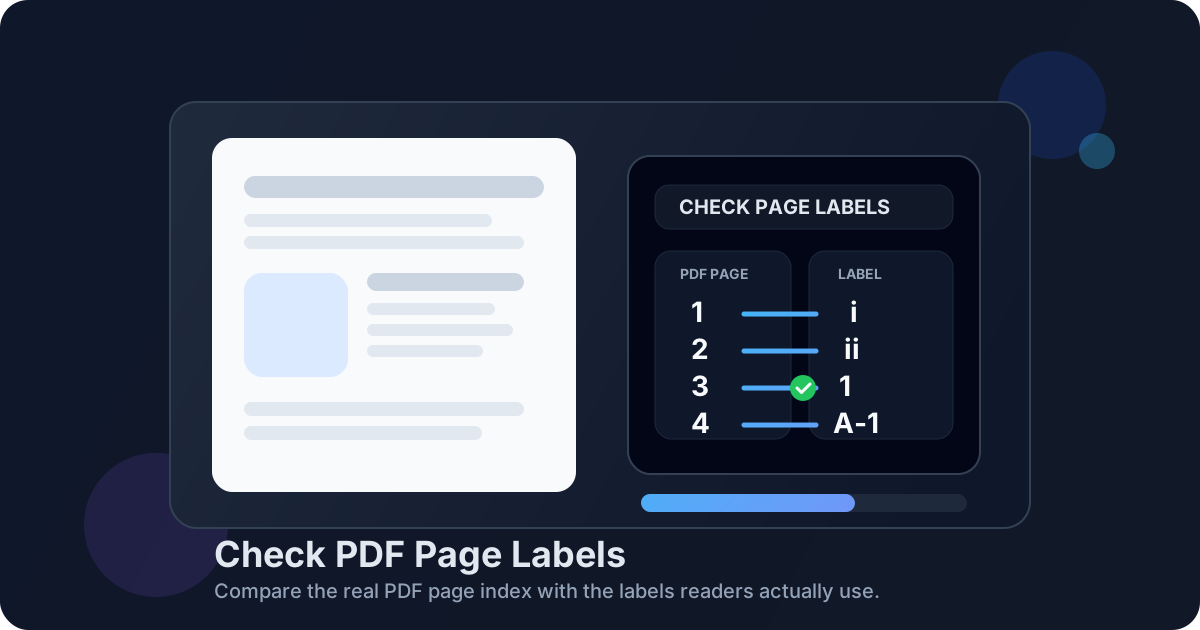
Table of contents
- Quick start: check PDF page labels in about 6 minutes
- What PDF page labels actually are
- Why labels drift away from the real page index
- Step-by-step: practical PDF page-label review workflow
- Common scenarios that create page-label confusion
- When to fix labels and when to leave them alone
- Final checklist before you cite, delete, extract, or renumber
- Related LifetimePDF tools and guides
- FAQ
Quick start: check PDF page labels in about 6 minutes
If your goal is simply stop page references from going wrong, this short workflow catches most real-world problems:
- Open the PDF and identify the physical file order: page 1, page 2, page 3, and so on.
- Look at the labels readers actually see in the viewer, footer, thumbnails, bookmarks, or page box.
- Find the first place where the visible label stops matching the physical page index.
- Mark any transition points such as cover → Roman numerals → Arabic numbers → appendix labels.
- Before deleting, extracting, or renumbering, confirm which system your tool is asking for: internal PDF page number or reader-facing label.
- After fixing the page order, apply corrected numbering with PDF Page Numbers and review the first main page, one transition page, and the last section.
That small check prevents the classic mistakes: deleting the wrong page, extracting the wrong exhibit, citing the wrong appendix page, or arguing about page 12 when the file contains two different page 12s depending on whose viewpoint you use.
What PDF page labels actually are
A PDF can carry more than one numbering story at the same time. The file has a physical page index inside the document itself, but readers may see a different page label in their viewer or on the page artwork. Those labels may use Roman numerals for front matter, standard numbers for the main body, or appendix styles such as A-1 and B-3.
This is why the page labeled 1 is not always the first page in the file. A clean cover, title page, or insertion sheet can come first physically while the content that readers treat as page 1 starts later. The label is not wrong. It is just describing the document from the reader's perspective instead of the file's internal index.
Physical page index
- The true order of pages inside the PDF file
- What many editors use for delete, extract, and merge operations
- Usually starts at page 1 even if the reader never sees that number
Reader-facing page labels
- The numbers or codes readers quote aloud
- May be i, ii, iii, 1, 2, 3, A-1, A-2, and so on
- Often change at section breaks or after a cover page
Printed or added footer numbers
- Visible text stamped on the page itself
- Can agree with page labels or fight them completely
- Need a separate sanity check after renumbering
Why labels drift away from the real page index
Most page-label mismatches are normal side effects of real document workflows, not signs that the PDF is broken. The trouble starts when nobody notices which numbering system a human, viewer, or tool is actually using.
| Situation | What the reader sees | What the PDF file may be doing |
|---|---|---|
| Cover page or title page before the main report | The second or third physical page is labeled 1 | PDF page 1 or 2 exists physically, but the main body starts later |
| Roman-numeral front matter | i, ii, iii, iv before the first numbered chapter | The file still counts those pages as 1, 2, 3, 4 internally |
| Merged packet or appendix | A new section starts at 25 or A-1 | The internal index simply continues to the next physical page |
| Deleted or inserted pages midstream | Labels may skip, restart, or no longer match bookmarks | The physical order changed after the original numbering logic was built |
| Scanned archive or exhibit bundle | Visible page stamps might conflict with the viewer count | The scanner created a clean file index while the source pages carried old printed numbers |
The key idea is simple: page labels are a navigation layer. They help the document read naturally. But when you edit the file, the internal index is usually the harder truth you need to keep straight.
Step-by-step: practical PDF page-label review workflow
The cleanest workflow is to identify the numbering systems first, then fix the document only after you understand where they split.
1. Start with the final or nearly final PDF
If the file is still missing pages, carrying duplicates, or waiting on a merge, do not treat the current labels as stable. Page-label cleanup works best near the end of the workflow, once the structure is close to final.
2. Identify the physical page order first
Count the PDF as the software counts it: first physical page, second physical page, third physical page, and so on. This is the reference system most page-manipulation tools care about, even when the reader is quoting different labels.
3. Compare the labels readers actually use
Check the page number box, thumbnail pane, bookmarks, printed footer, or whatever a human is most likely to cite back to you. Look for the first mismatch between the reader-facing label and the internal file index.
4. Mark the transition points deliberately
Covers, Roman-numeral front matter, inserted letters, divider sheets, and appendices are where the numbering story changes. Those are the pages most likely to cause extraction or deletion mistakes later.
5. Decide whether the problem is labels, printed numbers, or page order
Sometimes the labels are fine and the issue is that someone printed old page numbers into the page artwork. Sometimes the labels are wrong because the packet was merged late. Sometimes the file order is wrong and numbering is only the symptom.
6. Fix structure first, numbering second
Use Delete Pages, Extract Pages, or Merge PDF before you correct numbering with PDF Page Numbers. Otherwise you risk fixing the labels twice.
Best sequence: finalize page order, check where the labels change, then renumber once at the end so the labels match the version you will actually share.
Common scenarios that create page-label confusion
These are the patterns that make people say, “I know the right page when I see it, but the software keeps picking the wrong one.”
Front matter before the main body
Handbooks, reports, theses, board packets, and policy manuals often keep the cover and title pages outside the main numbering sequence. The first meaningful content page may be labeled 1 even though it is the second, third, or fifth physical page in the file.
Roman numerals that switch to Arabic numbers
This is normal in books, long reports, and formal packets. The issue is not the format itself. The issue is forgetting that page iii may be physical PDF page 3, and page 1 may arrive later than you expect.
Merged sections that should continue the numbering
If one packet ends at 24 and the next section should begin at 25, a raw merge may leave the internal page order correct but the reader-facing labels unhelpful. That is when the file needs deliberate renumbering rather than wishful thinking.
Appendices and exhibits with their own numbering style
Appendix labels like A-1, A-2, or Exhibit B-3 are useful when they match the rest of the packet. They become messy when bookmarks, footer numbers, and extraction references still assume plain sequential numbering.
Scanned files carrying old printed numbers
A scan may include page stamps or handwritten references from the paper original while the digital PDF creates a clean new page index. In that case the visible number on the page and the digital page position can disagree for completely understandable reasons.
When to fix labels and when to leave them alone
Not every mismatch needs repair. Some numbering differences are intentional and genuinely helpful. The question is whether the labels support the job the PDF is doing next.
Fix the labels when
- people are citing the wrong pages in reviews, court filings, or support threads
- deleting or extracting pages keeps hitting the wrong section
- the packet was merged or edited after the numbering logic was built
- bookmarks, table of contents references, and page labels no longer agree
- the PDF is leaving your team and needs to be easy for strangers to trust
Leave them alone when
- Roman numerals or appendix labels are intentional and consistent
- the reader-facing numbering matches the citations people already use
- the file is historically archived and the odd numbering reflects the original record
- the problem is really old printed footer numbers, not the label logic itself
- changing the labels would break an established reference system people rely on
In other words, fix confusion, not harmless complexity. A PDF can legitimately use several numbering styles. It just should not surprise the next person who needs to work with it.
Final checklist before you cite, delete, extract, or renumber
Run through this quick list before the PDF leaves your hands:
- Do I know the difference between the file's physical page index and the labels readers see?
- Have I found every transition point where numbering style changes?
- Am I sure the tool I am using wants internal page numbers, not reader-facing labels?
- Did I finalize the page order before renumbering?
- Do bookmarks, table of contents references, and page labels tell the same overall story?
- Did I review the first main page, one transition page, and the last section after the fix?
If any answer is no, pause before you delete pages, extract a section, or quote a page number in an email or filing. One short review now is cheaper than rebuilding the packet later because everyone referenced the wrong page range.
FAQ
How do I check PDF page labels?
Compare the labels shown in the viewer, thumbnails, bookmarks, or footer against the PDF's real physical page order. That tells you whether page 1 for the reader is also page 1 in the file or whether covers, Roman numerals, or appendices shifted the numbering.
Are page labels the same as PDF page numbers?
Not always. The PDF has a physical page index inside the file, while the reader may see labels such as i, ii, iii, 1, 2, 3, or A-1. Those can match, but they often diverge in longer or merged documents.
Why does page 1 in the document sometimes equal PDF page 3?
Because one or more physical pages came first: a cover, title page, letter, blank insert, or Roman-numeral front matter. The file counts those pages internally even if the main body starts its reader-facing numbering later.
Should I fix page labels before deleting or extracting pages?
Usually you should finalize the page order first. Delete, extract, merge, or reorder what needs changing, then correct the numbering on the finished PDF so the labels reflect the final version rather than an intermediate one.
Can PDF page labels use Roman numerals or appendix styles?
Yes. Many PDFs use Roman numerals for front matter, Arabic numbers for the main body, and appendix formats like A-1 or B-3 later on. The important part is that the pattern stays deliberate and easy for readers to follow.
Published by LifetimePDF — Pay once. Use forever.