Translate PDF to Swahili: OCR Scans First, Review Names, Regional Terms, and Export a Clean Final PDF
To translate a PDF to Swahili, upload a text-based PDF to LifetimePDF's Translate PDF tool, choose Swahili, then review names, dates, place names, and audience-facing wording before you export or rebuild the final file.
If the PDF is scanned, run OCR first; clean source text matters more than anything else for readable Swahili output.
Most people searching for this do not need a perfect localization pipeline on the first click. They need a Swahili version they can understand quickly, review with confidence, or turn into a cleaner final PDF without wasting time on predictable cleanup later. The biggest gains usually come from three practical moves: start with real text instead of page images, keep names and critical numbers stable, and review where Swahili should stay natural without forcing every familiar English label into an awkward literal translation.
Fastest practical path: translate readable PDFs directly, OCR scanned files first, then do a short review for names, dates, totals, place names, labels, and public-facing instructions before sharing the final file.
In a hurry? Jump to the quick answer and workflow.
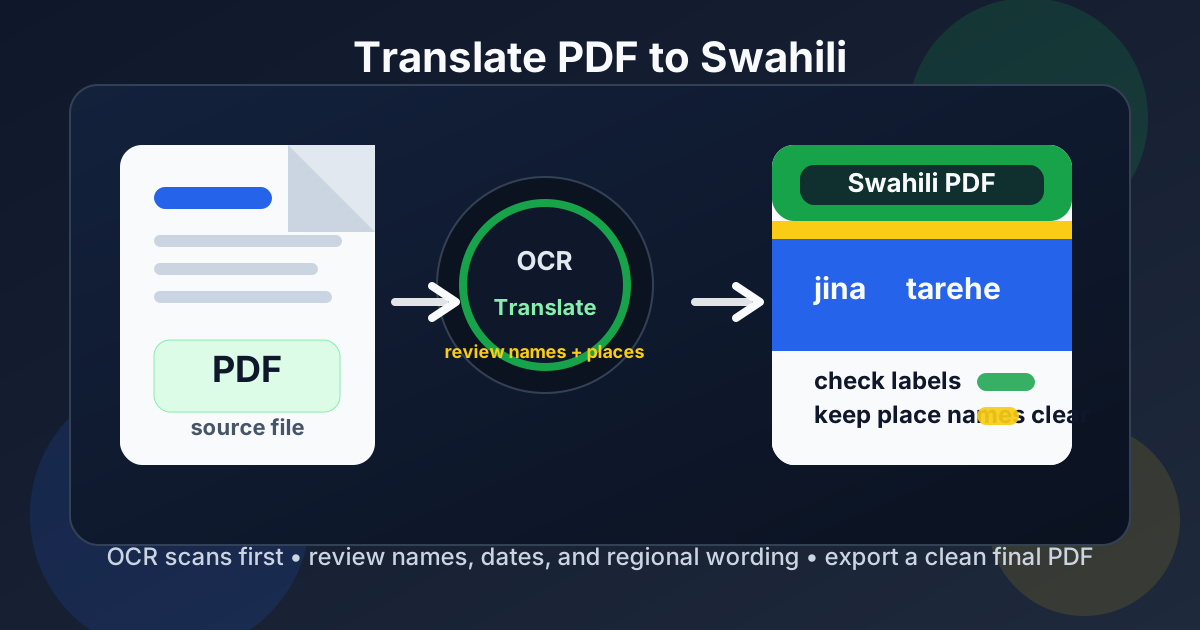
Table of contents
- Quick answer: the cleanest way to translate PDF to Swahili
- When direct PDF translation works well
- Why Swahili needs a careful review pass
- Scanned PDFs: why OCR comes first
- A practical Swahili PDF workflow from start to finish
- When to rebuild the final Swahili PDF instead of sending raw output
- Common mistakes that make Swahili PDF translations look careless
- Where this workflow is especially useful
- FAQ
Quick answer: the cleanest way to translate PDF to Swahili
The shortest reliable workflow is simple:
- Check whether the PDF already has selectable text.
- If it does, open Translate PDF and choose Swahili.
- If it does not, run OCR PDF first.
- Review names, dates, totals, place names, borrowed English terms, and any sentence the reader needs to act on.
- If layout quality matters, rebuild the final file with Text to PDF or Word to PDF.
When direct PDF translation works well
Direct translation works best when the PDF is already text-based and structurally calm. Reports, NGO handouts, contracts, invoices, onboarding documents, school notices, SOPs, tourism guides, public information sheets, and support material often translate reasonably well on the first pass if the original PDF has a clean text layer.
In those cases, the translation step itself is usually not the real problem. The bigger question is whether the Swahili version is clear enough for the person who has to use it. Internal review, supplier communication, customer support, community outreach, document comprehension, and early localization are all good fits for a fast browser workflow.
- Good fit: readable PDFs with paragraphs, headings, lists, and straightforward tables.
- Still workable with review: invoices, forms, product docs, public notices, and operational files where names and numbers matter.
- Usually needs cleanup: scans, brochures, dense tables, multi-column layouts, and documents with stamps, handwriting, or mixed bilingual fragments.
Have a clean source PDF already? Start with translation first and only add more steps if the result still needs work.
Why Swahili needs a careful review pass
This is where generic "translate PDF" advice usually becomes too shallow to help. Swahili can look broadly understandable after a quick machine pass, but a file can still feel rough if names drift, dates or totals are mistranscribed, or common English product and workflow labels get translated into wording the reader would never naturally use. The document may remain readable while still not feeling trustworthy enough to forward.
Real documents often mix Swahili, English, and local references
A lot of PDFs are not purely one-language environments. Software labels, organization names, logistics terms, procurement language, field instructions, and place names often stay partly in English even when the surrounding explanation should read naturally in Swahili. If a translation engine over-corrects those terms, the result can become less usable, not more.
Names, dates, numbers, and places deserve the first review pass
Names, dates, invoice totals, percentages, addresses, village or district names, project references, and deadline lines are the parts people actually act on. If you only have time for one manual pass, spend it there. That is usually more valuable than polishing every paragraph equally.
Tone matters when the PDF is public-facing
A rough internal translation can still be useful for understanding. A customer-facing guide, school notice, community handout, onboarding pack, or official-looking document needs a cleaner tone. That does not mean rewriting everything. It means smoothing the visible friction points so the document feels deliberate instead of machine-assembled.
Scanned PDFs: why OCR comes first
If the PDF is really a stack of images, the translation tool has much less to work with. That is why OCR should happen first, not as an afterthought. OCR turns the visible page content into searchable text, and that text becomes the foundation of the Swahili translation.
When people say translating a PDF "did not work," the source file is often the real problem. The tool was given blurry scans, photographed pages, low-contrast print, or uneven text capture. Swahili output cannot be cleaner than the source material feeding it.
Use OCR first when:
- You cannot highlight any words in the PDF.
- Search does not find obvious visible text.
- The document came from a scanner, camera, or screenshot workflow.
- The pages contain faded print, stamps, handwriting, or poor lighting.
If that sounds like your document, start with OCR PDF, confirm the extracted text is usable, and only then move to translation. That single decision saves more cleanup than almost anything else.
A practical Swahili PDF workflow from start to finish
1) Check whether the PDF is text-based or scanned
Try to highlight a sentence or search for a visible word. If those tests work, translate directly. If not, OCR first.
2) Translate only the pages you actually need
If you only need a contract section, invoice pages, onboarding steps, school instructions, support pages, or a few appendix pages, do not force yourself to process the whole file every time. Smaller inputs are easier to review and usually faster to clean up afterward.
3) Choose Swahili and run the first pass
Use Translate PDF and choose Swahili deliberately. Then read the result with a reviewer mindset rather than assuming the first output is final. Ask one direct question at this stage: Will the person receiving this understand the terms the way they are actually used in their real context?
4) Review the high-risk details
Start with the lines that carry real consequences:
- document titles and section headings
- names, addresses, and organization references
- dates, totals, currencies, invoice numbers, and measurements
- place names, borrowed English labels, and mixed workflow terminology
- instructions, disclaimers, and public-facing action lines
- short labels where the original wording may be clearer than a literal rewrite
5) Rebuild the final Swahili PDF only if needed
If the translated content is mainly for understanding, the text result may already be enough. If the output needs to be client-ready, print-ready, or cleaner for formal sharing, move it into Text to PDF or Word to PDF and create a polished final version.
Practical sequence: OCR if needed, translate, review the risky lines, then rebuild only when presentation matters.
When to rebuild the final Swahili PDF instead of sending raw output
Sometimes the translated content is accurate enough, but the PDF still looks patched together. That is common when the original layout was complicated or when translated Swahili text has to coexist with English labels, numbers, links, tables, or form fields.
Rebuild the final PDF when:
- the document is going to a customer, partner, parent, student, or external reviewer
- line breaks make headings or bullet points feel sloppy
- tables or labels become hard to read after translation
- you need more natural Swahili wording than the raw export provides
- you need a version worth storing, printing, or forwarding widely
That is where a simple text or word-based rebuild pays off. You keep the translated meaning, improve the presentation, and avoid sending something that technically works but feels unfinished.
Common mistakes that make Swahili PDF translations look careless
Skipping OCR on scans
This is the classic mistake. If the file is image-based, translation quality drops before the process even really begins.
Over-translating terms the reader already recognizes
Not every label becomes better when turned into a literal equivalent. Sometimes the right move is to keep a familiar product, workflow, or field term stable and make the surrounding Swahili clearer.
Letting names, dates, or place names drift
Readers may forgive slightly rough phrasing faster than they forgive the wrong date, amount, district name, or person name. Those are the details that break trust first.
Sending a translated draft that still needs visual cleanup
The translation may be understandable, but if headings break awkwardly, columns collapse, or labels become cramped, the document still feels unfinished. A quick rebuild step is often the difference between "usable" and "ready."
Where this workflow is especially useful
Translating a PDF to Swahili is especially helpful when you need fast comprehension or a clean shareable version of documents like:
- contracts and policy summaries
- invoices, shipping paperwork, and supplier documents
- product manuals and support instructions
- internal SOPs, onboarding guides, and training notes
- school notices, forms, and parent communication
- community handouts, NGO material, and public information sheets
In all of those cases, the same rule applies: the first output gets you speed, and the review plus rebuild steps give you confidence.
Ready to make a Swahili version of your file? Start with the translator, then protect the final PDF if it contains sensitive material.
FAQ
How do I translate a PDF to Swahili?
Upload a text-based PDF to a translation tool, choose Swahili, review names, dates, place names, and borrowed English terms, then export or rebuild the final file. If the PDF is scanned, OCR it first so the translation works from readable text instead of page images.
Can I translate a scanned PDF to Swahili?
Yes. OCR the PDF first so the text becomes searchable and readable, then translate that text into Swahili. Skipping OCR is one of the biggest reasons scanned translations turn messy.
Why should I review regional wording in a Swahili PDF?
Because many PDFs mix organization names, local place names, public-service wording, and familiar English labels. A literal translation can look understandable while still making the document less natural or less usable than the source wording.
Will a translated Swahili PDF keep the original formatting?
Sometimes partly, but not perfectly. Text-heavy pages usually hold up better than brochures, forms, tables, and multi-column layouts. If presentation matters, rebuild the final file after translation.
What should I check before sharing a Swahili PDF externally?
Recheck names, dates, amounts, place names, product terms, field labels, and any sentence the reader must act on. Then protect the finished file if it contains private or commercially sensitive material.