Add Roman Numerals to PDF Pages Online Free: A Clean Front-Matter Workflow
To add roman numerals to PDF pages online free, upload the PDF to a browser-based page-numbering tool, choose a roman numeral style, set the first physical page that should display a number, and export the updated file.
If the cover should stay blank or the main body should restart at page 1, split the PDF first, number the sections separately, then merge the finished pages back together.
This sounds like a tiny formatting job until the PDF includes a blank cover, a table of contents, and a main document that should not inherit the intro numbering. Reports, proposals, dissertations, manuals, and board packets often need that exact handoff: roman numerals in the opening pages, then a clean return to 1, 2, 3 when the real document begins. Once you treat the front matter and the body as two different numbering jobs, the workflow becomes much more predictable.
Fastest path: split the intro pages if needed, apply roman numerals with PDF Page Numbers, number the body separately, then merge everything back into one polished PDF.
Want the short version? Jump to Quick start: add roman numerals for free in a few minutes.
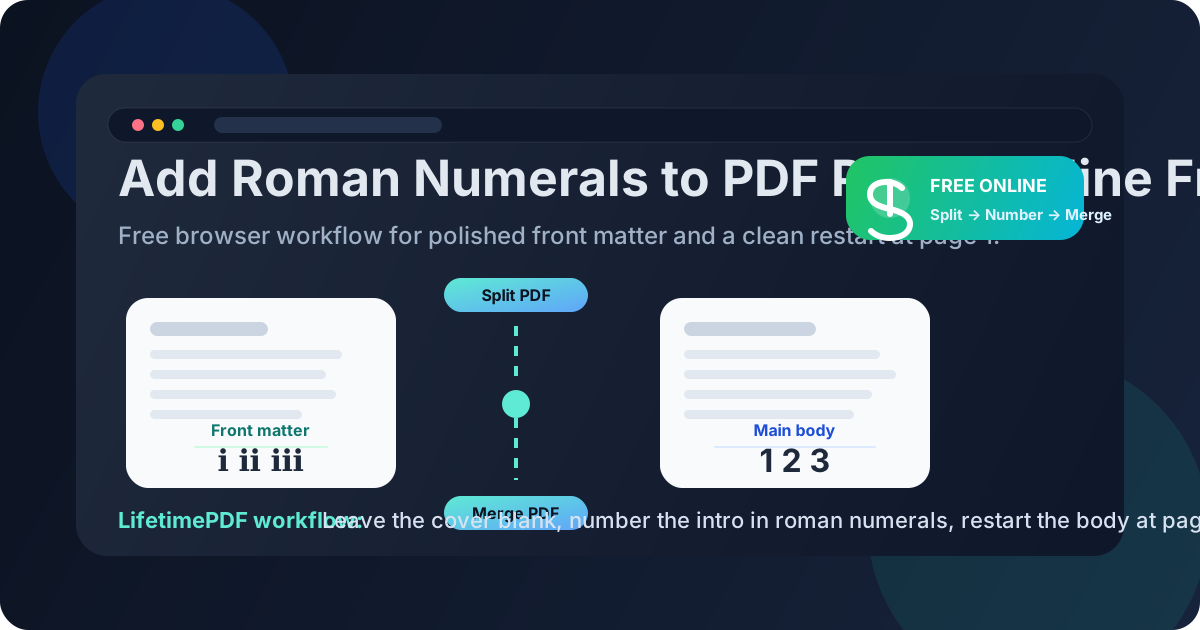
Table of contents
- Quick start: add roman numerals for free in a few minutes
- When a free online roman-numeral workflow is the right fit
- Step-by-step: add roman numerals without breaking the rest of the PDF
- How to leave the cover blank and start on page 2
- How to switch back to page 1 for the main body
- Lowercase vs uppercase roman numerals
- Common mistakes that make numbering look sloppy
- Related LifetimePDF tools for the full workflow
- FAQ
Quick start: add roman numerals for free in a few minutes
If you just need the dependable browser workflow, follow this order:
- Decide whether the entire PDF needs roman numerals or only the opening pages.
- If the main body should restart at page 1, separate the front matter with Split PDF.
- Open PDF Page Numbers.
- Choose lowercase roman numerals such as
i, ii, iiior uppercase roman numerals such asI, II, III. - Set the physical start page and the visible starting numeral.
- If the cover should stay blank, start numbering on page 2 instead of page 1.
- Apply standard numbering to the main body if needed, then rebuild the final file with Merge PDF.
When a free online roman-numeral workflow is the right fit
A free online workflow makes the most sense when the job is specific, the document structure is already clear, and you mainly need a fast way to apply the numbering correctly. That covers a lot of real-world PDFs.
Common use cases
- Reports and proposals with a title page, executive summary, or contents page before the main content
- Theses, dissertations, and research papers that use roman numerals in the preliminaries
- Manuals and training packets that separate setup pages from the main numbered material
- Board books and investor packets where the opening pages should look formal and distinct
- Books and ebooks with front matter that should not share the main chapter numbering
| Document section | Typical numbering | Why it helps |
|---|---|---|
| Blank cover | No visible number | Keeps the file looking intentional and uncluttered |
| Intro pages / table of contents | i, ii, iii or I, II, III |
Separates front matter from the core document |
| Main body | 1, 2, 3 |
Makes chapters, references, and citations easier to follow |
The free workflow is especially good when you already know the section break. In other words, you know which pages belong to the opening material and where the main document really starts. That clarity matters more than the document length.
Step-by-step: add roman numerals without breaking the rest of the PDF
The core idea is simple: do not think of the PDF as one uninterrupted page-numbering problem if it really contains two different numbering systems.
1) Decide whether the whole file or only the front matter needs roman numerals
Some PDFs really do need roman numerals throughout, especially short formal documents. But most files use roman numerals only for the opening pages. If the main body should begin at page 1, separate the front matter first instead of trying to improvise the reset later.
2) Split the PDF when the body needs a clean restart
Use Split PDF to isolate the title page, contents pages, introduction, or prefatory material. This step removes a lot of confusion because the roman numeral sequence can be handled on its own, without worrying about the chapter pages yet.
3) Apply the roman numeral format to the front matter
Open PDF Page Numbers, choose the roman numeral style you want, and set the visible starting value. For most front matter, lowercase numerals such as i, ii, and iii look natural. For more formal styles, uppercase numerals can fit better.
4) Be precise about the first physical page that should show a number
This is the part people mix up. The physical page is the actual sheet or page position inside the file. The visible numeral is the character printed on that page. Those are related, but they are not the same setting.
For example, if page 1 is a cover and page 2 is the first interior page, you may want page 2 to display i. That means the numbering starts physically on page 2, while the visible sequence begins at i.
5) Number the main body separately when needed
If the main report, chapter, or manual body should start at regular page 1, run that section as a separate numbering job. This avoids the ugly result where the body begins on page iv or v even though readers expect 1.
6) Merge the finished sections and review the handoff
Once both sections look correct, use Merge PDF to rebuild the final document. Then spot-check the end of the front matter and the start of the body. That is where numbering mistakes usually reveal themselves.
Cleanest free workflow: split the front section, number it with roman numerals, restart the body at 1, then merge the file back together.
How to leave the cover blank and start on page 2
This is probably the most common roman-numeral request. The cover page should stay visually clean, but the next page should begin the front-matter sequence.
- Keep the cover as the first physical page.
- Set the page-numbering tool so numbering begins on page 2.
- Choose
iorIas the first visible numeral. - Export and confirm the cover has no visible number while the next page begins correctly.
If the first numbered intro page should actually display ii because another front page is intentionally unnumbered but still counted in the sequence, adjust the visible start value accordingly. The point is to match how readers expect the printed numbering to behave, not just how the file counts its internal pages.
How to switch back to page 1 for the main body
A clean reset matters because the main body is the part readers cite, reference, and navigate most often. If chapter 1 starts on iv, the document feels unfinished even when the content is strong.
The easiest way to restart the body at page 1 is to treat it as a second numbering job:
- Number the intro pages with roman numerals
- Number the body pages with regular digits starting at
1 - Merge both sections into one final PDF
This matters for dissertations, manuals, legal packets, polished proposals, and any document where people will say things like “see page 12” or “refer to page 3 of the report.” Readers expect the body numbering to align with those references.
| Scenario | Better numbering choice | Why |
|---|---|---|
| Thesis with title page and contents | Roman numerals in the preliminaries, page 1 at chapter 1 | Matches common academic expectations |
| Proposal with executive summary | Roman numerals in the opening pages, digits in the report | Makes the real report easier to discuss and review |
| Manual with setup pages | Roman numerals for setup pages, digits for the actual guide | Improves navigation for end users |
Lowercase vs uppercase roman numerals
Both styles are legitimate. The better choice depends on the tone of the document and what the rest of the formatting already suggests.
Lowercase roman numerals usually fit best when:
- The document is academic, editorial, or book-like
- The front matter should feel conventional and understated
- You want the classic
i, ii, iiilook most readers expect
Uppercase roman numerals can work better when:
- The document style is more formal or corporate
- The front matter needs stronger visual distinction
- You are matching an established template that already uses
I, II, III
There is no universal winner. The real mistake is mixing styles accidentally or choosing a format that clashes with the document's existing typography.
Common mistakes that make numbering look sloppy
- Numbering the cover by accident when it should stay blank
- Confusing physical page position with visible numeral value
- Letting the body continue the roman sequence when it should restart at page 1
- Merging sections without a final spot-check
- Using one numbering style for a document that clearly has two sections
Most of these issues are not hard to fix. They happen because the document structure was never made explicit. When the front matter and main body are treated as separate stages, the numbering usually becomes obvious.
Related LifetimePDF tools for the full workflow
Roman numerals are rarely the whole job. These are the most useful companion tools when you want the PDF to look finished rather than merely functional:
- PDF Page Numbers for applying roman numerals or standard digits
- Split PDF for separating front matter from the body
- Merge PDF for rebuilding the finished document
- Add Roman Numerals to PDF Pages Online if you want the online-first version without the free-angle emphasis
- Add Roman Numerals to PDF Pages Without Monthly Fees if recurring subscription cost is part of the decision
Ready to number the file? Start with the page-numbering tool, then split or merge only if the document needs separate front matter and a clean body reset.
FAQ
How do I add roman numerals to PDF pages online free?
Use an online PDF page-numbering tool, choose a roman numeral format, set which physical page should start showing a number, and export the updated PDF. If the body should restart at page 1, split the front matter first and merge the finished sections after numbering.
Can I keep the cover blank and start roman numerals on page 2?
Yes. Start numbering physically on page 2 and make the first visible numeral i or I. That keeps the cover clean while the inside front matter begins the sequence.
Should I use lowercase or uppercase roman numerals?
Lowercase is the most common choice for front matter in books, reports, and academic documents. Uppercase works when the overall design is more formal or when you are matching an existing template.
Can I use roman numerals for the intro and regular page numbers for the body?
Yes. That is one of the most common use cases. Split the sections, apply roman numerals to the intro, apply regular digits to the body, then merge the document back together.
What usually causes numbering mistakes in this workflow?
The most common problems are numbering the cover by accident, confusing the page where numbering starts with the numeral that should appear there, forgetting to restart the body at page 1, and skipping the final review after merging the file.